
Pre-launch Check, How to Troubleshoot Issues
After completing the configuration, don't rush to send the URL to everyone. Walk through the site as a customer: open the website, log in, find services, check prices, start using, and contact customer service.
The checklist below can be directly used for acceptance. If only doing Studio, skip the API-specific items.
¶ Before Sending the Link, Check These Six Items
- Website is accessible: Can be accessed via your own HTTPS domain on both computer and mobile; internal pages refresh without errors.
- Looks like your brand: Site name, logo, browser favicon, and customer service are consistent.
- Customers can log in: At least one method for registration/login works, and returns to the original site after completion.
- Services and prices are clear: Main features are easily found; directory, service details, and settlement prices have been verified.
- Products can be delivered: Complete small-scale testing after confirming costs, with corresponding quotas and usage records; API customers use their own Key.
- There is someone managing after-sales: Customer service, terms, and privacy pages are accessible; first customer attribution and valid order distribution records can be verified.
It is not required to have all functions fully operational upon launch, but the entrances already shown to customers must be usable.
¶ First Determine: Where is the Problem?
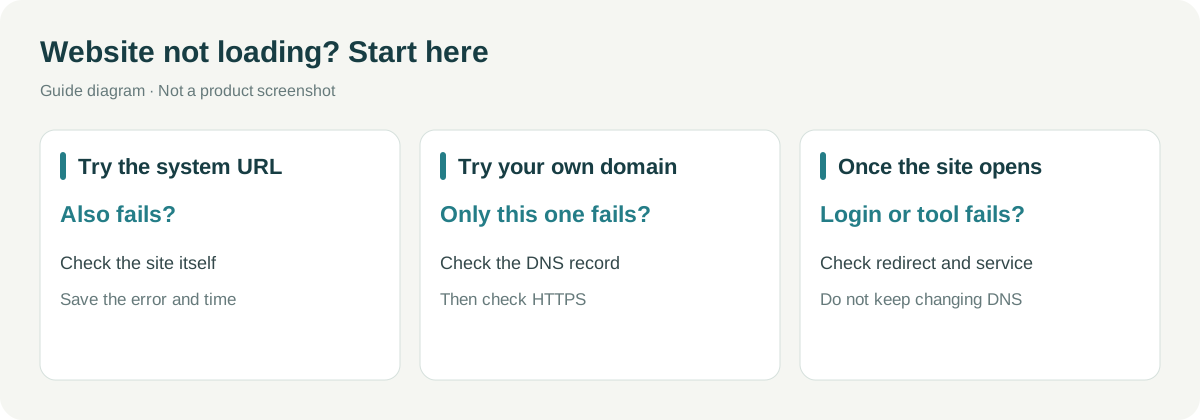
| Phenomenon Seen by Customers | What to Do First | Next, Look for Which Article |
|---|---|---|
| Your domain cannot be opened | First try the system domain; only check DNS and certificates if the official domain fails | Studio Domain / API Domain |
| Name, logo are still old | Confirm that the current site was modified, check save prompts, then open an incognito window | Studio Brand / API Brand |
| Did not return to the original site after logging in | Record the domain that initiated the login, verify the activation method and redirect | Corresponding brand and login tutorial |
| API returns an error | First check the error code, then check Key, quota, path, and parameters | First API Call |
| Price or revenue is incorrect | Check individual service coverage, order status, invitation relationships, and distribution records | Customer and Revenue |
| Statistics have no data | Check if enabled, ID and official domain, exclude browser interception | Corresponding brand tutorial's website statistics section |
When troubleshooting, change only one thing at a time, and recheck after making changes. Do not reconfigure DNS, prices, and logins simultaneously, as it will be difficult to know which item is effective.
¶ Customer Service Only Needs to Collect This Information
Save the following as a ticket template:
Which URL did it occur on:
Time of occurrence (including time zone):
What I did:
What should have appeared:
What actually appeared:
Error / Status code / Public request identifier:
Screenshot (with personal information and keys obscured):
Do not request passwords, verification codes, complete API Keys, Authorization request headers, or sensitive payment information. Request identifiers and timestamps are often more useful than entire requests with keys.
When the API fails, do not repeatedly submit paid tasks. For asynchronous tasks, first check the original task; when needing to compare public and custom domains, prioritize low-risk checks, and confirm the budget before repeating business requests.
¶ These Matters Should Be Explained to Customers in Advance
| Easily Misunderstood Statements | More Accurate Explanations |
|---|---|
| “This is a completely independent platform” | Brand is independently displayed, but accounts, balances, and packages still use a shared system |
| “Hiding services means they cannot be called” | Hiding is for display control, not interface authorization |
| “Hiding recharge limits consumption” | Existing customer balances and other purchase entrances will not be invalidated |
| “Your own domain is your own gateway” | API domain is the brand entrance, not an independent gateway or token isolation |
| “The more you increase the price, the more profit you earn” | Channel prices and distribution profits are calculated separately, settled based on valid records |
| “After changing the logo, all places update immediately” | Browsers, searches, and sharing tools may load the brand in different ways |
Generated images, audio, video, and other results may still use public CDN. When enabling third-party website statistics, it is necessary to explain the data usage and processing party simultaneously.
¶ Technical Colleagues Need to Recheck Brand Boundaries
The platform provides branded SSR for supported crawlers; regular browsers may first receive the SPA shell. Studio and shared authentication pages mainly load the brand asynchronously, and clients that do not execute JavaScript or receive the original HTML may still see the default appearance. Browser correctness and sharing preview correctness should be checked separately.
¶ After Launch, There’s No Need to Repeat Full Acceptance Every Day
| Frequency | Focus on What |
|---|---|
| Daily | Whether main services are normal, customer service issues, payment anomalies, broken images, and invalid links |
| Weekly | Domain and certificate, login redirects, price and document changes, whether banners are expired |
| Monthly or during major changes | Administrator and test credentials, terms and privacy, customer sources and revenue; rerun new customer pathways as needed |
Timely disable test Keys that are no longer needed, and do not mistakenly alter customer production credentials. Issue accurate announcements for confirmed issues, without guessing recovery times.
By doing this, the site is not just "configured," but is usable for customers, and there are people who know how to handle issues.
Need to choose a different route? Return to White Label Overview.