
Binding Page and API Domain Names
This can be confusing: The page domain is for users to see, while the API domain is for program calls. They can belong to the same brand, but do not fill in the same address.
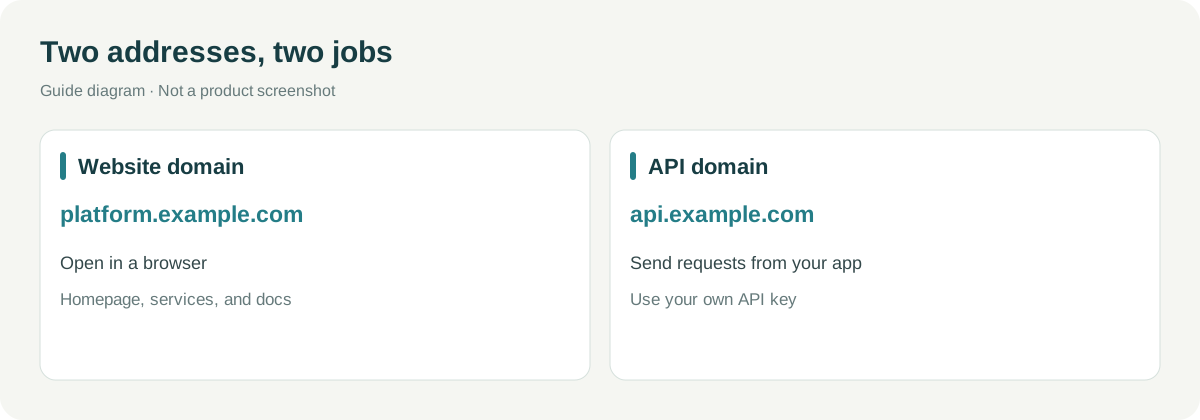
| Address Example | Who Accesses | Purpose |
|---|---|---|
platform.example.com |
Customer's browser | Homepage, services, documentation, and console |
api.example.com |
Customer's program | Sending API requests, i.e., Base URL |
Replace example.com in the example with your own domain name. First, ensure that the system URL can be opened and that you can manage the domain resolution.
¶ Two Domains, Configured in "Custom Domain"
Go to Site Management → Management → Custom Domain, first find "Page Domain," then find "API Domain."
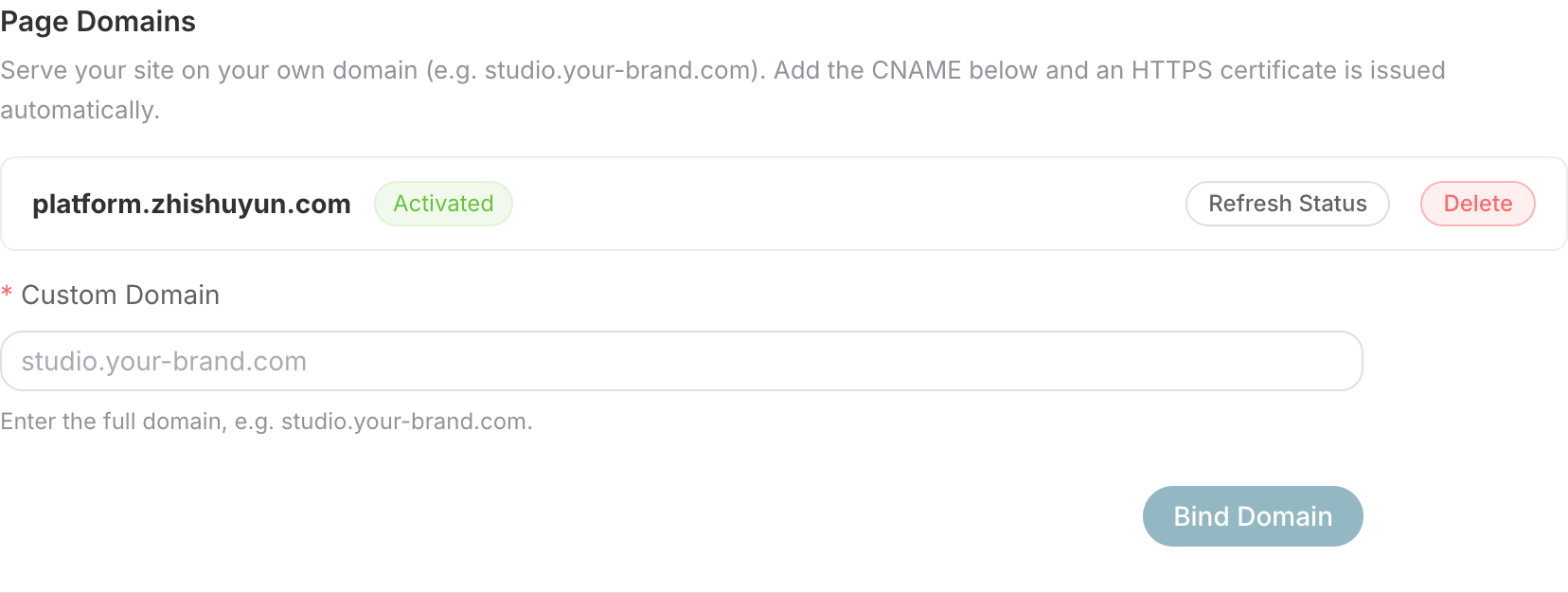

Photographed online on September 6, 2026, with two sections captured separately, key area not included in the image. Verify the section names, do not fill the target of the page domain into the API domain.
Operate each section in the same order:
- Fill in the complete domain name, without
https://or path, and click "Bind Domain" for this section. - Copy the CNAME target provided in this section.
- Go to the domain service provider to add resolution.
- Return here to refresh or verify, waiting for the domain and HTTPS status to be ready.
¶ How to Fill DNS Records?
Assuming you manage example.com:
| Domain | Type | Host Record | Record Value |
|---|---|---|---|
| platform.example.com | CNAME | platform | Target provided in the page domain section |
| api.example.com | CNAME | api | Target provided in the API domain section |
The targets in both sections may differ, based on the current console. Do not copy the historical addresses in the screenshots. If there are existing A, AAAA, or CNAME records with the same name, first confirm their purpose; if unsure, choose an unused subdomain, do not directly delete the resolution of old services.
DNS effectiveness and certificate issuance are not the same step, and no fixed completion time is guaranteed.
¶ First Check the User-Facing URL
Open the page domain in an incognito window, sequentially check the homepage, services, documentation, and customer service. After opening a documentation inner page, refresh once to confirm it does not return a 404; then log in, and after confirming, return to your domain.
The title, logo, and favicon should also be correct. A formal domain that opens an error site does not count as a successful configuration.
¶ Then Check the Program-Used Address
After the API domain is activated, first confirm that HTTPS is normal, then check if the Base URL in the platform's default documentation and tools is updated.
The latest backend also has Usage and Testing: select your own key, then click View Code, and verify if the example uses this API domain. You can switch APIs; confirm costs before clicking run. Viewing code does not equal completed calls, and do not copy code with real keys into public tutorials.
When truly validating calls, use the test customer's own key and copy a small request from the corresponding service documentation. Check if the response is normal and whether the customer's console shows usage and billing records. Do not place the key in screenshots, public documents, or tickets.
It’s okay if you cannot make calls; the next article will explain what information to provide to customers. For now, just verify the two URLs and their statuses.
¶ What Does "Your Own API Domain" Mean?
It is the brand entry point, not an independent gateway, and will not automatically achieve token isolation. Authentication and billing still follow a unified system, and hiding the service directory will not limit the calling range of valid keys.
To restrict the service range for customers, actual credentials/API scope capabilities should be used and verified separately, rather than relying on the domain.
¶ How to Determine When Issues Arise
| Phenomenon | First Check |
|---|---|
| Page domain enters another site | Is the bound site correct? Is the CNAME used incorrectly? |
| HTTPS Warning | Public DNS and certificate status |
| API Returns 401 | Is the key valid? Then check the path and quota, do not directly assume DNS error |
| Default document is still public host | Has the API domain been activated, has the site configuration been refreshed? |
| Custom documentation still shows old host | Custom Markdown will not automatically rewrite the host, needs to be verified manually |
Technical colleagues should also check the API domain's /healthz, a low-risk public path, and minimal business requests to confirm hitting the expected service. When comparing with public domains, do not resubmit paid requests; prioritize checking the status of the original task for asynchronous tasks.
After completing this article: The page domain can view documentation and log in; the API domain has normal HTTPS, and the default document address is correct. For actual calls, continue to see Customer Activation and First Call. Return Route Table