
Create Your Studio Subsite
This article does only one thing: create an accessible AI subsite and find its management entry. Configure the logo, pricing, and official domain later.
Prepare a site name and an English prefix, for example, the site name “Example AI” and the prefix yourbrand. The system will assign a URL similar to yourbrand.studio.acedata.cloud.
¶ First take a look: What can customers do after opening it?
Studio is an AI creation tool used directly on the web. The official homepage is currently categorized by chat, images, videos, and songs: click a category to see tool introductions and the “Create Now” entry.
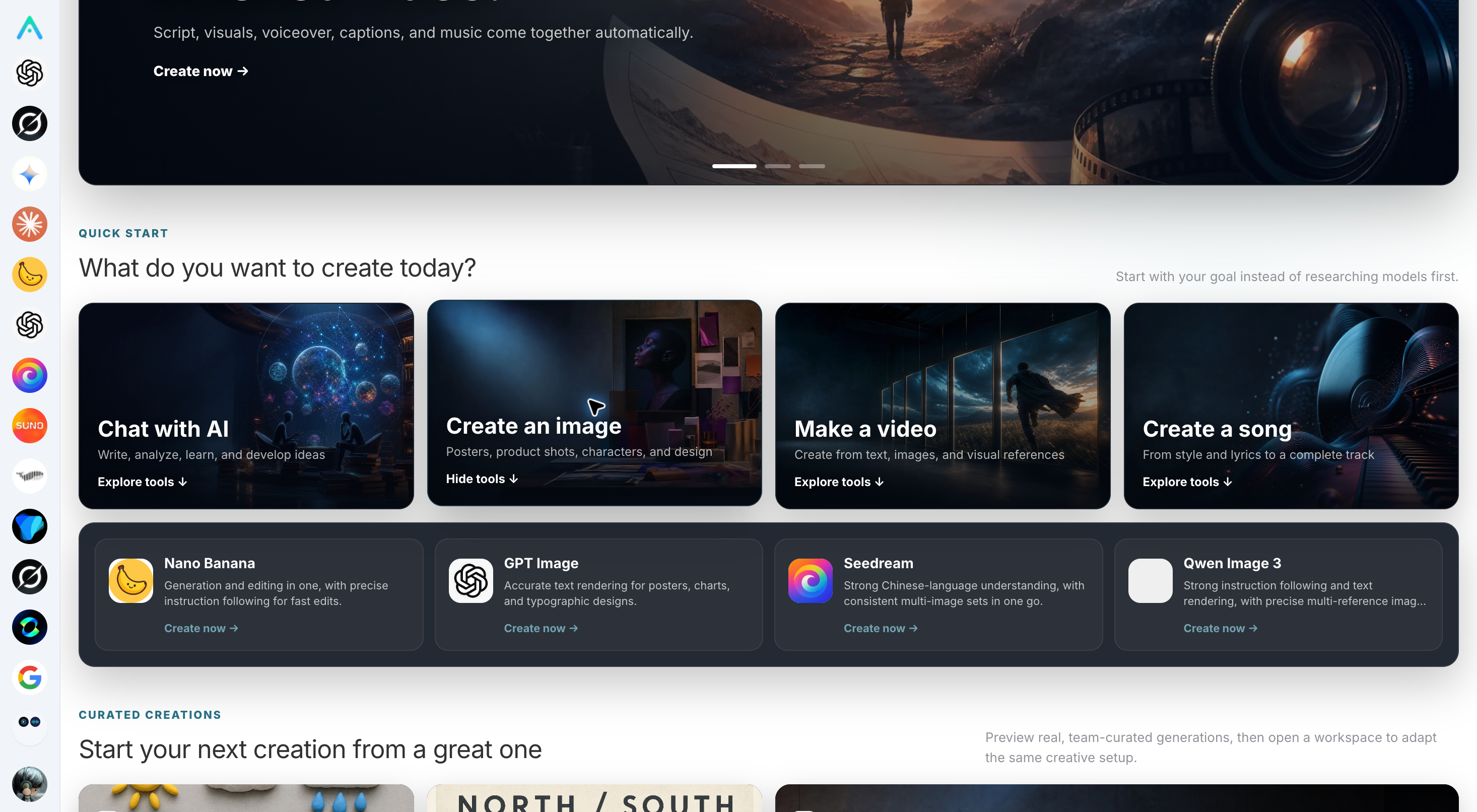
Live online screenshot from September 6, 2026. For example, the GPT Image description in the image focuses on text rendering, while Nano Banana focuses on generation and editing. The tool list will be updated; refer to the capabilities actually available on your subsite.
When customers have no inspiration, they can also start from featured works. Click “Create Similar” on a work to enter the corresponding workspace, then adjust materials and parameters according to their own needs; generation is not automatically completed after clicking.
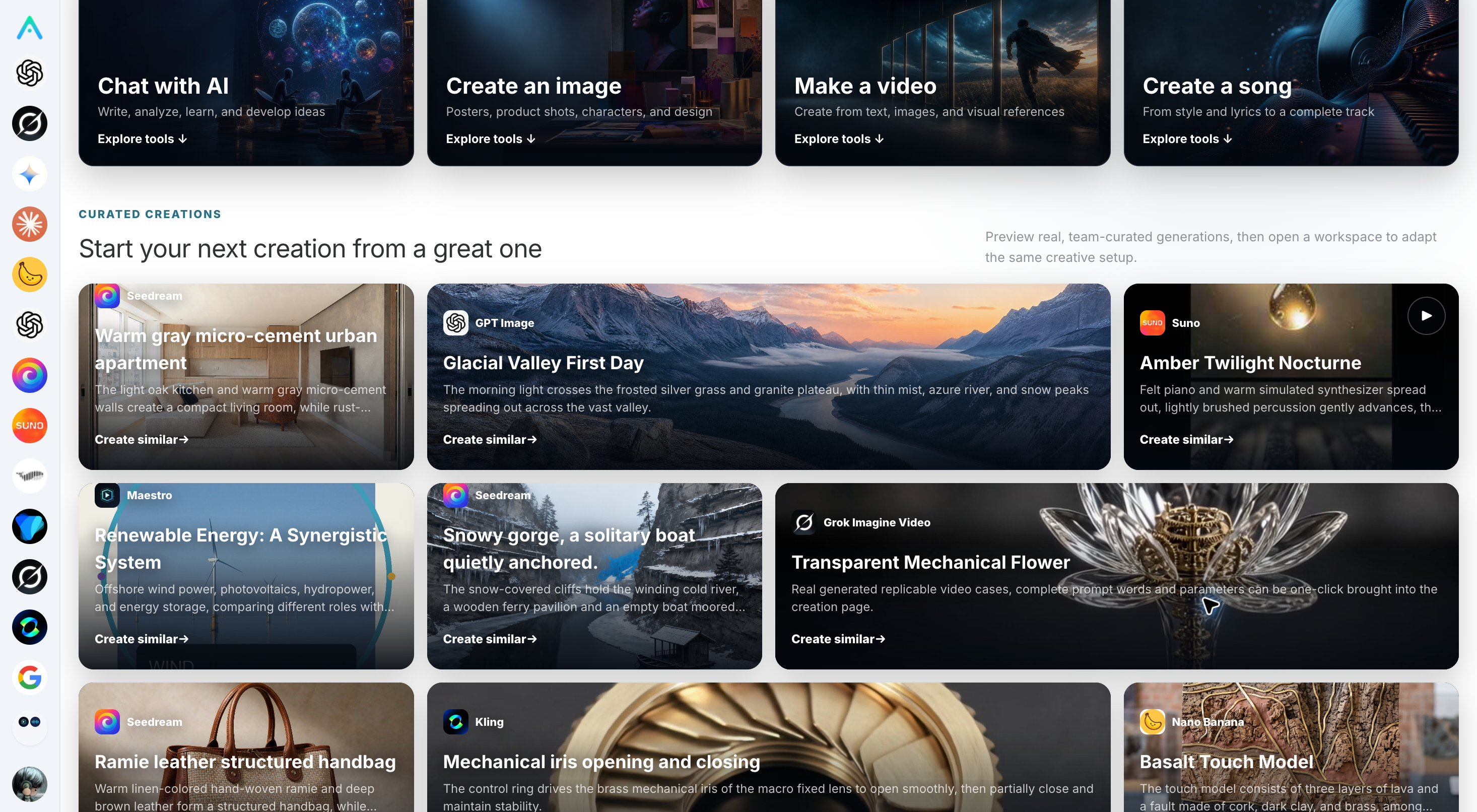
Live online screenshot from the same day. These two are customer homepages, not the subsite management backend; creation and management operations come next.
¶ Find “My Subsites” in the official Studio
Log in to the Studio web version, click the user avatar, and open Settings → My Subsites → Create Subsite.
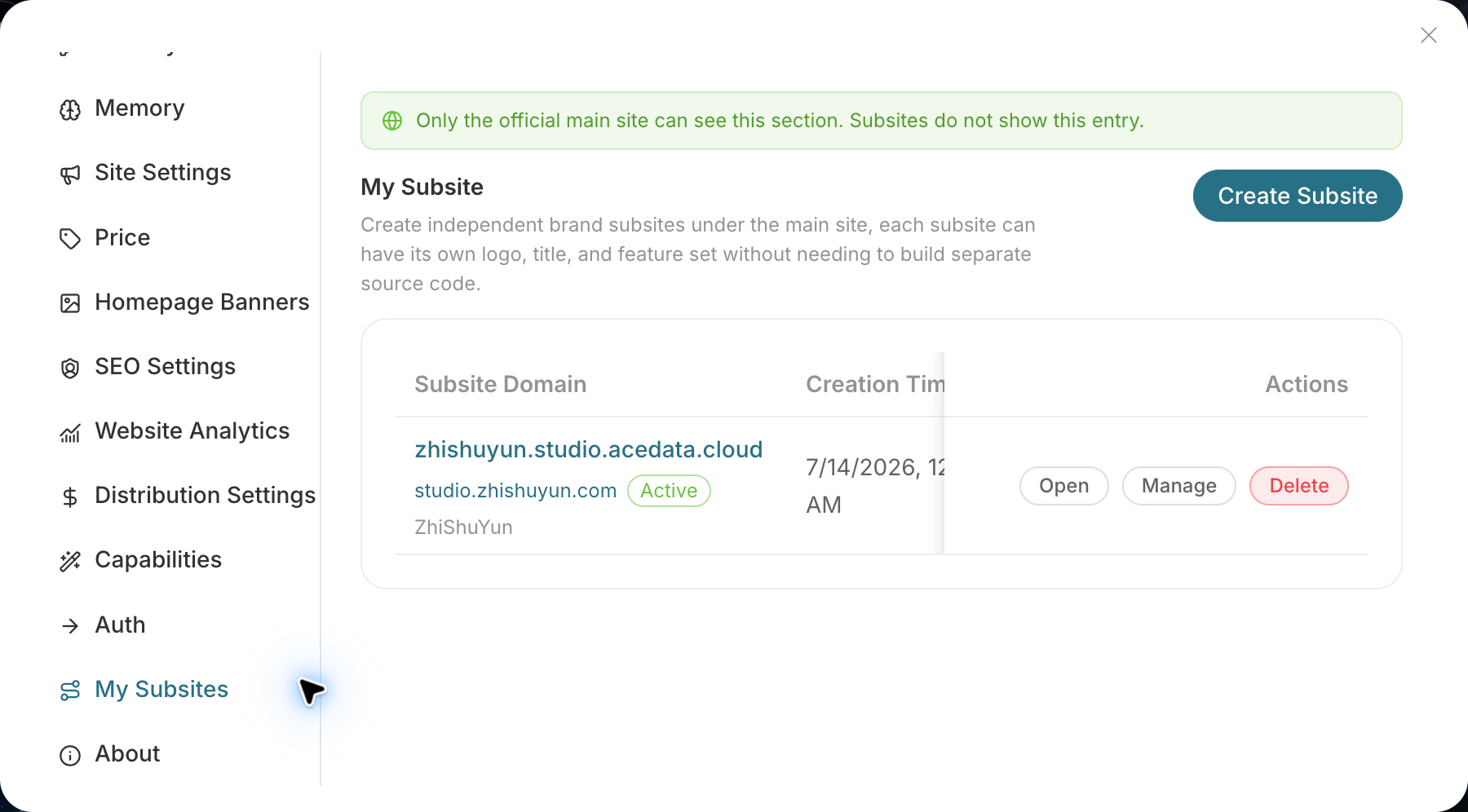
First find “My Subsites”; do not look for the creation entry in a white-label site. This entry is shown only in the official main-site web version, and is not shown in the native App or within subsites.
¶ Fill in the name and create the subsite
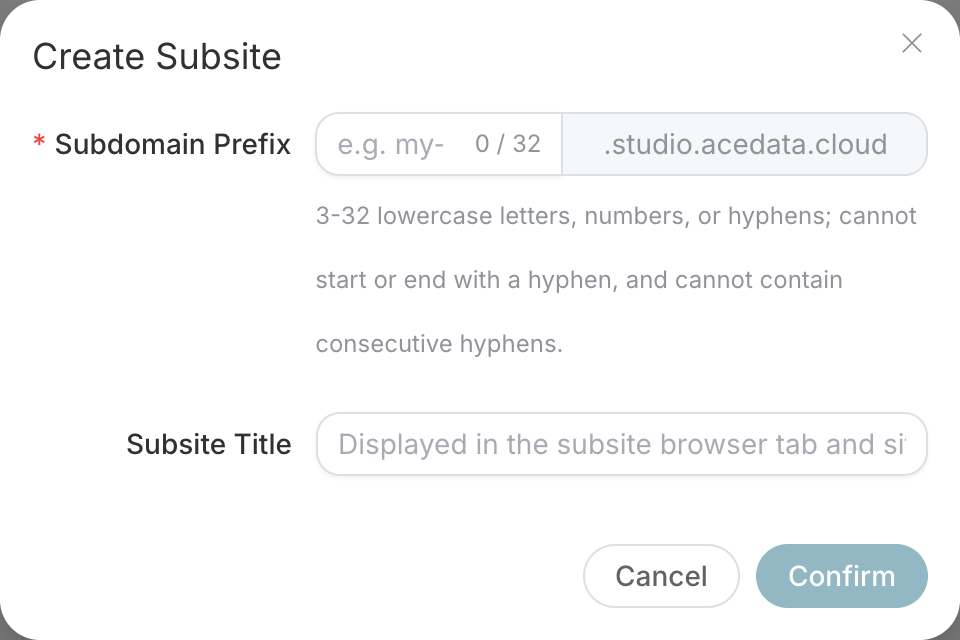
Live online screenshot from September 6, 2026. The .studio.acedata.cloud on the right is the suffix added by the system; do not enter it again in the prefix field.
| What to fill in | How to understand it | Filling tips |
|---|---|---|
| Subsite prefix | The part at the beginning of the URL | 3–32 lowercase letters, numbers, or hyphens; begin and end with a letter or number; cannot contain consecutive hyphens |
| Subsite title | The name customers see | Enter your brand name; it can be modified later |
The prefix cannot use the reserved names indicated on the page, nor can it duplicate an existing subsite. If you see an occupied prompt, change it; if you reach the subsite quantity limit, handle the page prompt first and do not submit repeatedly.
Click create and wait for the success prompt and list refresh. When the new subsite appears in the list, this step is complete.
¶ What are “Open” and “Manage” used for respectively?
- Open: View the website customers will see. Copy the system domain and open it in an incognito window to confirm that the homepage and login entry work properly.
- Manage: Enter the administrator settings for this subsite. Later, change the brand, pricing, and domain from here.
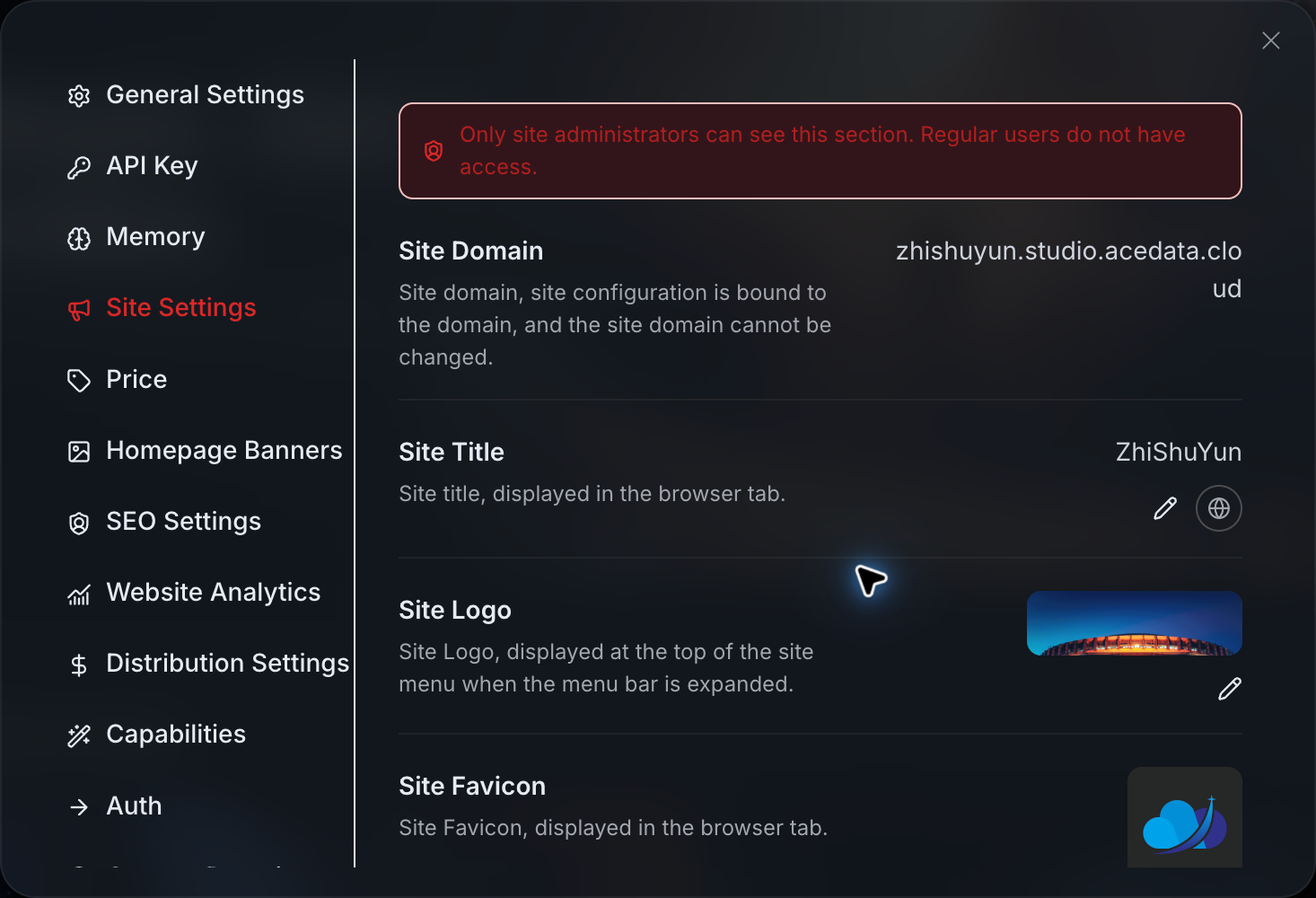
Check the current subsite address at the top of the page before editing the brand. The image shows the brand editing area; do not confuse the display title with the URL prefix.
You do not need to remember the entire management directory; the following will be used next:
| What you want to change | Which section to find |
|---|---|
| Name, Logo, language, customer service | Site Settings |
| Description and search keywords | SEO Settings |
| Login methods | Authentication |
| Which AI tools to display | Capabilities |
| Homepage creation goals, covers, and recommended tools | Homepage Settings → Creation Scenarios |
| Pricing and top-up entry | Pricing |
| Switch to your own URL | Custom Domain |
Under Homepage Settings → Creation Scenarios, you can change the names, descriptions, and covers of the four default creation goals, and adjust their order; under each goal, you can select tools that are enabled on this site and adjust their order, or add your own creation scenarios. After saving a scenario name and description, you can click the small globe next to the input field to enable automatic translation; for a new scenario, save it first, then enable translation. Use the upload and replace buttons for covers; there is no need to paste an image link. Disabled tools will not appear on the customer homepage; when you need to restore the four default system groups, first click “Restore Default Four Groups” to view the preview, then confirm saving. On mobile, when you tap a goal, the tools will follow directly below that goal, without needing to scroll to the end of all cards.
Homepage Banner, website analytics, and distribution settings can be configured as needed. Custom Domain is displayed only in the subsite context; ordinary users should not see these administrator sections.
¶ See what it looks like on mobile
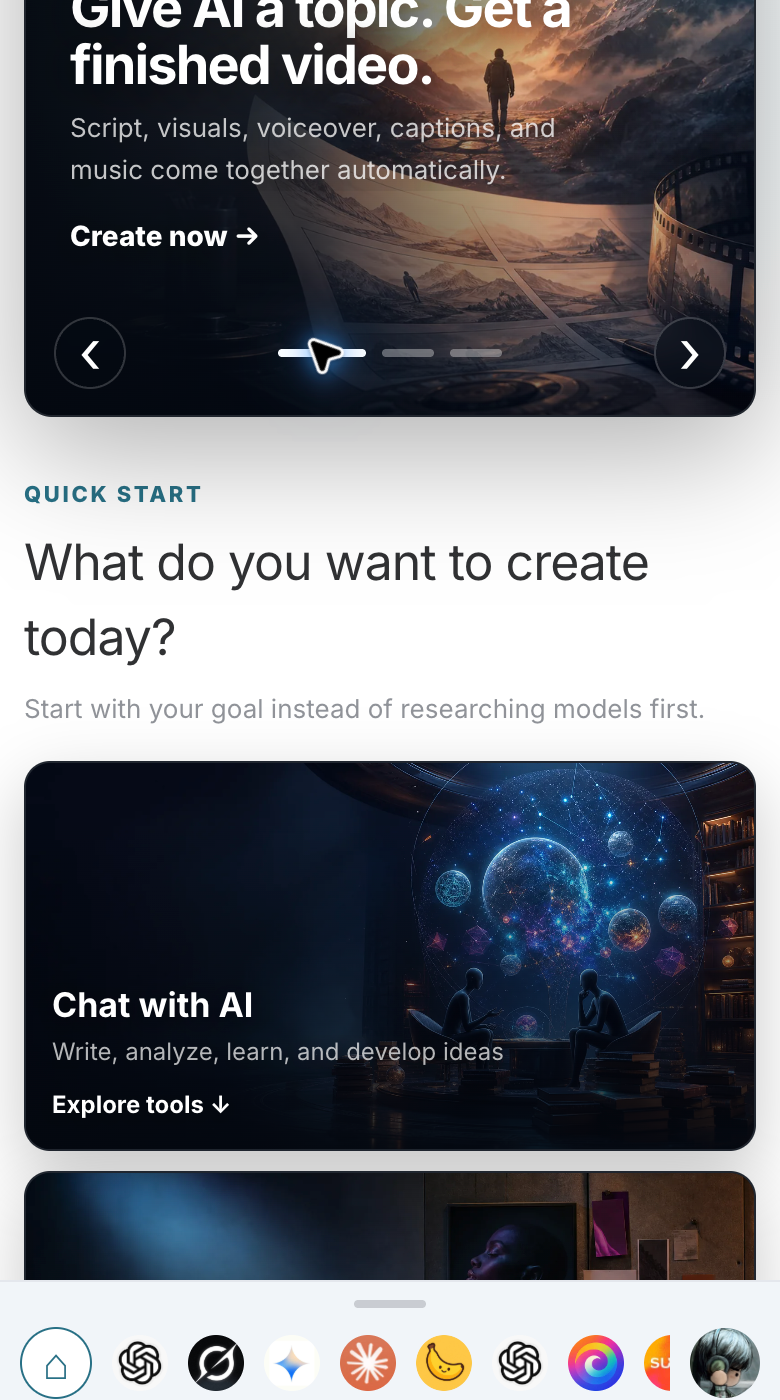
Open your system domain on a mobile phone and confirm that the title is clear and the navigation can be tapped. Get the system URL working first, then bind the official domain, and it will be easier to identify the cause when problems occur.
This is enough at this point: the subsite appears in the list; “Open” is accessible, “Manage” enters the correct settings; the homepage can also be seen in an incognito window.
Cannot find “My Subsites”? Check whether you are using the official web version. Cannot find administrator sections? Check whether the current account is an administrator of this Site.
Next article: Set Up Studio Branding and Login Methods · Return to Roadmap