
Publishing Articles on Your Own WordPress Site: Accumulating Maintainable Content
As mentioned earlier, on other platforms, no matter how good the traffic is, your account and content are always "living" on someone else's territory—when the platform changes rules, limits traffic, or bans accounts, you can only accept it. But WordPress is your own site: the domain is yours, the content is yours, the SEO accumulation is yours, and no one can take it away.
If you already have (or plan to build) your own WordPress site, using Connector to let AI help you automatically publish articles is a step towards truly holding your content assets in your hands.
¶ What This Connector Can Do (To Be Honest)
- Authorization Method: Site address + Username + Application Password (BYOC), using the self-hosted official REST API (
/wp-json/wp/v2, HTTP Basic over HTTPS). - Capabilities: Convert conversations into published or draft articles (Post), update existing articles, list recent articles, create/list categories and tags, upload media images (which can be set as featured media or embedded in the text).
- Limitations: Only supports self-hosted WordPress. WordPress.com hosted version uses its own OAuth, which is different and not covered in this article.
- The application password is the "application-specific password" built into WordPress 5.6+, not your login password.
¶ Step-by-Step: Connect → Let AI Write → Do SEO
¶ 1. Connect Your WordPress Site
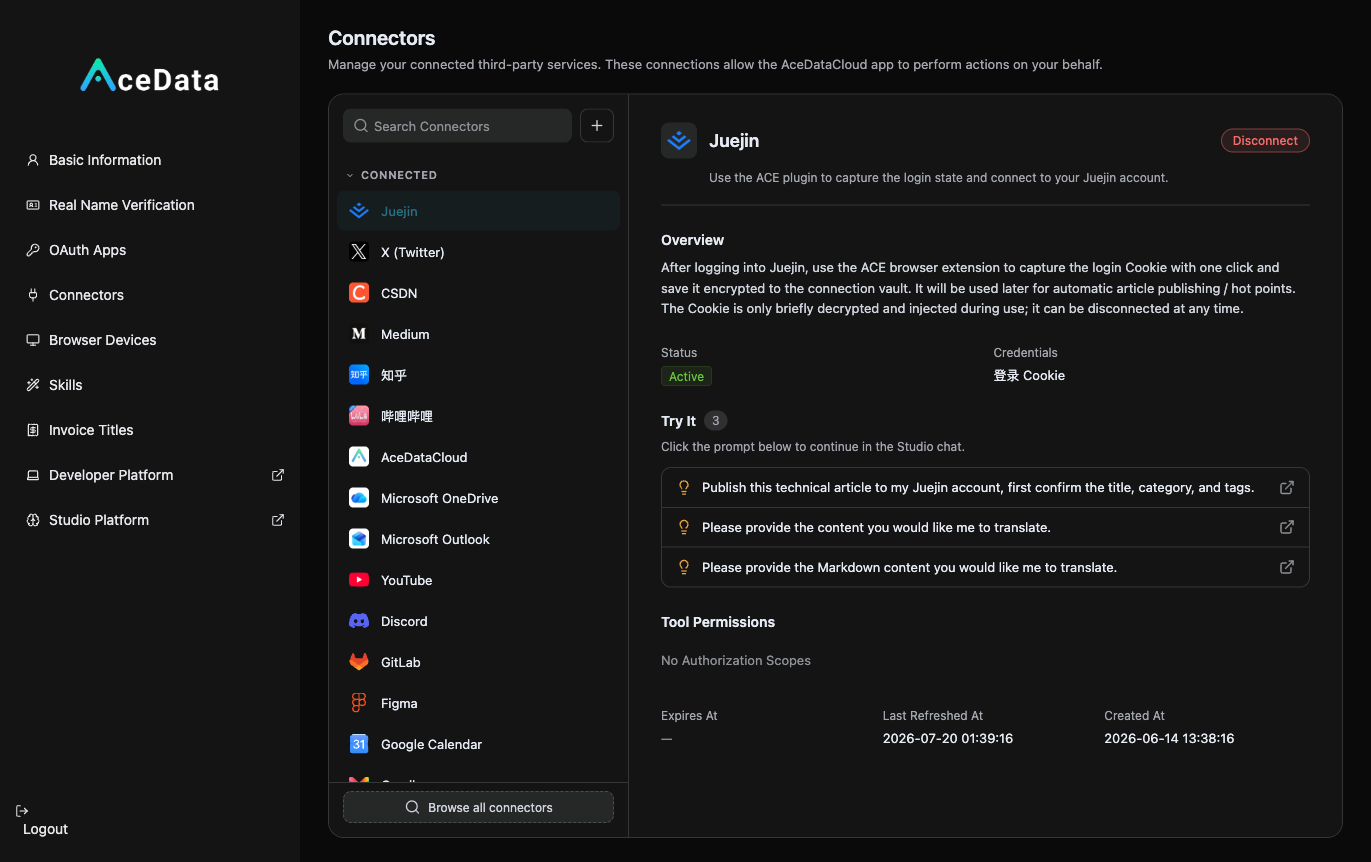
First, generate an application password in the WP backend: Users → Profile → Application Passwords, create one. Then open https://studio.acedata.cloud/console/connectors, find wordpress, fill in site address + username + application password, and the status will change to Active.
¶ 2. Let AI Write SEO Articles + Upload Images + Publish
In Studio, say:
"Help me write an SEO article targeting the keyword 'AI image generation api', with appropriate categories and tags, a featured image, and naturally include my invitation link in the text, then publish it to my WordPress (first as a draft, I'll preview the layout before making it public)."
Let AI generate the featured image using gpt-image-2: POST https://api.acedata.cloud/openai/images/generations, body {"model":"gpt-image-2","prompt":"...","size":"1536x1024"}, authenticate with the platform API Key; the connector will upload the image to the media library and set it as featured.
¶ 3. Long-term SEO
The greatest value of WordPress is search. Continuously produce content around target keywords, maintain a stable update rhythm with scheduled tasks, and you can observe search performance while maintaining the content.
¶ Don't Forget to Embed Your Affiliate Links (This is the Source of Income)
Naturally place your exclusive invitation link copied from the affiliate backend within the content. For invitation attribution, levels, ratios, confirmation periods, and withdrawal conditions, see Promotion Methods and Commission Rules; only valid orders that meet the current rules may generate commissions.
¶ Why It's Worth Doing (Especially with White Label)
- Content Assets Belong to You: Not affected by any third-party platform's rules and traffic limits.
- Long-term SEO Accumulation: Continuously publish good content under your own domain, increasing search weight over time.
- Naturally Complementary to White Label Sites: WordPress content sites do SEO and customer acquisition, directing readers to your white label AI site for conversion. One is responsible for "being found," and the other for "being used + paid." (White label capabilities and current limitations can be found in the White Label Platform Overview.)
¶ Honest Reminders
- Use application passwords, not your login password, and do not enter your login password.
- Self-hosted vs WordPress.com methods are different, do not confuse them.
- Using the official REST API is relatively stable and suitable for unattended scheduled tasks.
¶ Automate It
After manually running through the process, you can refer to the Scheduled Task Content Workflow to try generating drafts or calling the publish Skill as planned. Execution is affected by account status, authorization, balance, review, and target platform policies, requiring continuous monitoring of the operation history.
Other platforms are "rented houses," WordPress is "your own land." Pair it with a white label site, one attracts search traffic, and the other handles conversions—this is a combination for turning content marketing into a long-term asset.