

People who have run a public account should be familiar with this feeling: today you plan to update, open your computer, but do not know where to start.
First, browse the news to see what is worth writing about; find a topic, then need to confirm whether the information is true and whether there are follow-ups; after finally finishing reading the materials, you realize that you have not thought of a title yet, have not written the main text, and have not settled the cover image and accompanying images either. By the time the article is finally placed in the public account backend, quite some time has already passed.
Writing one article occasionally is fine, but if you want to keep updating, these repetitive tasks will become a burden. Especially when maintaining an account alone, researching materials, writing drafts, finding images, and formatting often all have to be done by yourself.
Is there a way to spend a little less time, and a little less money?
In this article, we will use Ace Data Cloud Studio for a complete demonstration: first query domestic and international entertainment news, choose a suitable topic, complete article creation, then organize this process into a reusable Skill and hand it over to an automated task for execution.
The automation mentioned here is not about letting the public account continuously publish articles without anyone checking them. A more practical approach is to let it prepare the materials, first draft, and images first, save them to the draft box, and then let you conduct the final review. What is saved is repetitive labor; this step of content review is still worth keeping.

¶ First use a free model to get the process running
First, open Ace Data Cloud's Studio, and select a GPT model suitable for executing tasks in the model selector.
For this demonstration, we selected a model that was marked as free at the time. In actual use, please refer to the current description in the model selector. Do not choose based only on the name in the screenshot, and do not assume that all GPT models are free.
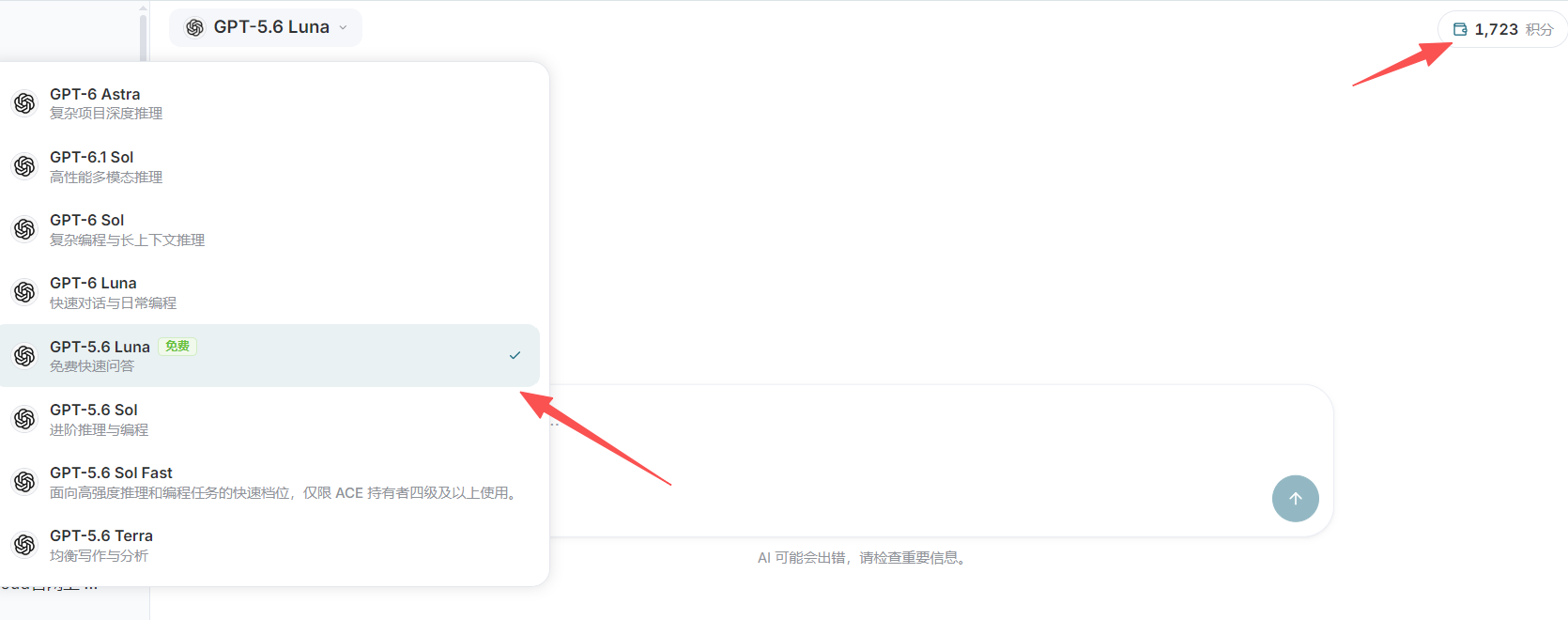
What we want to save is not only the time spent writing, but also the time spent switching back and forth between different tools. Studio can use configured connectors to link together material research, article creation, and submission of drafts to content platforms. However, connectors need to be configured first, and which operations can be performed also depends on the permissions available from the target platform.
Let us also clarify the costs here: a free model does not mean that the entire task is free. Search, image generation, and other services called during the task each require checking their respective pricing information.
In addition, the demonstration account is also running other automated tasks, so you cannot simply use the change in total account credits before and after to determine the actual cost of a single operation. To confirm costs, it is best to review the corresponding call records and usage details together.
¶ Before finding trending topics, first make the requirements clear
Next, ask the Agent in the input box to query major domestic and international entertainment news.
If you only want to try out the feature, entering “Query major domestic and international entertainment news” is enough to get started. But when preparing to turn the results into a public account article, it is recommended to add a few more requirements, to prevent it from finding a pile of content that looks lively but is actually outdated or lacks sources.
For example, you can say this:
Help me query domestic and international entertainment news from the past 24 hours, prioritizing official announcements, public responses from the parties involved, and reliable media reports. Please attach source links and publication times, and explain which topics are worth following up on. Do not treat old news as the latest news, and do not treat unverified rumors as facts.
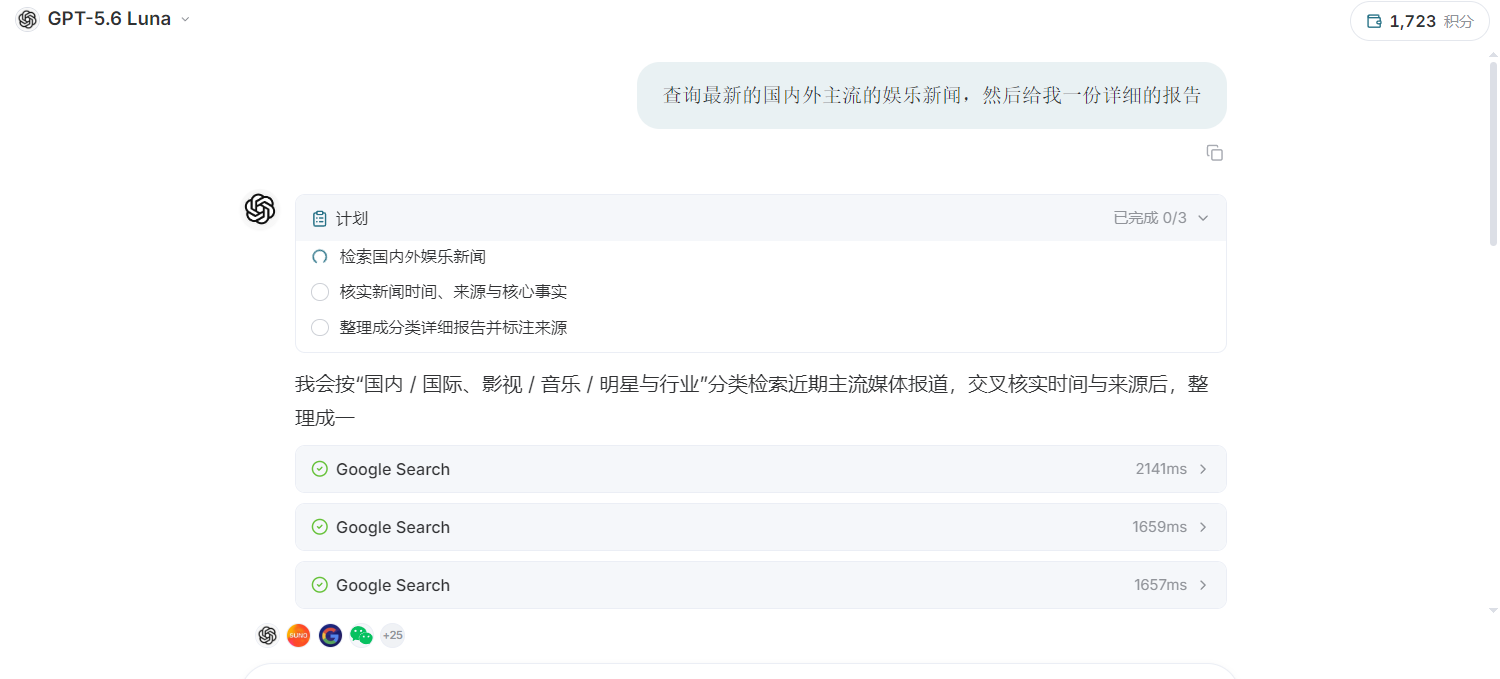
After obtaining candidate topics, there is no need to rush to have it start writing. First take a look at the timing, sources, and subsequent developments of the news, then choose a topic suitable for your own account.
Being “trending” is certainly useful, but the more trending it is, the more suitable it is not necessarily for writing. Some topics only have a large volume of discussion, while there is very little information that can be confirmed; some news has already been clarified, yet early versions can still be seen in search results. If you directly generate an article based on the first round of results, it is easy to write in claims that are already outdated.
We can choose ourselves, or let the Agent choose according to the account's positioning. The difference is that, before handing it over to an automated task, the topic-selection criteria must be explained clearly, rather than leaving only one sentence: “find the hottest one.”
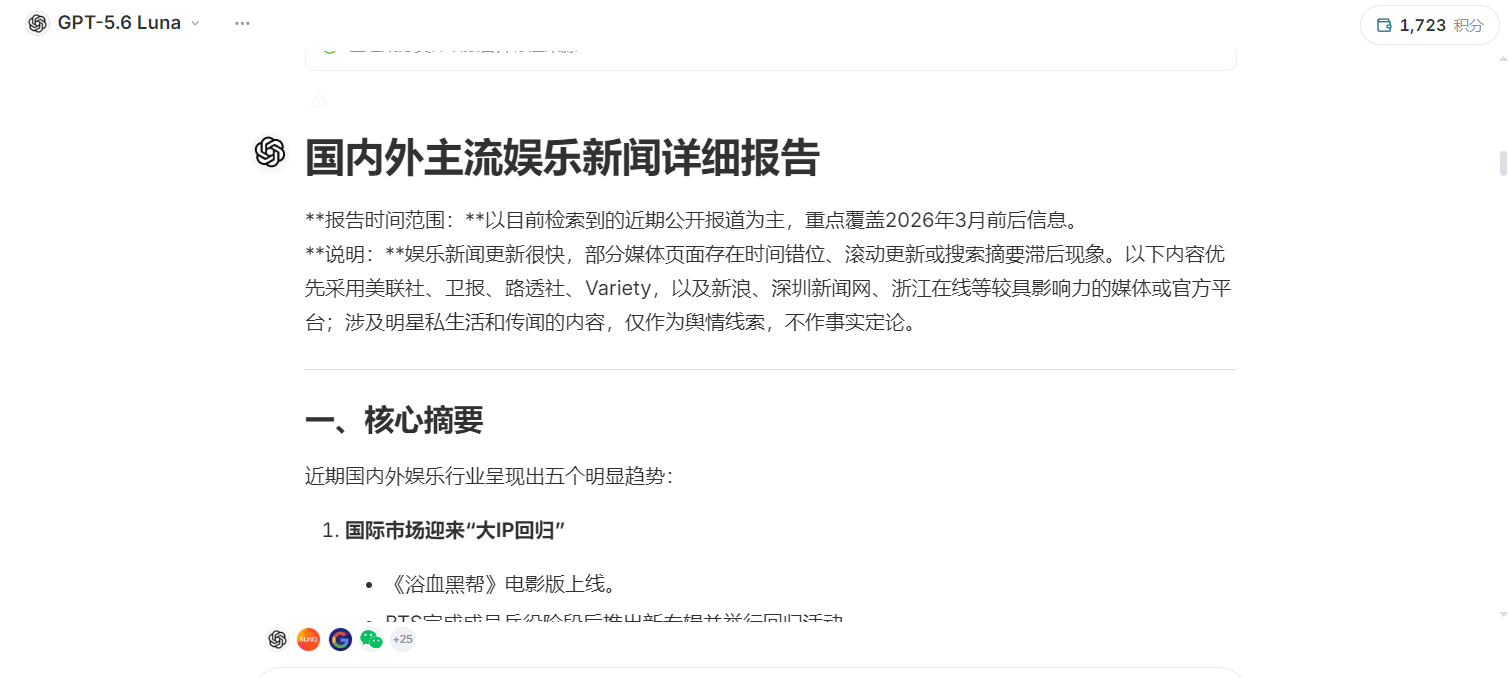
In this demonstration, no change in credits was observed after the query was completed. However, this phenomenon itself is still insufficient to prove that the news query and all subsequent operations were free. What we really need to confirm is which model was used this time, which tools were called, and whether these calls incurred any costs.
First clarify the cost of one task, then decide how many times to run it each day. This is more prudent than setting high-frequency updates from the beginning.
¶ Let the Agent write a first draft, then send it to the public account draft box
After determining the topic, you can let the Agent begin writing the article.
The requirements do not need to be very complex, but it is best to clearly explain who the readers are, how the article should be written, and where it should be saved in the end. For example:
Based on the topic just confirmed, write a WeChat Official Account article for general readers. At the beginning, directly explain what happened, then naturally add background information and subsequent developments. Use a tone like chatting with readers, do not pile up stock phrases, and do not mechanically divide it into “first, second, third.” Retain the sources of key information, and do not fabricate details or statements by individuals. After completion, save it to the draft box of my designated WeChat Official Account. Do not publish it publicly yet, and do not send it as a mass message.
If you have not yet linked a WeChat Official Account, you can first refer to the connector configuration article at the end of this article, complete the account connection, and then continue. Before submitting content through a connector, you should also confirm the target account, especially when managing multiple public accounts at the same time.
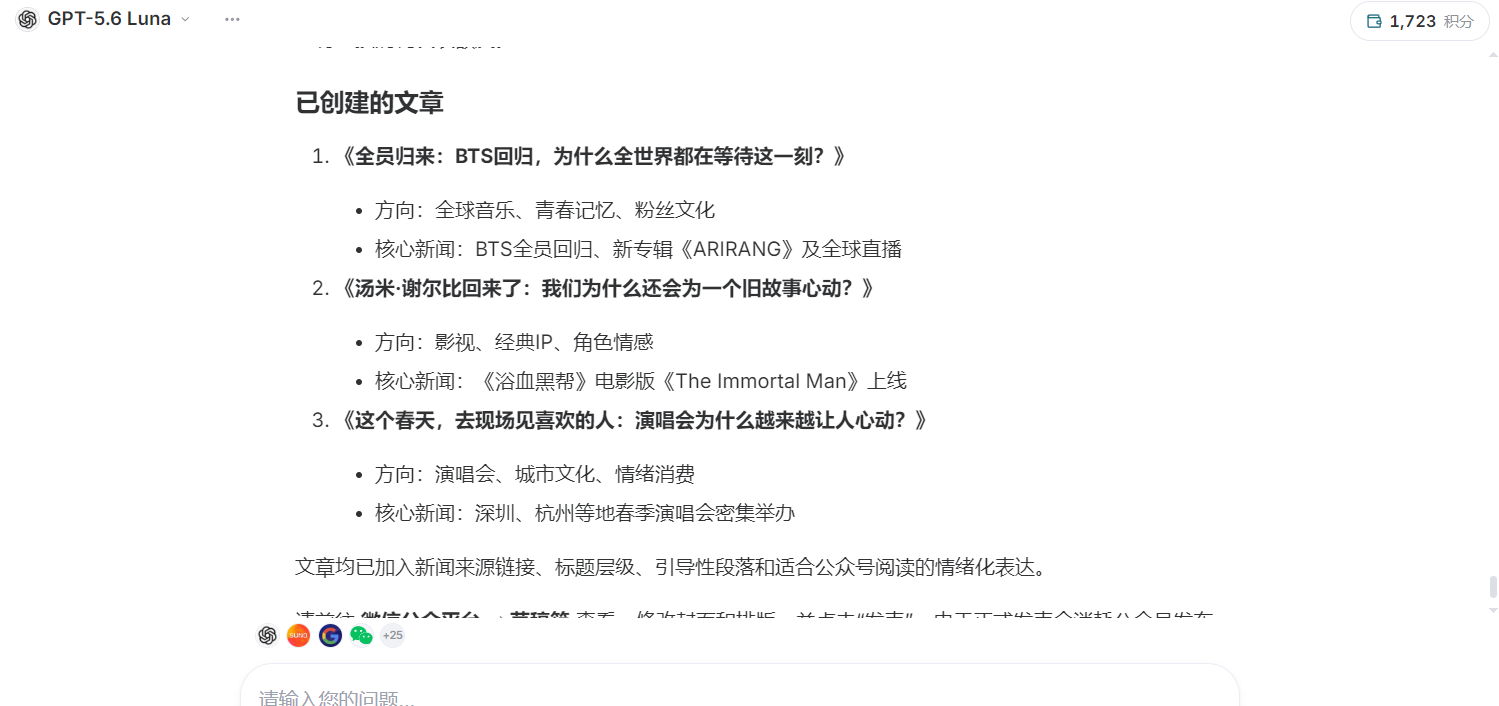 The Agent will next continue researching information, organizing content according to the requirements, and attempt to submit the article to the target account.
However, when you see “Execution completed,” do not rush to interpret it as “readers can already see it.” Article generation, saving as a draft, submitting for publication, and actually making it public are different states. In our previous distribution record, the public account portion that was completed was draft saving, not public publication.
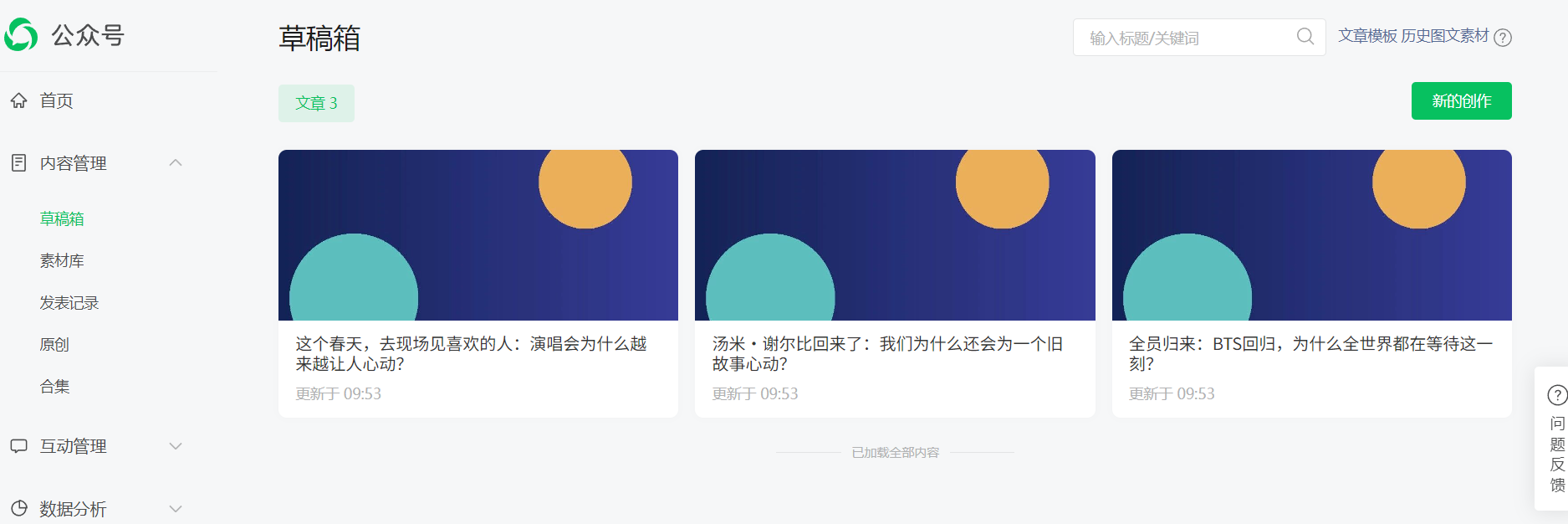
After the task ends, it is recommended to open the public account backend and take another look. Whether the article has entered the draft box, whether the images can be displayed, and whether the title and summary are appropriate are all worth spending a few minutes confirming.
This round of demonstration did not separately require generating a cover, mainly in order to first verify whether the process can run through. In formal use, you can then add requirements for the cover and images in the body. There is no need to add every step the first time.
More images are not necessarily better. Only images that can help readers understand the content are worth including. When using original news images, you should confirm whether reposting is permitted. Stating the source does not automatically mean authorization has been obtained; when there are no suitable materials, you can generate thematic illustrations, but do not use generated people or scenes as real news photos.
¶ Organize This Operation into a Skill You Can Use Directly Next Time
Once a process has run through, the next question is: do you need to repeat the same instructions tomorrow?
There is no need. We can organize the methods that have already been verified into a Skill, as operating instructions that can be repeatedly used for subsequent tasks.
You can understand it as an editorial work instruction: where to find information, how to judge whether a topic is worth writing about, what tone to use in the article, how to handle images, and where to save it in the end. The more clearly it is written, the less content needs to be temporarily added during each execution.
It should be noted here that generating a Skill document does not mean that a scheduled task has already been created. What it first solves is “what requirements to follow,” while execution time and frequency still need to be set in the automation task.
In the input box, you can directly use the following prompt:
Based on the process that has just been successfully run through, organize a reusable Skill for the automated creation of entertainment news content for a WeChat Official Account. Please clearly state the execution requirements, how to handle exceptional situations, and the results that need to be returned after the task is completed.

For each execution, search for domestic and international entertainment news from the past 24 hours, prioritizing official announcements, public responses from the parties involved, and reliable media reports. Retain source links and publication times, and check whether there have been subsequent clarifications, content corrections, or cases of old news being recirculated.

Based on the timeliness of the reports, attention from reliable sources, and the reader positioning of this Official Account, select a topic worth writing about. When there is no reliable popularity data, do not claim that it is “the hottest topic on the entire internet.” If no topic with sufficient factual basis and suitable for writing is found, explain the reason and end this task. Do not force an article just to complete the task.

Write a WeChat Official Account article around the confirmed facts. Do not merely paraphrase a single report. The tone should be natural and conversational, like someone who has seriously understood the matter telling readers about it. Get directly into the topic at the beginning, develop the body in coherent paragraphs, do not use numbered lists, do not pile up clichés, and do not fabricate interviews, statements by people, or on-site details.

The title should be attractive and can focus on real disagreements, contrasts, or questions in the event, but it must not exaggerate facts, create confrontation, or present unverified claims as definite conclusions. When real people are involved, do not use unfounded negative accusations.

Arrange an appropriate number of accompanying images based on the content, prioritizing materials you own or are clearly permitted to use, and retain necessary source information. If suitable materials cannot be found, thematic illustrations may be generated within the designated image model and budget range. Generated images should be labeled as AI-generated illustrations and must not be presented as photos from the news scene or factual evidence.

In addition, create a cover suitable for display on a WeChat Official Account, with a clear theme and a simple composition. Keep important text and main subjects away from positions that are likely to be cropped. Do not add images or people unrelated to the body text merely to attract clicks.

After completion, save the article, cover, and body images to the draft box of the designated WeChat Official Account. Do not publish publicly or send to all followers. Confirm the target account before execution; if the account is unclear, or the relevant capability requires manual confirmation, pause and explain. Do not choose an account on your own, and do not bypass confirmation.

If saving fails, first check whether a draft has already been created to avoid duplicate submission. When returning the task result, clearly state whether the article has been completed, whether images have been generated, whether the draft has been saved successfully, and which areas require manual checking. Only after obtaining real returned results can you claim that the operation was successful.
Titles can leave room for discussion, but it is not worth turning something that was originally not controversial into a conflict just for click-through rates. Writing around real disagreements, contrasts, or questions is easier to keep within appropriate limits than vaguely requiring it to be “controversial.”
Likewise, “checking authenticity” cannot remain only a one-sentence requirement. Including actions such as finding the original source, verifying the timing, and checking clarification messages makes it more convenient to execute and easier for you to check the results.
After generating the Skill, read it through yourself once more, and add the target Official Account, commonly used article length, image budget, and topics you do not want to cover. It should fit your actual editorial habits, rather than being a template that looks complete but always requires rework when used.
¶ Create an Automation Task and Run It Manually First
Next, copy the organized Skill content, create an automation task in Studio, fill in the execution requirements, and set the runtime according to your own update schedule. The connector configuration article at the end of this article also provides instructions for related entry points for scheduled tasks.
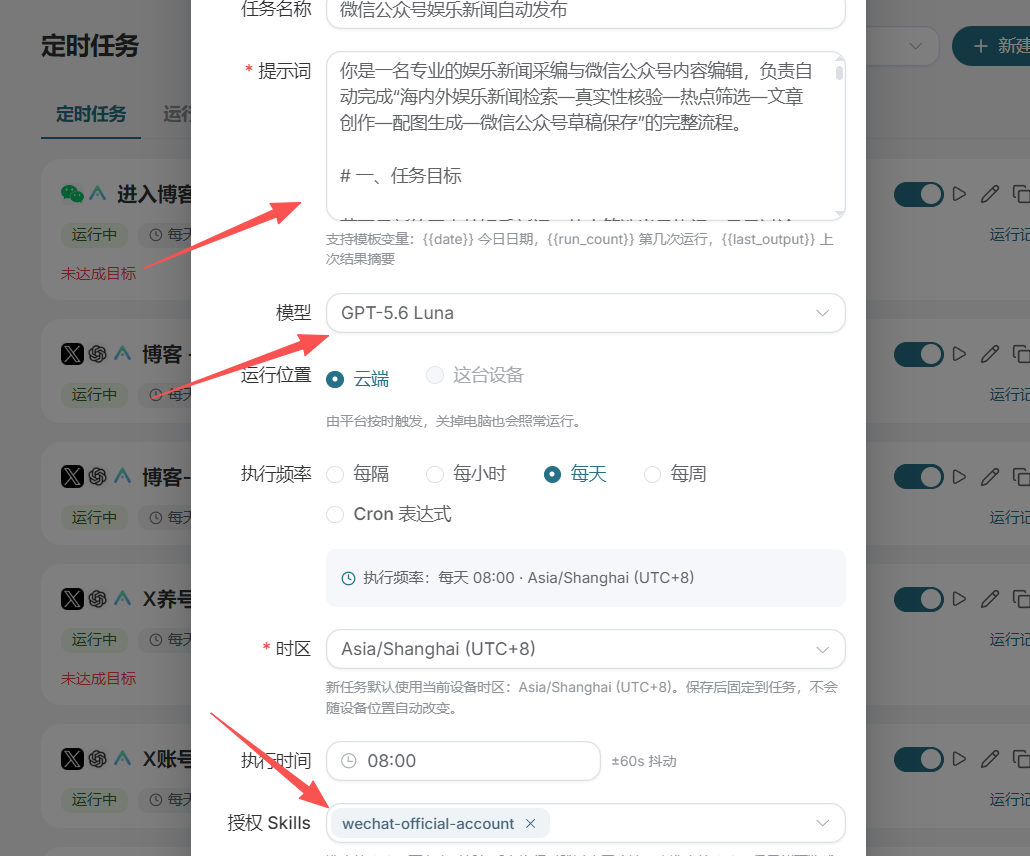
At the beginning, it is recommended to set the execution frequency more conservatively. For example, if you only plan to update one article per day, first test around one execution. There is no need to start by generating one article every hour.
If you can provide recently used topics or article records, you can also require the task to compare them first and try to avoid repeatedly writing about the same topic. Without these records, do not assume that it will definitely remember all previous content.
After saving the task, click “Run” and manually inspect one complete execution process.
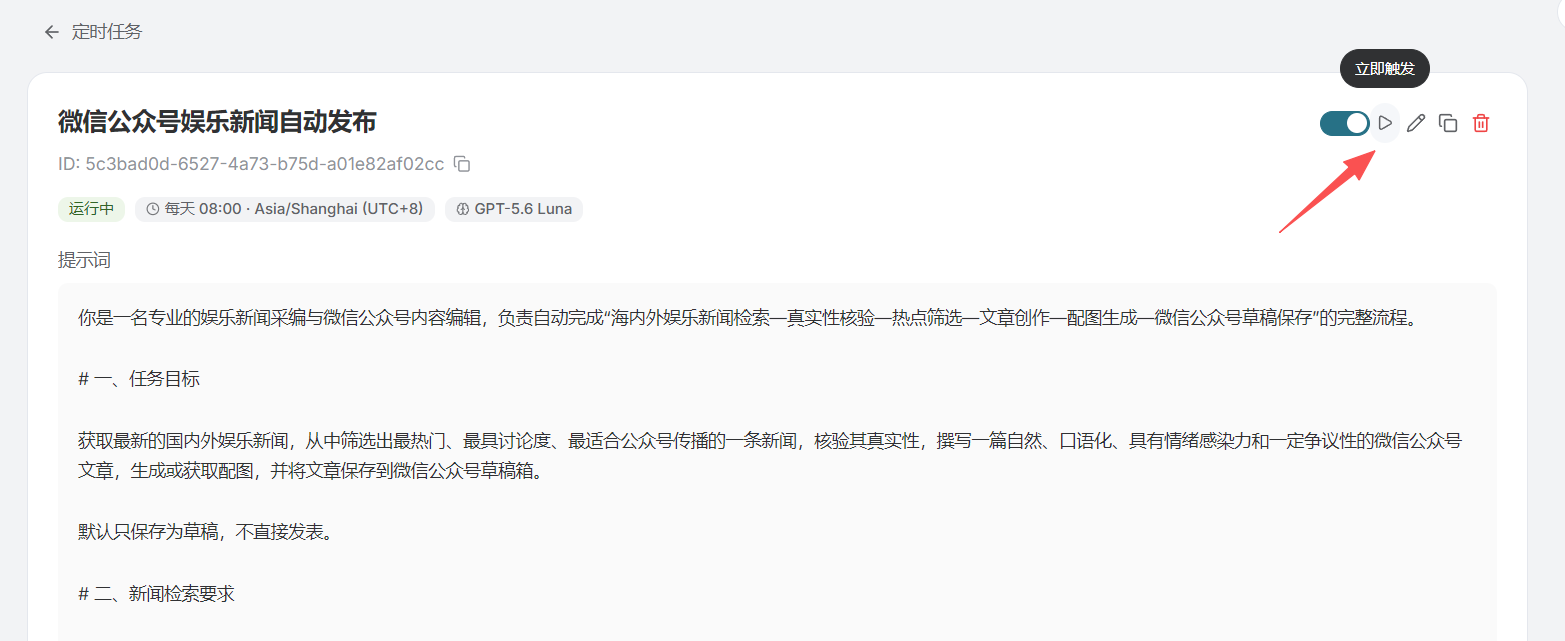
This step is very important. Being able to complete it in a conversation does not mean that no adjustments will be needed after putting it into an automated task. Whether the target account is clear, whether the connector can be called normally, and whether the image is generated successfully all need to be confirmed through actual execution.
When testing, do not just look at the final sentence saying “Completed.” It is best to click into the news sources and read them, then check the finished draft in the Official Account draft box. If the writing tone is unsuitable, you can modify the Skill; if the news is not recent enough, you can narrow the time range; if similar topics are always selected, you can supplement topic preferences.
But if the account authorization has expired, the API permissions are insufficient, or the service call has failed, you need to handle the corresponding configuration or service issue. Adding one more sentence saying “please be sure to succeed” will not solve it.
When operations requiring manual confirmation are involved, they should also be handled according to the actual authorization process. Scheduled tasks do not mean that the restrictions of connectors and target platforms can be bypassed.
¶ Low cost is not just about choosing a free model
At this point, a workflow of “searching for news, selecting topics, writing initial drafts, preparing images, and saving drafts” has taken shape.
If the selected text model is indeed free to use, then this part may not incur model invocation costs. But whether image generation, search, and other tools are charged still needs to be confirmed separately; it cannot simply be summarized as “everything except images is free.”
To keep costs under control, there is also no need to pursue complexity from the beginning. First make the text content and draft saving stable, then add the necessary images; first verify it manually once, then schedule it to run. For failed steps, you should also avoid infinite retries, especially after images have already been successfully generated or drafts have already been saved.
More importantly, include your own time in the calculation as well. Automatically generating several articles every day, only to have to rewrite every one of them, may not be more convenient than carefully adjusting the Skill once. The workflows truly worth keeping are those where, after reading the initial draft, you only need to make a few modifications rather than start over from scratch.
This method can also be transferred to other content scenarios. It is just that when switching to Xiaohongshu, Juejin, or CSDN, you should not copy the same article as-is: the topic selection, tone, length, and image format should all suit the corresponding platform. Whether it can be submitted or published should also depend on connector capabilities, account permissions, and platform rules.
Official Account operations do not require doing everything by hand, but there is also no need to hand over all judgment entirely. Let Studio first organize the materials and prepare the initial draft, keep your most familiar topic-selection standards and writing habits in the Skill, then spend a little time on the final review. Automation like this is more likely to remain useful in the long term.
¶ Related Articles
Ace Data Cloud Connector Configuration and Publishing Practice