

Every day, a large amount of news is generated around the world.
Entertainment, technology, business, and social events are constantly updated. For creators who need to continuously operate blogs, public accounts, or other content platforms, the difficulty is often not “having no content to write,” but rather that there is too much news to keep up with.
If we rely entirely on manual processing, we need to open multiple news websites, review content one by one, assess popularity, verify sources, and then organize materials, determine topics, and complete article creation. The entire process is not only time-consuming and labor-intensive, but also makes it easy to miss the best publishing time for trending topics.
Especially for news content, timeliness is very important.
For the same trending topic, if we can discover it earlier than others and complete the creation faster, we have a better chance of gaining search traffic and reader attention. By the time a trending topic has already been repeatedly reported by a large number of accounts, following up on it often results in greatly reduced content reach.
To address these issues, we can use Ace Data Cloud Studio to integrate news research, topic analysis, article creation, content revision, and platform publishing into one workflow.
The entire process does not require frequent page switching, nor is it necessary to repeatedly copy content between search engines, document tools, and publishing dashboards. By properly setting prompts, we can continuously track the latest global news, quickly organize a list of trending topics, and select topics suitable for blog creation from them.
Below, we will go through a complete operation to see how to use Ace Data Cloud Studio to capture global trends.
¶ Step 1: Open Ace Data Cloud Studio
First, open Ace Data Cloud Studio.
After entering the page, you can directly describe the type of news, information scope, and output format you need in the input box.
To find highly popular entertainment news from around the world, we can enter the following prompt:
Find the latest global entertainment news for me, with relatively significant impact and high discussion popularity.

Please organize it into a clear list, with each news item including:
1. News headline
2. Original source and URL
3. News publication time
4. Event summary
5. Current popularity and impact
6. Angles or inspiration points for further content creation

Please prioritize news sources with higher credibility and cross-verify important information.
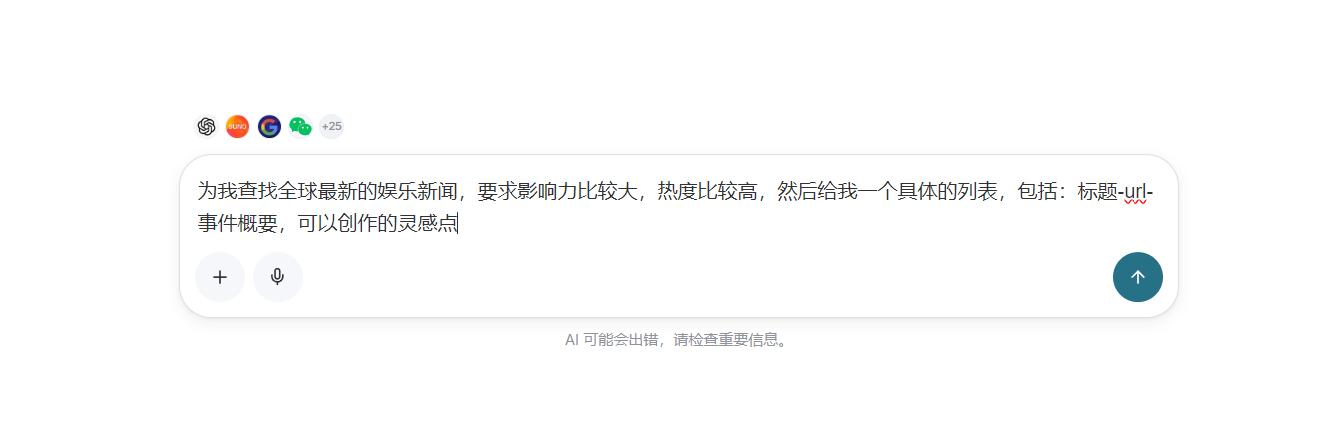
Compared with simply asking to “find the latest news,” this prompt provides clearer instructions regarding the news scope, popularity, sources, and output format.
Studio will search global news sources according to the requirements and organize the relevant content into a clear list. We do not need to open news websites one by one to first understand what important events have happened recently, which topics are gaining attention, and from which angle each news item is suitable for further creation.
For blogs that need continuous updates, this step can reduce a large amount of repetitive information-gathering work.
¶ Step 2: View the Global Entertainment News List
After the query is completed, Studio will return a news list based on the prompt.
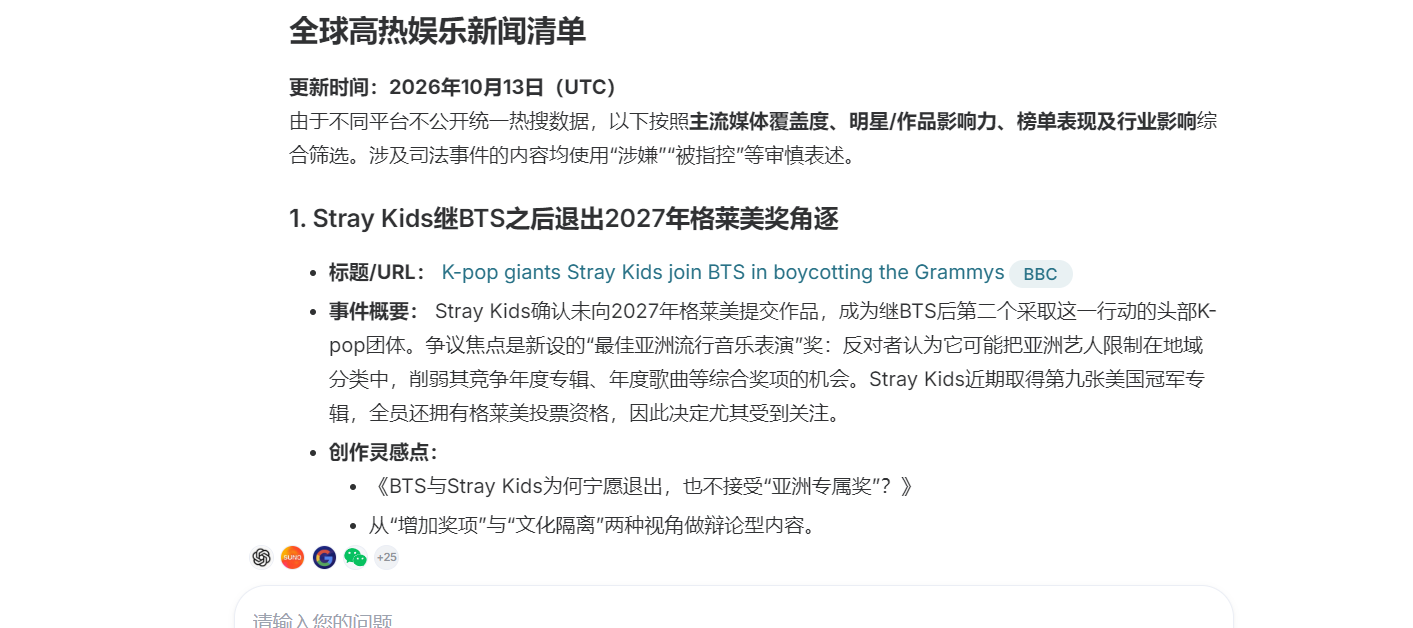
After obtaining the news list, it is not recommended to immediately choose the top-ranked news item for creation. Instead, further judgment should be made based on the positioning of the blog itself.
For example, the following aspects can be considered:
- Whether the publication time of the news is recent enough
- Whether discussion popularity around the event is still rising
- Whether the news matches the blog’s content direction
- Whether there is a reliable original source
- Whether there are angles that can be further expanded for creation
- Whether a large amount of similar content has already appeared
- Whether the article can provide readers with information beyond the news itself
For entertainment blogs, you can focus on popular film and television works, actor updates, music releases, and major events; for technology blogs, you can focus on product launches, artificial intelligence, software updates, and industry changes.
By adjusting the prompts, the same workflow can also be used to research news in different fields, such as business, gaming, sports, and education.
It should be noted that the news list organized by Studio is suitable for improving the efficiency of discovering trending topics and selecting subjects, but before formal creation, it is still necessary to review the original news sources.
Especially for content such as personal updates, breaking events, accidents, and legal cases, cross-verification should be conducted through multiple reliable sources whenever possible, to avoid writing unconfirmed information into the article.
¶ Step 3: Select a Subject from the News List
After completing news screening, we can select a subject from the list that suits the blog’s positioning.
In actual operation, you can choose a recent high-attention personal news item and create extended content around the person’s experiences, representative works, and public influence.
After determining the subject, you need to further tell Studio which platform the article is intended to be published on, which readers it is aimed at, and what kind of content structure and writing style you want to use.
For example, you can enter the following creation requirements:
Based on the news subject selected just now, create a news profile article suitable for publication on an official blog. The specific requirements are as follows:

1. Briefly introduce the event background at the beginning, and quickly get to the main topic;
2. Introduce the person’s main experiences, representative works, and industry influence in the middle section;
3. Supplement public information and background materials related to the event;
4. Provide an appropriate summary at the end and avoid excessive sensationalism;
5. Do not fabricate the person’s experiences, others’ comments, or unverified information;
6. When involving dates, works, and personal experiences, please include reliable sources;
7. Use natural, conversational language and reduce formulaic expressions;
8. Paragraphs should not be too long, and the article structure should be suitable for mobile reading;
9. For images, prioritize publicly available images with clear sources and reasonable conditions of use, and indicate the image source;
10. Create a new title that is attractive but not overly exaggerated.

Please first organize the article outline and source materials, complete fact-checking, and then generate the full article.
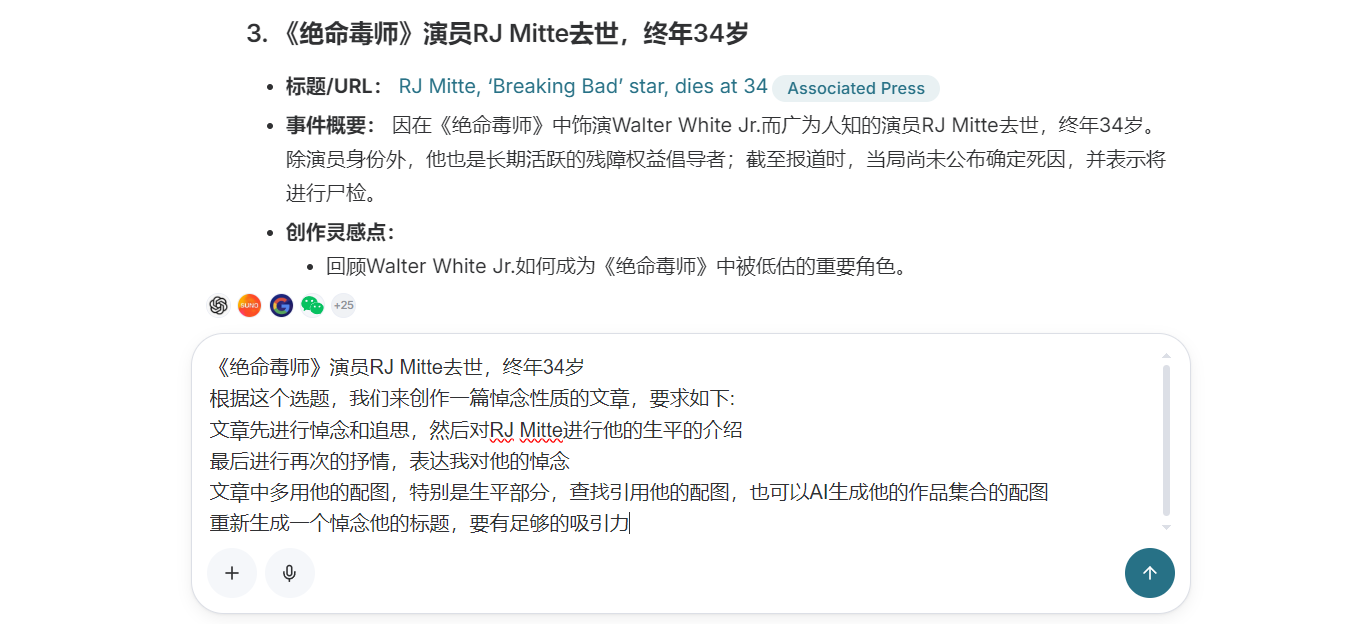
This step is very important.
The more specific the prompt, the closer the generated article will be to the actual publishing requirements. If you only enter “write an article based on this news,” the final content may be relatively broad and require more time to revise.
For news articles, in addition to specifying the article structure, you should also clearly require verification of news sources and avoid adding unverified details.
Trending content values speed, but speed cannot be built on inaccurate information. Especially when involving people, accidents, and breaking events, be sure to confirm the news date, the identities of the people involved, and the original source before formal publication.
¶ Step 4: Review the generated article and images
After submitting the creation requirements, wait for Studio to complete the article.
After the content is generated, do not publish it immediately. Instead, first review the overall structure, specific content, and images of the article.
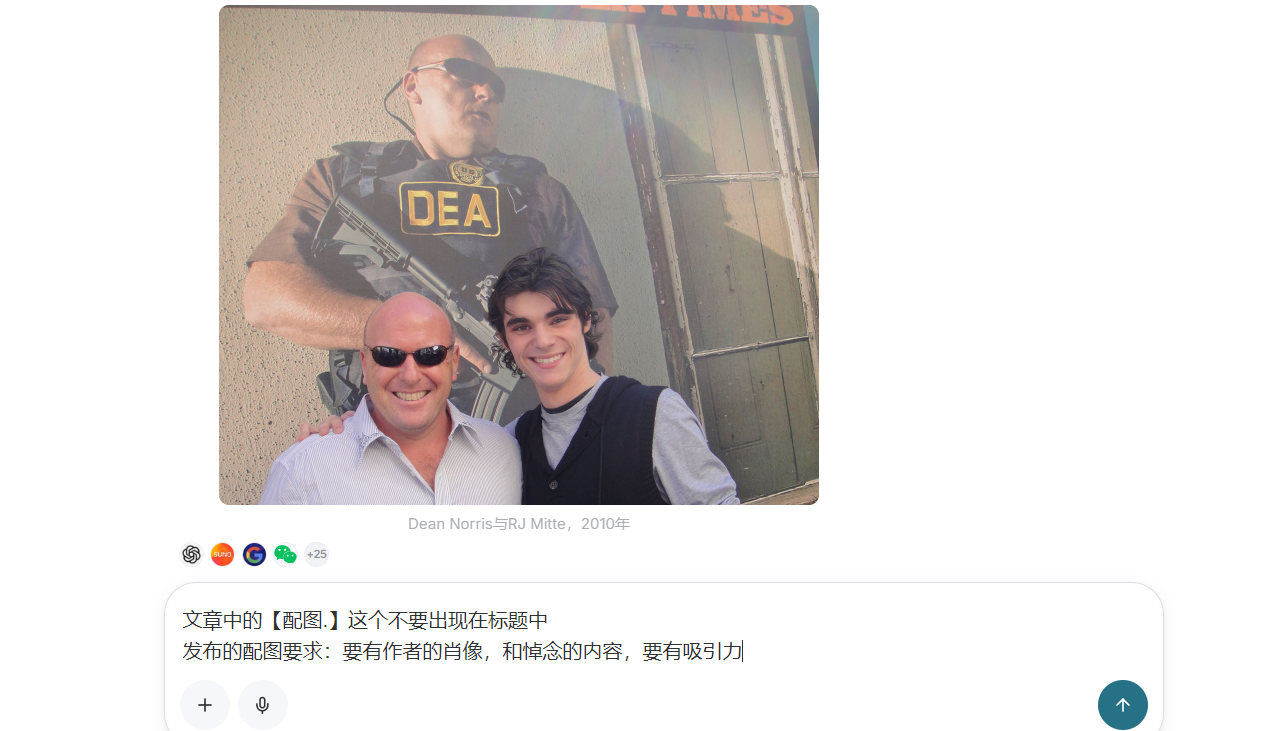
When reviewing the first draft, you can focus on checking the following:
- Whether the title is accurate and whether it is overly exaggerated
- Whether the opening gets to the point quickly
- Whether the information about people, dates, and events is accurate
- Whether the original sources of quoted content can be found
- Whether there are repetitive expressions in the article
- Whether emotions are overly exaggerated
- Whether the images correspond to the article content
- Whether the image sources and usage methods are appropriate
- Whether there are typos or awkward sentences
If you find problems, you can directly make revision requests in the current conversation without needing to start creating again.
¶ Step 5: Continue revising the article and cover image
The first version of the content is usually only a draft.
Even if the overall structure of the article has been completed, there may still be issues such as an overly long opening, repeated sections, insufficiently accurate details, or a cover image that is not suitable for the publishing platform.
At this point, you can continue entering revision requirements:
Please continue revising based on the existing article:

1. Shorten the opening, reduce vague expressions, and get to the news topic as soon as possible
2. Organize the information about people and events in a clear chronological order
3. Delete unverifiable comments, quotes, and details
4. Preserve the readability of the news article, but do not make it overly sensational
5. Check the names, dates, work titles, and news sources in the main text
6. Adjust paragraph length to make the article more suitable for mobile reading
7. Check and correct typos, punctuation, and awkward sentences
8. Redesign the main image, reduce text, highlight the news topic, and adapt it to the WeChat Official Account cover ratio
9. List the specific changes made this time to facilitate manual review
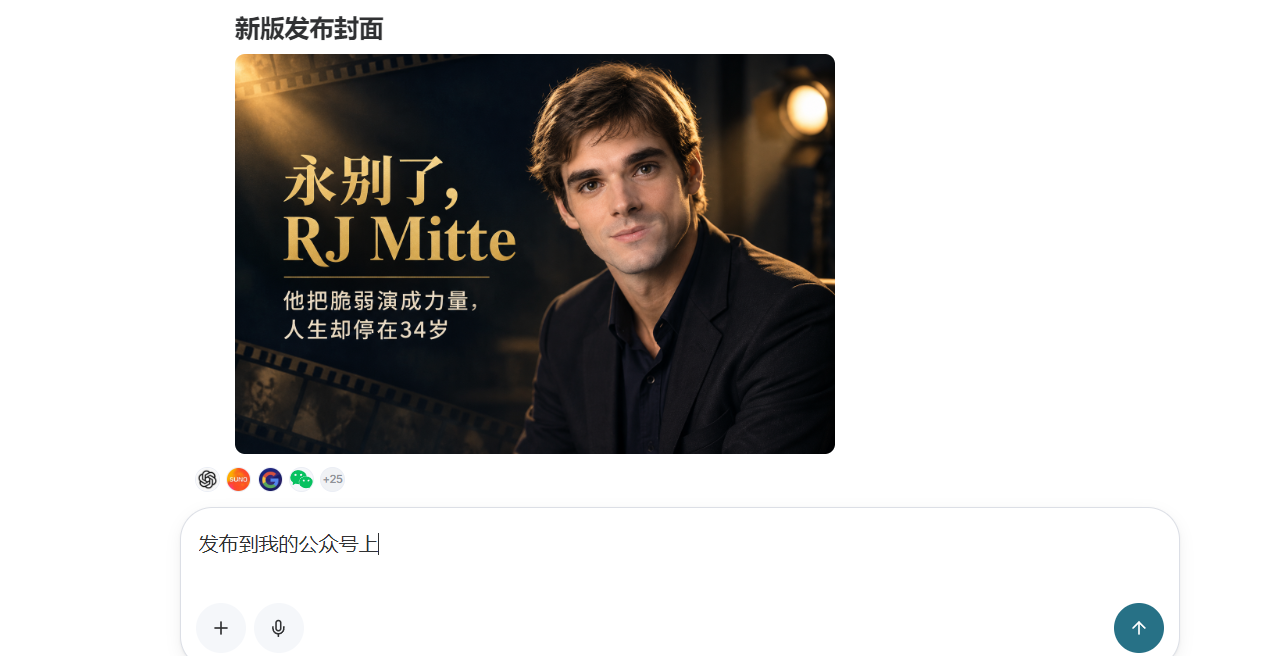
By making revisions through continuous conversation, you can retain the previous news materials, article structure, and creative context.
There is no need to regenerate the entire article for every detail you revise, nor do you need to copy the content into other tools for repeated processing. This can reduce repetitive operations and make the article revision process more coherent.
¶ Step 6: Save to WeChat Official Account drafts
After confirming the body text, title, and cover image, you can save the article to the platform where it needs to be published.
If a WeChat Official Account has already been connected, you can make a saving request in Studio and save the completed article to the WeChat Official Account draft box.
In this way, everything from news research, topic selection, and writing to saving drafts can be completed within the same workflow.
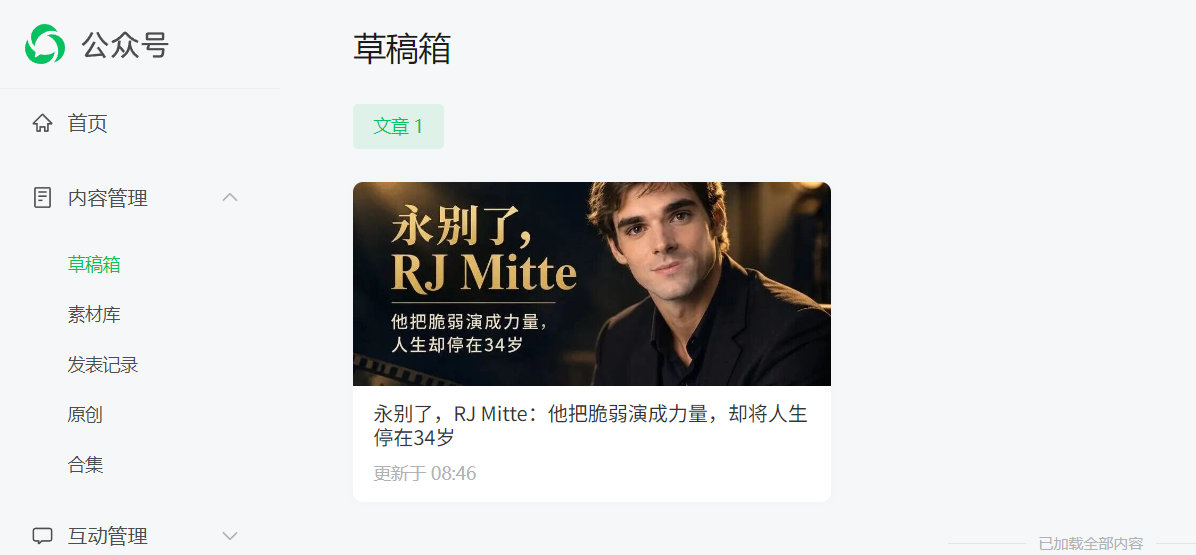
To ensure content quality, it is more recommended to save it as a draft first rather than publish it directly.
News content has strong timeliness. Between article creation and formal publication, new developments may occur in the event, and the original information may also be supplemented or corrected.
Therefore, after the article enters the Official Account draft box, it should still undergo a manual review.
¶ Step 7: Perform the final check and publish
After entering the WeChat Official Account backend, you can review the actual display effect of the article and complete the final revisions.
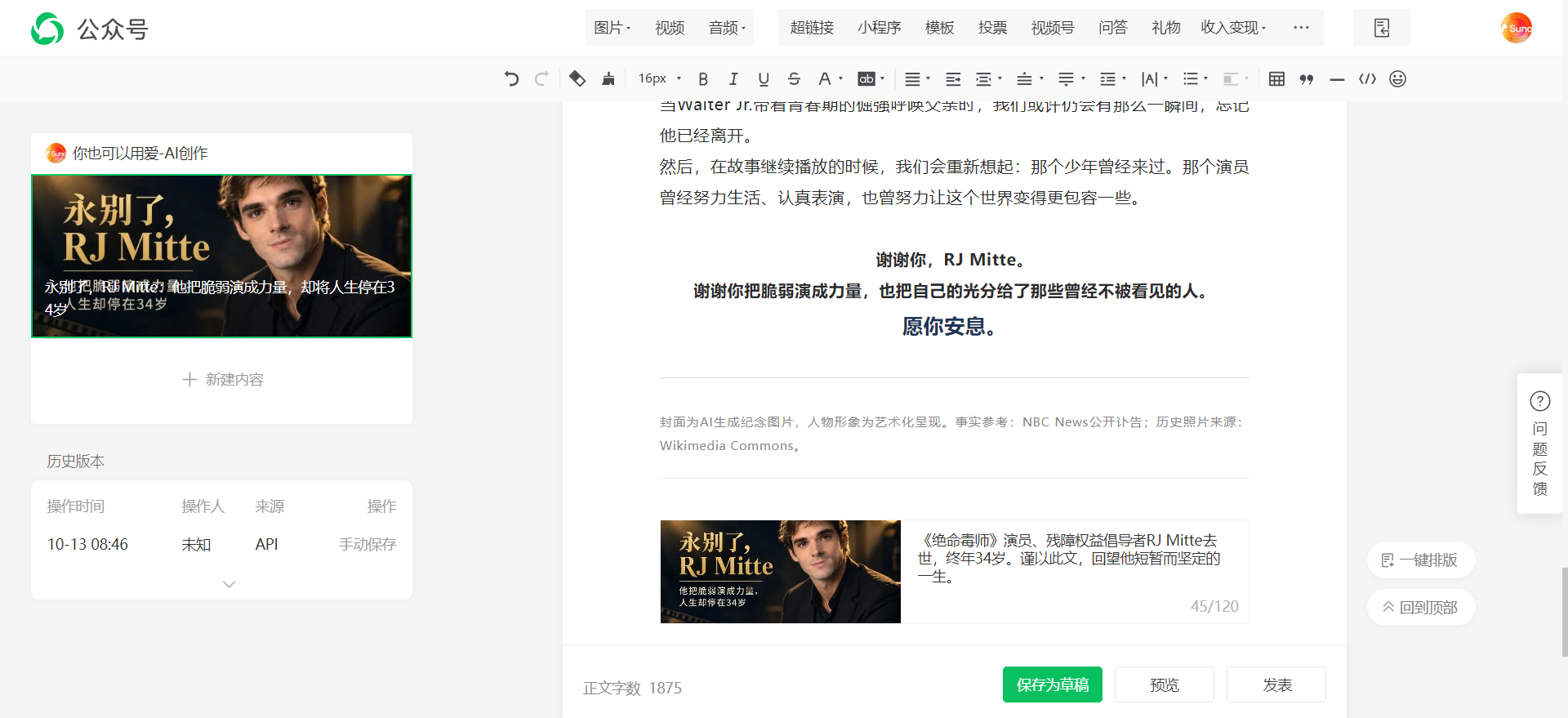
Before formal publication, it is recommended to focus on checking:
- Whether the title is displayed completely in the article list
- Whether the cover image crop is appropriate
- Whether the summary accurately expresses the article content
- Whether paragraphs are too dense on mobile devices
- Whether the images are clear
- Whether image captions and sources are complete
- Whether quoted links can be opened normally
- Whether there have been new developments in the news
- Whether there are typos and formatting issues in the main text
After confirming that there are no problems with the content, you can officially publish it.
¶ More than just writing articles, it is more important to track global trends
For news blogs, what truly affects content efficiency is not only how quickly articles are written, but also whether noteworthy news can be discovered in time.
Through Ace Data Cloud Studio, we can query global news in different fields based on the blog’s positioning and ask the system to organize it according to publication time, impact, discussion popularity, and creative value.
For example, technology blogs can regularly track:
- Global artificial intelligence industry developments
- Product launches by major technology companies
- Updates to popular software and development tools
- Important versions of open-source projects
- Cybersecurity incidents
- Technology industry investments and mergers and acquisitions
Entertainment blogs can track:
- Developments in global film and television works
- Public news about actors and directors
- Music works and performance events
- Film festivals and award events
- Popular content on streaming platforms
- Entertainment topics on social media
After obtaining the list, you can also continue asking Studio to categorize the news and determine which topics are suitable for quick news articles, profile pieces, event analysis, background introductions, or opinion articles.
In this way, what creators see is no longer a pile of disorganized news links, but a content list that can be directly used for blog topic selection.
¶ Combine with scheduled tasks to establish a continuous update mechanism
If a blog needs to be updated continuously every day or every week, you can further combine it with scheduled tasks to establish a fixed news tracking process.
For example:
- Query global technology news from the past 24 hours every morning
- Organize entertainment topics with rapidly rising popularity every few hours
- Summarize important updates in the field of artificial intelligence every week
- Regularly generate a list of topics suitable for blog creation
- Generate article outlines or first drafts based on the filtering results
- Save reviewed content to the designated platform
In this way, a large amount of repetitive information collection and organization work can be handled by tools.
Creators do not need to browse all the news from scratch, but instead spend more time judging the value of topics, verifying facts, adding viewpoints, and reviewing article quality.
It should be emphasized that automation does not mean completely unattended management.
For official blogs, content accuracy, brand expression, and information sources are all very important. Even with scheduled tasks enabled, a manual review stage should still be retained before formal publication.
¶ Summary
In the past, completing a trending article often required repeatedly switching between multiple news websites, search engines, document tools, and publishing platforms.
Now, through Ace Data Cloud Studio, global news queries, trending topic filtering, topic analysis, article creation, content revision, and platform drafts can be integrated into one workflow.
The value it brings is not only helping us write an article faster, but more importantly reducing repetitive operations, allowing blogs to discover and follow global trends more promptly.
For teams that need to operate official blogs, public accounts, or other content platforms over the long term, they can start with a fixed field and establish their own news search prompts, topic selection standards, and article templates. After the process becomes stable, they can then combine it with scheduled tasks to gradually form a continuously updated content production mechanism.
Tools are responsible for searching, organizing, and generating first drafts, while people are responsible for fact-checking, judgment of viewpoints, copyright checks, and final review. Only by combining these two parts can official content's accuracy and credibility be ensured while improving efficiency.