

When children look at picture books, they often stare at an illustration for a long time. Are the leaves moving? What is inside the jar in the little fox’s hands? Did that firefly eventually find its home?
If we let the ears in the picture twitch gently, let the moonlight slowly fall into the jar, and add a gentle line of narration, the story gains another way of being told.
This kind of animated picture story can be used for bedtime stories, short story presentations in the classroom, and is also suitable for trying out storyboards for children’s animation. It does not necessarily need complex movements. If the visuals are comfortable, the characters remain consistent from beginning to end, and children can follow and understand it, that is already a good start.
This time, we will use Ace Data Cloud Studio and GPT Image 2.6 to create a little story—The Little Fox Borrows Moonlight. First draw the story, then make the images move, and finally add sound, turning it into a playable video.

¶ The story does not need to be long; first, tell it clearly
On a moonlit night, a little fox meets a lost little firefly. The forest is too dark, and the little firefly cannot find the way home. The little fox lifts a glass jar and borrows a little light from the moon, accompanying it through the woods and back to its companions. Before leaving, the little fox waves goodbye and does not forget to look up and thank the moon.
This story is short, but it has a meeting, help, and a farewell. Used as a four-panel picture story, it is just enough to tell the whole story.
We open Ace Data Cloud Studio and write what we want to create in the chat. Besides the story itself, clearly describe the art style, characters, and props as well.
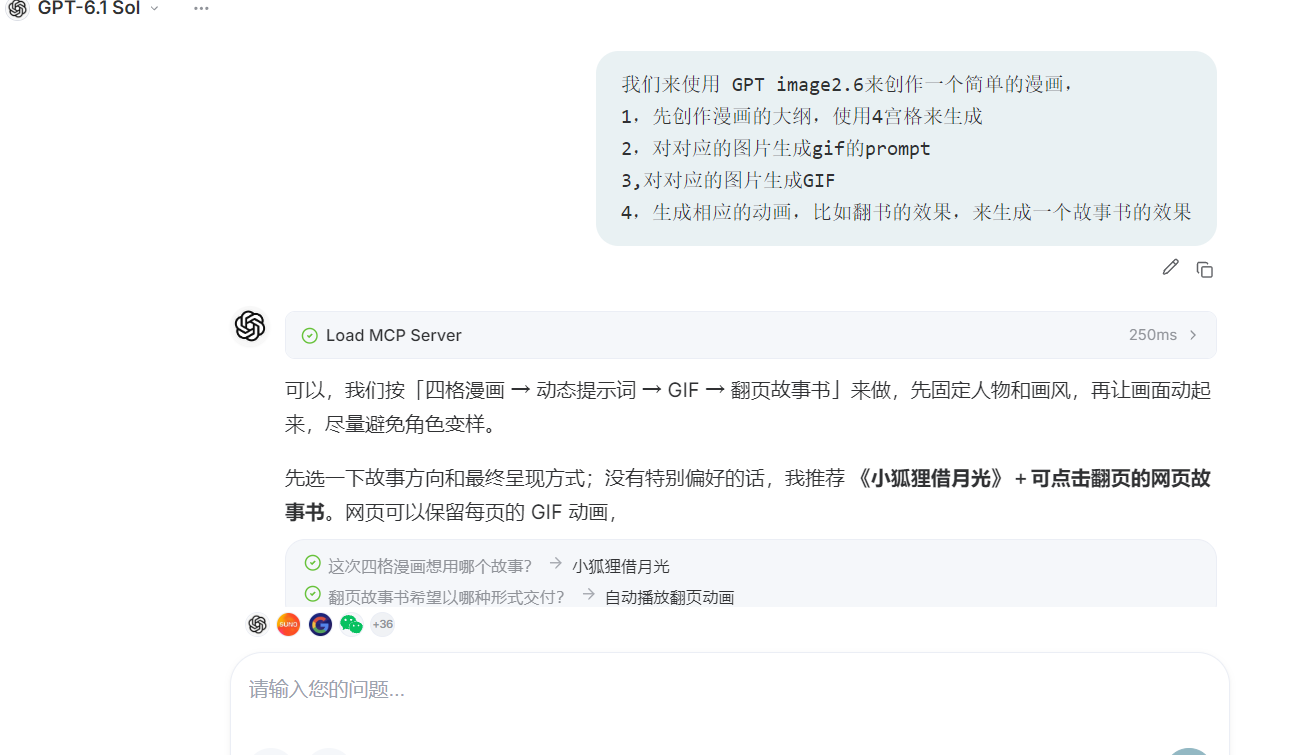
You can describe it like this:
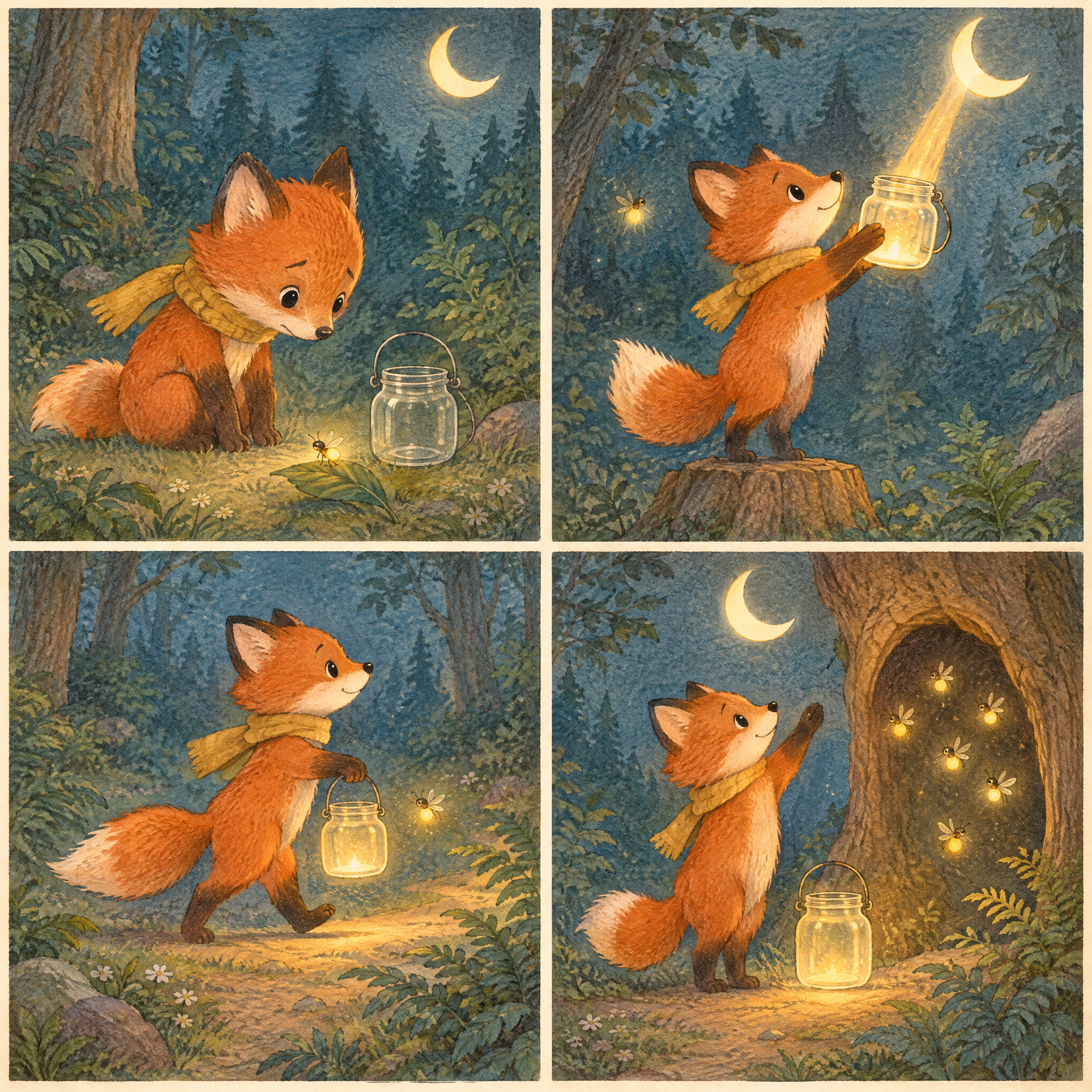
Please use GPT Image 2.6 to create a four-panel story picture book for The Little Fox Borrows Moonlight, with the reading order being top left, top right, bottom left, bottom right, respectively depicting meeting, borrowing light, walking together, and returning home. Use a gentle hand-painted watercolor style, retaining the paper texture. Keep the little fox’s appearance, scarf color, and glass jar consistent across all four illustrations. Use soft dark blue and gray-green as the main colors for the forest, and use warm golden tones for the moonlight and the light inside the jar, without making them glaring. Do not include text, speech bubbles, or watermarks in the images.
Here is a very practical little habit: first establish the characters and art style, then arrange what happens in each panel. Otherwise, each individual image may look good, but together they may feel like four different stories.
¶ First make four panels and see whether the story flows smoothly
This time, for demonstration, we will first use a simple four-panel layout. There are not many images, so it is easier to check: whether the little fox looks like the same character, whether the scarf changes color, whether the glass jar suddenly becomes larger or smaller, and whether the four panels can be understood when connected.

If you want to make a longer story, you can split up the “walking together” part. For example, first crossing a stream, then passing by tree roots, and finally seeing little specks of light in a tree hollow. Each illustration tells only one action, making it easier to arrange animation and voice-over later as well.
Below is a newly created four-panel picture story for this article. Leave a little paper white space, allowing the forest colors and moonlight to show through; there is no need to fill every corner.

The image below is the four-panel picture story used in the original demonstration. The GIFs and compositing scripts later in this article continue to use this set of demonstration materials for easy reproduction; the new images above are used to present the story, so do not mix the two sets of materials as if they were the same set of animation keyframes.
¶ Just make the images move a little, and that is enough
After the original illustrations are ready, we continue by having Studio write motion prompts for the four clips.
The picture story does not need too much movement. Slight ear movements, gently swaying grass leaves, and the slowly rising and falling light inside the jar—these small changes are enough to bring the images to life. In contrast, large-scale running movements and frequent camera switches can easily disrupt the original quiet feeling.
The prompt version below completes the “returning home” segment and also clearly describes the relationship between each original illustration and its corresponding animation:
Dynamic Prompts for Four GIF Segments

General constraints: Retain the character, scarf, glass jar, and watercolor paper texture from the corresponding original artwork; keep the camera fixed, use only subtle movements, add no new characters, include no text, and make the beginning and ending connect as smoothly as possible. Use only the specified original artwork panel for each segment, and expand it into a single frame; do not animate the entire four-panel image together.

Encounter
Select the top-left panel and expand it into a single frame. The fox gently lowers its head, and its ears twitch slightly; the firefly on the leaf slowly brightens and dims, while the surrounding blades of grass sway gently. Keep the fox's body proportions and the background composition stable.

Borrowing Light
Select the top-right panel and expand it into a single frame. The fox maintains its pose of holding up the jar, while soft moonlight slowly flows into the glass jar, and the golden light inside gently rises and falls. Keep the shape of the glass jar unchanged, make the light soft, and avoid intense flickering.

Walking Together
Select the bottom-left panel and expand it into a single frame. The fox walks in small steps, with its scarf and tail gently swaying, and the jar it carries slightly swinging; the firefly floats beside the jar, while the background remains stable. Keep the movements subtle and make the loop as natural as possible.

Going Home
Select the bottom-right panel and expand it into a single frame. The fox slowly waves, the existing fireflies beside the tree hollow circle within a small area, the moonlight on the ground gently rises and falls, and the blades of grass sway slightly. Keep the positions of the tree hollow, glass jar, and fox basically stable, and let the ending naturally return to a pose close to the beginning.
Next, clearly state in Studio: use the GIF animation feature of GPT Image 2.6 to generate these four segments separately, and return their respective GIF files.
What we are making here are short looping animations, not directly generating one complete long video. Once the task is complete, we will have four animated images, and then combine them with narration into a video.
Below are the four GIF segments from the original demonstration.
Encounter

Borrowing Light

Walking Together

Going Home

If the scarf, jar, or character appearance changes in any segment, revise that segment first; there is no need to discard and remake the entire set of assets. Once the visuals are confirmed, then move on to voice-over.
¶ The voice-over should sound like a bedtime story, not be too densely narrated
After the visuals start moving, continue entering the voice-over requirements in Studio. Generate the narration for the four segments separately, so that later it will be easier to match each one with its corresponding visual.
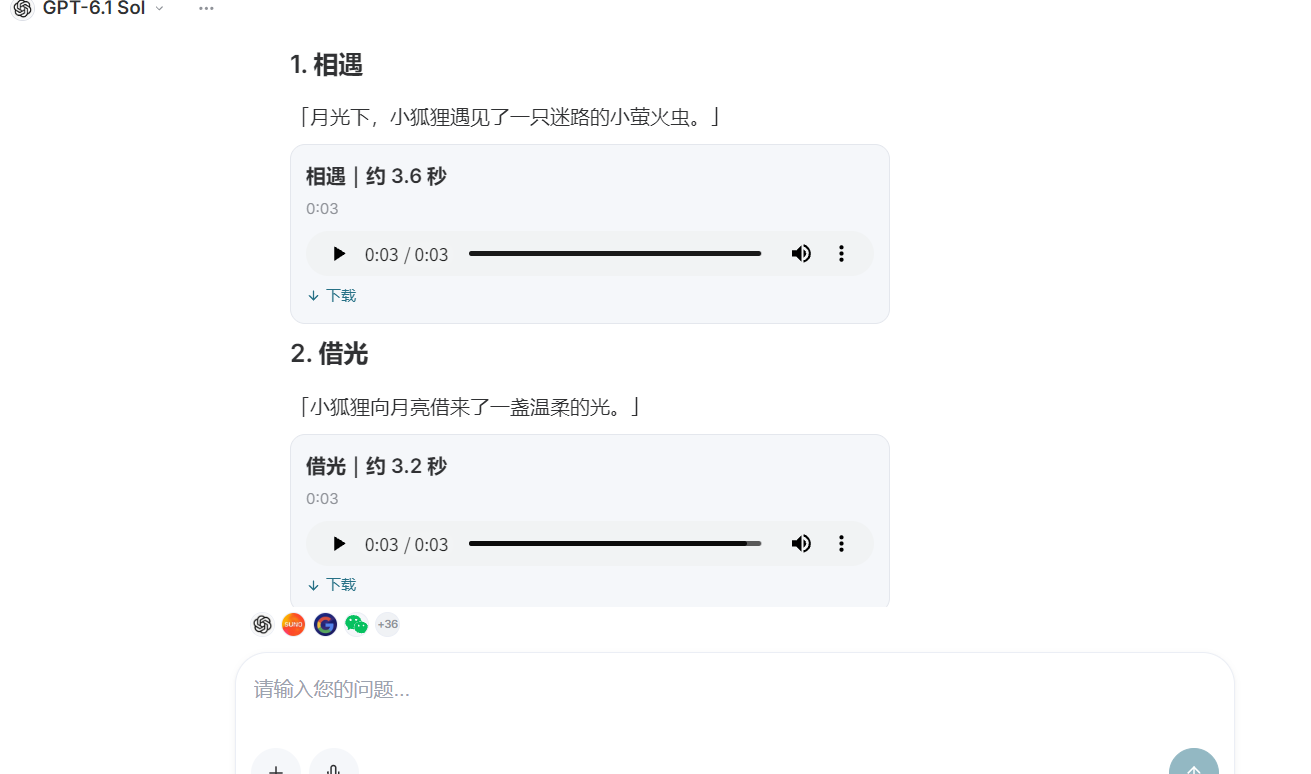
You can say:
Please generate four independent Chinese narration segments for The Little Fox Borrows Moonlight, and return audio links for each one. Use a gentle, natural female voice, like telling a bedtime story to a child; do not use a broadcaster's tone, and do not deliberately act cute. Keep the same voice tone across all four segments, with a slow, soothing pace and a slight pause at the end of each sentence. First generate only the narration, without background music. Encounter: Under the moonlight, the little fox meets a lost little firefly. Borrowing Light: The little fox borrows a gentle light from the moon. Walking Together: Carrying the moonlight, he accompanies the little firefly through the forest. Going Home: The firefly returns to its companions, and the little fox also thanks the moon.
Four sentences are enough to tell the story; there is no need to add a long explanation. Let the visuals speak a little too, and it will sound more comfortable.
After the voice-over is generated, it is best to listen to each segment once. Check here whether any words were misread, whether the pauses sound natural, and whether each segment can be spoken within the reserved time. The demonstration script below uses the existing four audio links; if the voice-over is regenerated, remember to replace them with your own links.
¶ Finally, assemble the illustrated story into a video locally
Once the assets are ready, have Studio organize an FFmpeg composition script, then run it on your local computer.
This script will create a horizontal two-page illustrated spread: the left side contains the chapter title and story text, while the right side plays the GIF. The four pages are connected in story order, with their respective narrations.
Before running it, you need to install FFmpeg and change FONT to the path of a Chinese font that actually exists on your computer. FFmpeg also needs to support the drawtext filter, H.264 encoding, and AAC encoding used in the script. The script is suitable for running with Bash on Linux, macOS, or Windows WSL; do not paste it directly into PowerShell.
The demonstration asset links are retained below, and the output filename and page titles are unified as The Little Fox Borrows Moonlight. This is a script for local execution; this article does not run it locally on the reader's behalf.
bash <<'BASH'
set -euo pipefail

# ===== Only modify here =====

GIF1="https://cdn.acedata2.cloud/gpt-image/d8d0bdffeb50f57fa700e3b0e973541e62361c1bce243f795c66b12c27a79ada.gif"
GIF2="https://cdn.acedata2.cloud/gpt-image/2361e32502087a5d14a1030ec26c94bade43ad7abddff7f51294ae70cffabd03.gif"
GIF3="https://cdn.acedata2.cloud/gpt-image/c9091c98a64df06baecc7be2e5bb4b7521deff9caa3a0f67bca46c5409b92133.gif"
GIF4="https://cdn.acedata2.cloud/gpt-image/e6f322e1dea87af933a00e6053166cd5ce2f9a7ab59358c37f7b79d3b0126885.gif"

# Chinese font path, please modify according to the actual situation:
# Linux example: /usr/share/fonts/opentype/noto/NotoSerifCJK-Regular.ttc
# macOS example: /System/Library/Fonts/PingFang.ttc
FONT="/usr/share/fonts/opentype/noto/NotoSerifCJK-Regular.ttc"

OUTPUT="Little_Fox_Borrows_Moonlight.mp4"

# ===== Four existing voice-overs =====

AUDIO1="https://platform2.cdn.acedata.cloud/fish/bb9140fc-c0c5-4397-995c-5a4eba813ef6.mp3"
AUDIO2="https://platform2.cdn.acedata.cloud/fish/ffe157ea-7fc4-422c-b153-e3bdb7db59ad.mp3"
AUDIO3="https://platform2.cdn.acedata.cloud/fish/2eb05b03-e833-48b9-9373-38b4c6a6456c.mp3"
AUDIO4="https://platform2.cdn.acedata.cloud/fish/429392ee-4012-4775-b1d9-fec7b88ddf1f.mp3"

command -v ffmpeg >/dev/null || {
  echo "Please install FFmpeg first"
  exit 1
}

[[ -f "$FONT" ]] || {
  echo "Chinese font not found, please modify FONT: $FONT"
  exit 1
}

gifs=("$GIF1" "$GIF2" "$GIF3" "$GIF4")
audios=("$AUDIO1" "$AUDIO2" "$AUDIO3" "$AUDIO4")

titles=("Encounter" "Borrowing Light" "Together" "Going Home")
lines1=(
  "Under the moonlight, the little fox met"
  "The little fox borrowed from the moon"
  "Holding the moonlight, he accompanied the little firefly"
  "The firefly returned to its companions"
)
lines2=(
  "a lost little firefly."
  "a gentle light."
  "through the forest together."
  "The little fox also thanked the moon."
)

# Fixed duration for each chapter; the remaining time after the narration ends stays silent.
# Total duration: 19 seconds. Narration exceeding the chapter duration will be cut off.
durations=("5" "4.5" "4.5" "5")

inputs=()
filters=""

for i in 0 1 2 3; do
  vi=$((i * 2))
  ai=$((vi + 1))
  page=$((i + 1))
  d="${durations[$i]}"

  # Disable the GIF's internal loop marker; use stream_loop for infinite looping instead.
  inputs+=(
    -stream_loop -1 -ignore_loop 1 -i "${gifs[$i]}"
    -i "${audios[$i]}"
  )

  # Book background: warm-colored tabletop, two-page paper, book spine, and text on the left.
  filters+="
color=c=0xD6C7B3:s=1920x1080:r=30:d=${d},
drawbox=x=72:y=64:w=1788:h=972:color=0xB6A38C:t=fill,
drawbox=x=60:y=50:w=900:h=970:color=0xFFF9EE:t=fill,
drawbox=x=960:y=50:w=900:h=970:color=0xFFF9EE:t=fill,
drawbox=x=940:y=50:w=20:h=970:color=0xE2D6C3:t=fill,
drawbox=x=960:y=50:w=12:h=970:color=0xEFE5D5:t=fill,
drawbox=x=150:y=320:w=110:h=4:color=0xB28A60:t=fill,
drawtext=fontfile='${FONT}':text='Little Fox Borrows Moonlight':x=150:y=155:fontsize=28:fontcolor=0x927A60,
drawtext=fontfile='${FONT}':text='${titles[$i]}':x=150:y=235:fontsize=64:fontcolor=0x493A2C,
drawtext=fontfile='${FONT}':text='${lines1[$i]}':x=150:y=400:fontsize=36:fontcolor=0x685846,
drawtext=fontfile='${FONT}':text='${lines2[$i]}':x=150:y=465:fontsize=36:fontcolor=0x685846,
drawtext=fontfile='${FONT}':text='${page} / 4':x=150:y=910:fontsize=24:fontcolor=0xA28D76
[book${i}];

[${vi}:v]
setpts=PTS-STARTPTS,
fps=30,
scale=780:800:force_original_aspect_ratio=decrease:force_divisible_by=2,
setsar=1,
format=rgba
[gif${i}];

[book${i}][gif${i}]
overlay=x='1020+(780-overlay_w)/2':y='130+(800-overlay_h)/2':shortest=1,
trim=duration=${d},
setpts=PTS-STARTPTS,
format=yuv420p
[v${i}];

[${ai}:a]
asetpts=PTS-STARTPTS,
aresample=48000,
aformat=sample_fmts=fltp:channel_layouts=stereo,
apad,
atrim=duration=${d},
asetpts=PTS-STARTPTS
[a${i}];
"
done

filters+="
[v0][a0][v1][a1][v2][a2][v3][a3]
concat=n=4:v=1:a=1[vout][aout]
"

# Execute once: combine all book pages, animations, and voice-overs.
ffmpeg -hide_banner -y \
  "${inputs[@]}" \
  -filter_complex "$filters" \
  -map "[vout]" \
  -map "[aout]" \
  -c:v libx264 \
  -preset medium \
  -crf 18 \
  -pix_fmt yuv420p \
  -c:a aac \
  -b:a 192k \
  -ar 48000 \
  -movflags +faststart \
  "$OUTPUT"

printf '\nGenerated: %s\n' "$OUTPUT"
BASH
This script sets the durations of the four pages to 5 seconds, 4.5 seconds, 4.5 seconds, and 5 seconds, for a total of 19 seconds. The GIFs will loop until the end of each page, and when the narration is shorter, the remaining time afterward stays silent.
Pay special attention: if the narration is longer than its page, the script will cut off the excess part. When regenerating the voice-over, listen to it first and then decide whether to increase durations; do not turn the page in the middle of the story just to make it fit 19 seconds.
An internet connection is required during execution to read the assets. If a link cannot be accessed, you can first download the GIFs and MP3s locally, then change the corresponding variables to file paths. The -y in the script will overwrite an output file with the same name; if there is already a finished video, change the filename first.
According to the records provided in the demonstration, the material generation credits for this sample are approximately 1 credit. This value is only for reference in this demonstration, is not a fixed package, and does not mean that any 19-second video requires only 1 credit. Model version, image dimensions, quality, voiceover length, and number of retries will all affect the actual consumption; the charges displayed in Studio shall prevail. This final step is compositing locally with FFmpeg, not calling the cloud video generation service again.
¶ Put the entire process in one image
Looking back, the process is not complicated: first think of the story, draw four panels, make each panel move a little, then add narration, and finally composite it locally.
Studio helps us prepare the story, original artwork, GIFs, and voiceover materials; FFmpeg arranges the materials like pages in a book, connects the audio, and outputs an MP4. By separating these two parts, whichever page is unsatisfactory can be revised.

¶ A little moonlight can tell a whole story
The Little Fox Borrows Moonlight does not have many characters or lively grand scenes. It simply lets a little fox accompany a lost firefly for part of its journey.
When making this kind of story picture book, the parts worth spending time on are often these small details: whether the fox looks like the same one in all four pictures, whether the light in the jar is soft enough, and whether the narration can make people feel at ease as they listen.
If you also want to give it a try, you can start with a four-panel short story. In Ace Data Cloud Studio, clearly describe the art style and characters, check the original artwork, and then slowly add movement and sound. Making a short story well first makes it easier to find the feeling you like than spreading out a long piece from the very beginning.
Once the visuals and sound are both suitable, turn a few more pages. A little picture book that moves is slowly made this way.