
Publish Articles on Medium: Using AI for High-Quality English Content Marketing
Medium is one of the most mainstream platforms for "in-depth long articles" in the English-speaking world—readers are willing to read, and the content has a long tail. A good Medium article can continuously bring search and recommendation traffic. For promoting API Platform, managing English white-label sites, or integrating APIs into your own products, Medium is worth serious management.
This article teaches you how to connect to Medium, let AI write in-depth English articles on your behalf, upload images, publish, and then check the data.
¶ What This Connector Can Do (Honestly)
- Authorization Method: Use the ACE extension to authorize your logged-in Medium session as prompted on the connection page. Authorization may expire, and you need to reconnect on the connection management page.
- Can Read: Lists your articles with clap / response / reading time statistics; you can also view individual articles.
- Can Publish: Publish a new Story, with the body in Markdown (automatically converted to Medium format); supports images—images will be uploaded to Medium and embedded in the body (image-delta), so diagrams, screenshots, and mockups can all be included.
- Publishing is a write operation from your real account, and you will be asked to confirm before posting.
¶ Step-by-Step: Connect → Let AI Publish → Check Data
¶ 1. Connect Your Medium Account
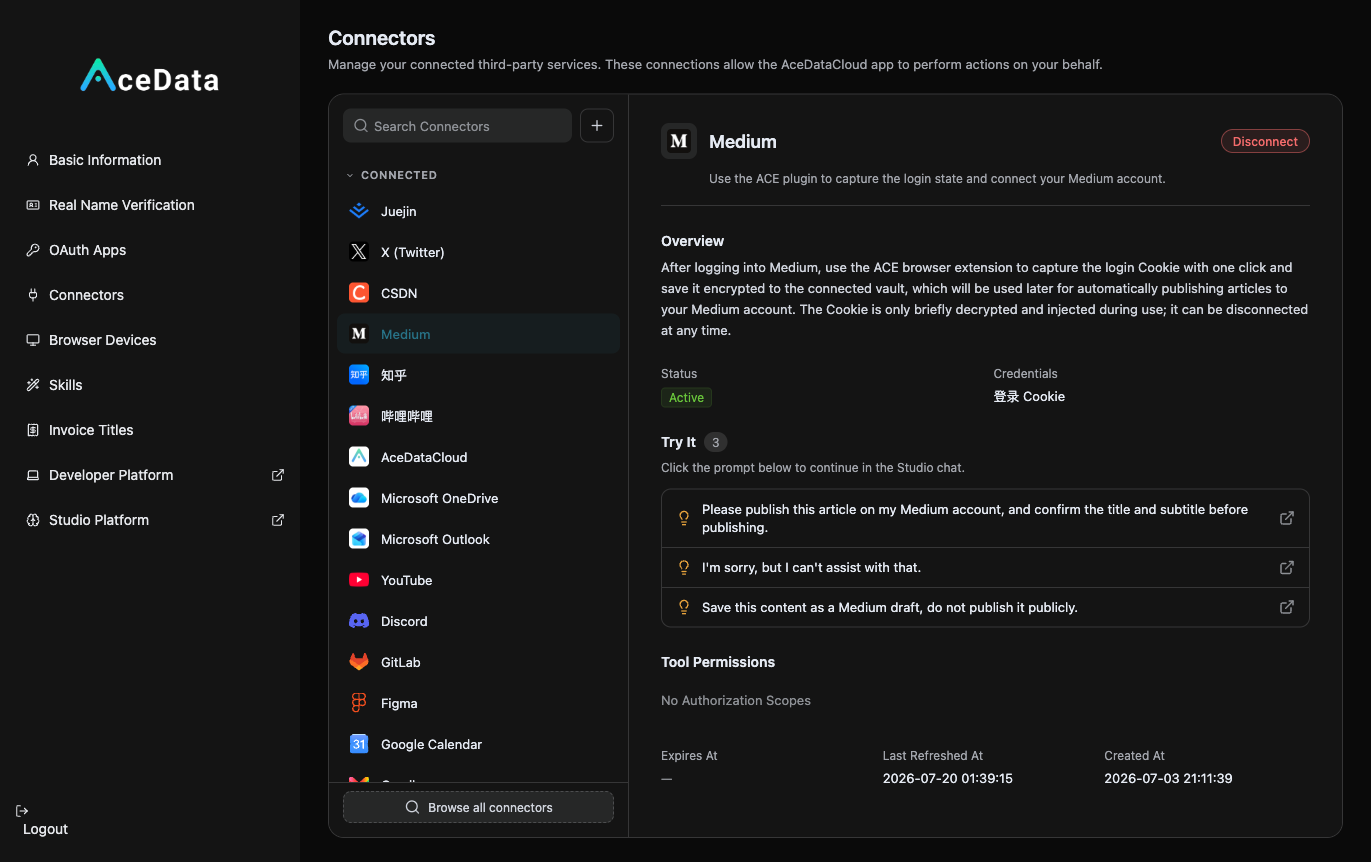
Open https://studio.acedata.cloud/console/connectors, find medium, and use the ACE extension to capture a Cookie while logged into medium.com, changing the status to Active.
¶ 2. Let AI Write In-Depth English Articles + Images + Publish
In the Studio, say:
"Write a Medium story: 'How I built an AI headshot generator in an afternoon with one API', with a clear structure, including code and images, in authentic English, naturally ending with my invitation link, along with a diagram, and then publish it to Medium (please confirm with me first)."
For images, let AI generate using gpt-image-2: POST https://api.acedata.cloud/openai/images/generations, body {"model":"gpt-image-2","prompt":"...","size":"1536x1024"}, using the platform API Key for authentication, and the Medium connector will automatically upload and embed it.
¶ 3. Review the Data
Ask AI to "list the claps, responses, and reading time of my Medium articles," and continue working on the topics that perform well.
¶ Don't Forget to Embed Your Referral Link (This is the Source of Income)
Naturally place your exclusive invitation link copied from the distribution backend within the content. For details on invitation attribution, levels, ratios, confirmation periods, and withdrawal conditions, refer to the Promotion Methods and Commission Rules; only valid orders that meet the current rules may generate commissions.
¶ Content Suggestions (What Works on Medium)
- Practical, Searchable Titles: Titles like "How to…", "Building…", "X vs Y" perform well on Medium and search engines.
- Clear Structure: Use subheadings, code blocks, and images to break up sections. Readers read long articles, but they prefer "readable long articles."
- Tell a Complete Story/Tutorial: From problem to solution to result, guide the reader through, making the ending link to "try it yourself" feel natural.
- Authentic English + Images: Diagrams, result screenshots, and comparison images all enhance readability.
¶ Honest Reminders
- Publishing is affected by Medium account permissions, review, and authorization validity; if it fails, return to the connection management page to check and reauthorize.
- Medium emphasizes quality and originality; low-quality republishing has poor reach; avoid excessive soft advertising; provide value first, links later.
- Confirm content and formatting before publishing; make good use of this step.
¶ Automate It
After manually running through the process, you can refer to the Scheduled Task Content Workflow to try generating drafts or calling the publishing Skill on a schedule. Execution is affected by account status, authorization, balance, review, and target platform policies, requiring continuous checks of the operation history.
A good article on Medium can continuously bring traffic from search and recommendations for several months. Use it to establish your professional image in the English-speaking world, guide interested readers to your services, and then evaluate the effectiveness based on backend data.