
Publish Articles on Juejin: AI-Assisted Writing, Publishing, and Review
If you want to start with a developer content platform that requires minimal configuration, you can begin with Juejin.
The reason is straightforward: Juejin connection only requires a login Cookie (BYOC, no need to apply for a developer account, no OAuth), and the connection steps are relatively direct. Moreover, Juejin's user profile is very "pure"—active developers in the front-end, back-end, and AI fields, with a community that leans towards technology and loves to try new things. For those promoting API Platforms, managing white-label API Platforms, or developing AI applications, this is a group of high-quality, hands-on potential users.
This article will guide you step-by-step: from capturing the Cookie to letting AI publish articles and then reviewing the data, covering the entire process.
¶ 1. The Real Mechanism of Juejin Connection (Understand Before You Start)
Juejin uses a pure Cookie BYOC connection:
- Log into your Juejin account in the browser and use the ACE browser extension to capture the login Cookie once;
- This Cookie is securely encrypted and stored, and is only decrypted when AI calls it, connecting to Juejin as yourself;
- Technically, it connects directly to the Juejin API using urllib, making it stable and fast.
After connecting, AI can do the following:
- List and view your own articles, along with each article's view count / like count / comment count;
- Publish new articles;
- Images in the articles are rendered via external links—meaning you place the images on an accessible image hosting/CDN (for example, uploading images generated by gpt-image-2 to a CDN), and they will display correctly when referenced in the article.
¶ 2. Step 1: Install ACE Extension and Capture Juejin Login Cookie
- Open Juejin in your browser and log into your account:
https://juejin.cn, ensuring you are logged in. - Install the ACE browser extension (used to capture the login Cookie).
- Use the extension on the Juejin page to capture the login Cookie once.
The action of capturing the Cookie only needs to be done once. If the Cookie expires (for example, if you log out of Juejin or haven't used it for a long time), you can capture it again.
¶ 3. Step 2: Connect Juejin on the Connection Page
- Open Studio:
https://studio.acedata.cloud - In the bottom chat input box, click on "Add Content (+)" → select "Connect"
- Navigate to the connection management page:
https://studio.acedata.cloud/console/connectors - Find Juejin / juejin, fill in the captured Cookie credentials, and complete the connection.
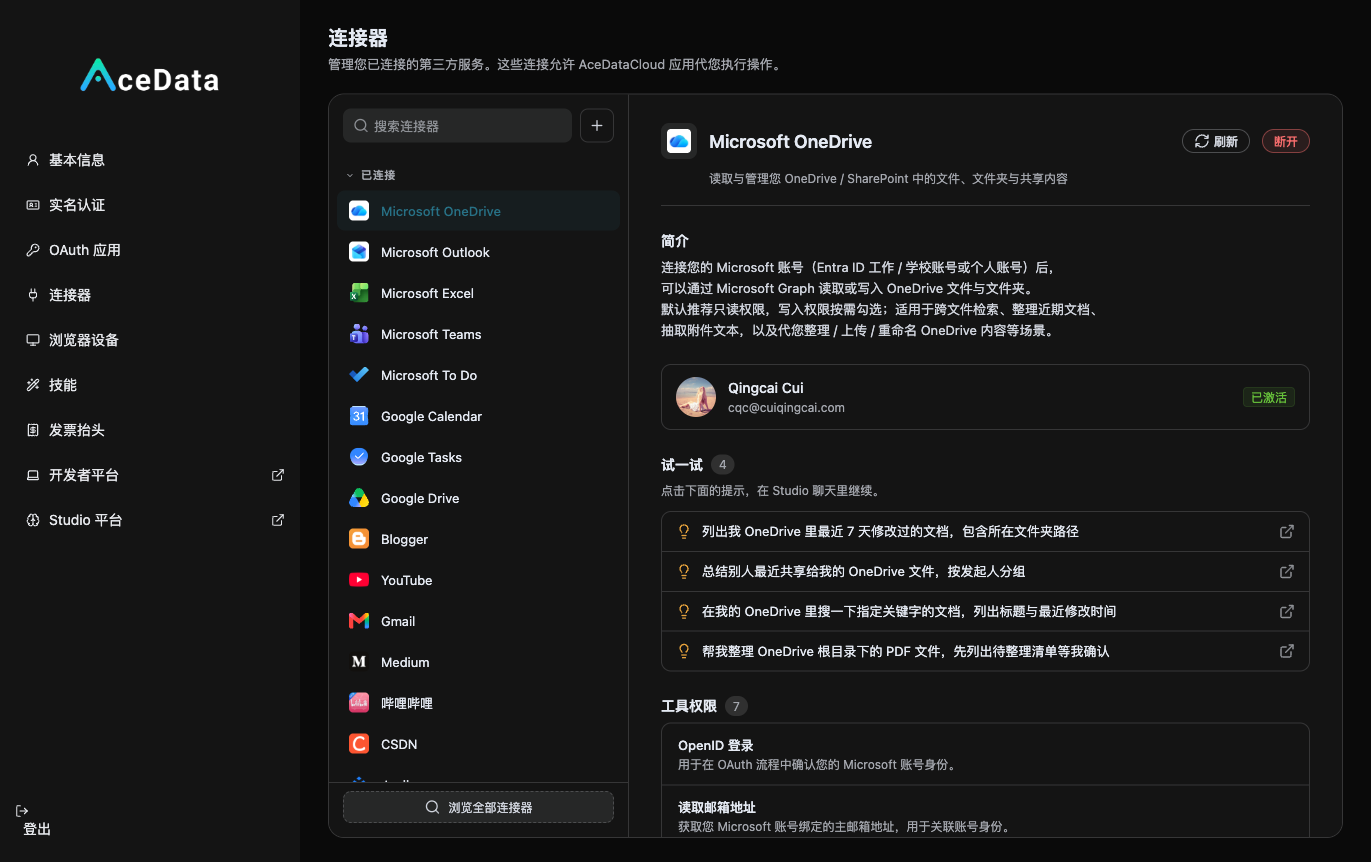
Once connected successfully, the corresponding skill for Juejin will appear in your skill list, and AI will be able to call it.
¶ 4. Step 3: Let AI Write and Publish in Studio
Return to the Studio chat box and give a command directly. Here’s a prompt you can copy (replace <yourID> with your user ID):
Help me write a technical article to be published on Juejin, with the theme: "I created a small tool for automatically generating cover images using the gpt-image-2 API."

Requirements:
1. Targeting back-end/front-end developers, around 1000 words, with a complete runnable code example
   (using curl to call https://api.acedata.cloud/openai/images/generations, model=gpt-image-2).
2. Clean formatting, with clear subheadings and standardized code blocks.
3. Naturally include a line at the end: If you want to try it yourself, here is the free quota entry
   https://platform.acedata.cloud/?inviter_id=<yourID>
4. Show me the draft first, and after I confirm, publish it to my Juejin account.
The process is "create draft first → you confirm → publish", giving you the opportunity to check the formatting and code, so make good use of this step.
¶ 5. Step 4: Prepare a Cover Image (gpt-image-2)
Juejin articles require a cover image for both the list and details. Let AI generate one easily, or you can generate it yourself first:
curl -X POST https://api.acedata.cloud/openai/images/generations \
  -H "Authorization: Bearer $ACEDATACLOUD_API_KEY" \
  -H "Content-Type: application/json" \
  -d '{
    "model": "gpt-image-2",
    "prompt": "Deep blue technology style cover for a technical article, theme: Automatically generating cover images using AI API, simple and flat, with code elements as embellishments",
    "size": "1536x1024"
  }'
After uploading the generated image to a CDN, provide the external link to AI, allowing it to insert it into the body of the Juejin article—Juejin supports external link rendering, so it will display correctly.
When needing images, you can let AI call the authorized image capabilities; still, check the image content, size, and display effect before publishing.
¶ 6. Step 5: Review Data After Publishing
After a day or two, let AI help you review the performance:
List the articles I recently published on Juejin, and organize the title, view count, like count, and comment count of each into a table for me.
AI will read back these statistics as you, helping you determine which topics are popular and what to write next. Data-driven iteration on topics is much more efficient than writing blindly.
¶ 7. What Works on Juejin (Content Suggestions)
- Ride the "new" wave: Juejin has a high acceptance of new models and tools. If you have something fresh in your resale capabilities (new video models, new image models), creating "first-hand tests" is very appealing.
- Practical + Code: Provide runnable examples, allowing readers to try them out, turning them into your potential users—remember that the free quota entry in the code is your invitation link.
- Clean formatting, emphasize originality: The Juejin community has high aesthetic standards, and reposting or hard advertising will be neglected. Use genuine technical sharing to make an impact.
¶ 8. Automate It (Optional)
After successfully publishing manually, you can refer to the Scheduled Task Content Workflow to try generating or publishing according to a schedule; remember to add juejin to the allow list and continuously check the operation history.
Juejin readers are a group of people who are "willing to try," which is exactly the high-quality traffic you want. Today, capture a Cookie, connect, and publish your first practical article—bring those who love to try through the invitation link at the end of the article to your service.