
Publish Articles on Dev.to: Using API to Release Developer Content
Dev.to is a pure developer community with a friendly atmosphere and high tolerance for newcomers and new toolkits. It uses the official Forem API, and the connection setup is relatively straightforward, making it a good starting point for developer content marketing.
This article teaches you how to connect to Dev.to, let AI publish English technical articles in your name, and then check the data.
¶ What This Connector Can Do (To Be Honest)
- Authorization Method: API Key — Using Forem API v1 (
dev.to/api), just paste a DEV API Key, no browser extensions, no OAuth redirects, the simplest way. - Can Read: List your own articles and view views / reactions / comments statistics.
- Can Post/Edit: Publish or update Markdown articles; supports cover_image, tags, series, canonical_url, and other front-matter.
- By default, you can first post a draft (
published:false), and confirm before making it public — it will ask for your confirmation before write operations.
¶ Step by Step: Connect → Let AI Post → Check Data
¶ 1. Connect Your Dev.to Account
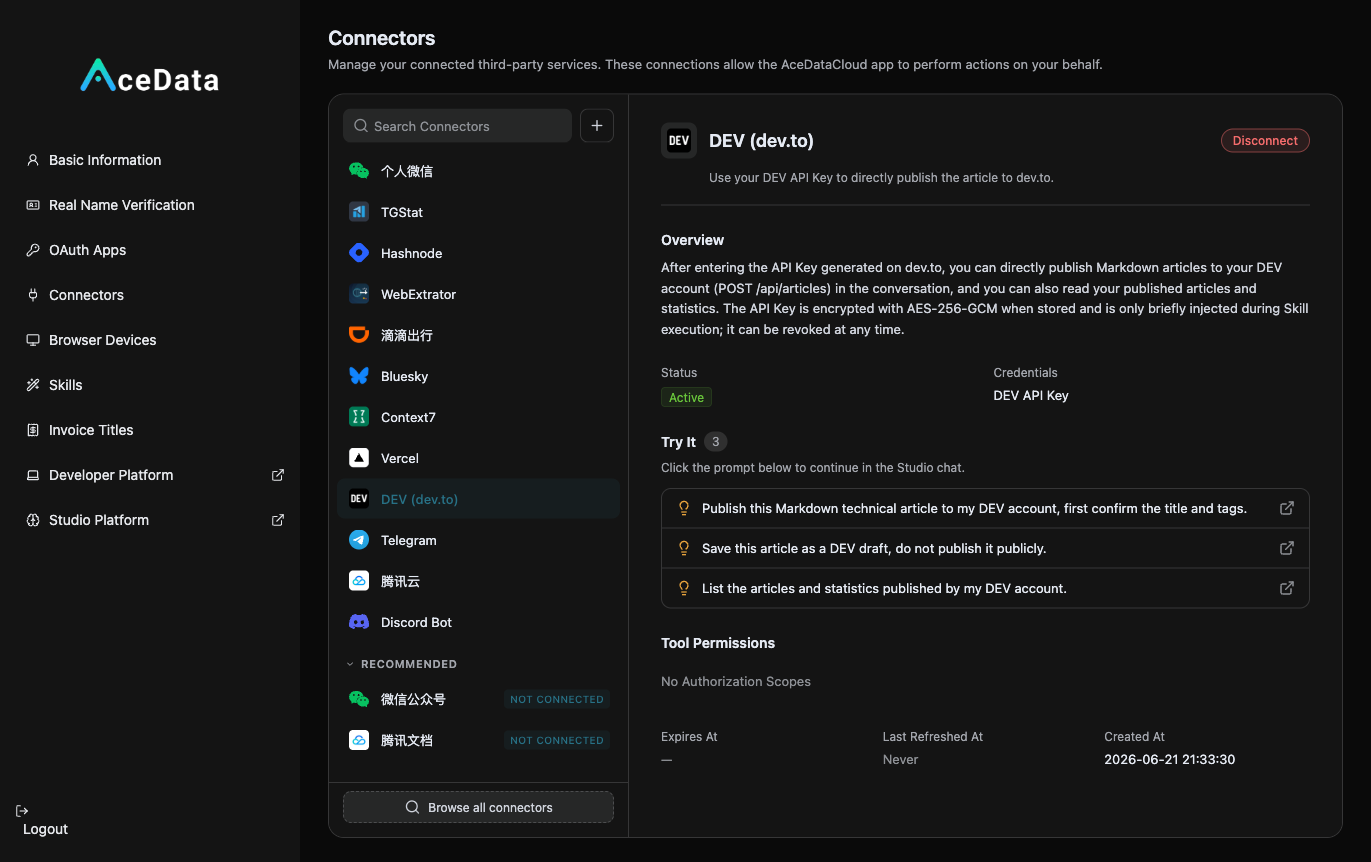
First, generate a Key in Dev.to: log in → Settings → Extensions (DEV API Keys) → generate one. Then open https://studio.acedata.cloud/console/connectors, find devto, and fill in the Key, the status will change to Active.
¶ 2. Let AI Write English Technical Articles + Add Cover + Publish
In the Studio, say:
"Write a Dev.to article: 'How I built an AI image generator in an afternoon with one API', formatted in Markdown, with runnable code blocks, tags
#ai #tutorial #showdev, and naturally include my invitation link at the end, first send me a draft for confirmation."
If you want to add a cover, let AI generate one using gpt-image-2: POST https://api.acedata.cloud/openai/images/generations, body {"model":"gpt-image-2","prompt":"...","size":"1536x1024"} (landscape images are suitable for covers), authenticate using the platform API Key, and fill the image URL into cover_image.
¶ 3. Look Back at the Data
Ask AI to "list the views, reactions, and comments of my Dev.to articles," and continue to work on the topics that perform well.
¶ What a Real Run Looks Like
Below is a real run I completed in the Studio: a single sentence let AI generate an image, write a good English technical article, and directly publish it on Dev.to. The entire process was completed by itself — first using gpt-image-2 to generate the product image, verifying the Dev.to API Key, writing in Markdown, and then publishing with PUBLIC status:
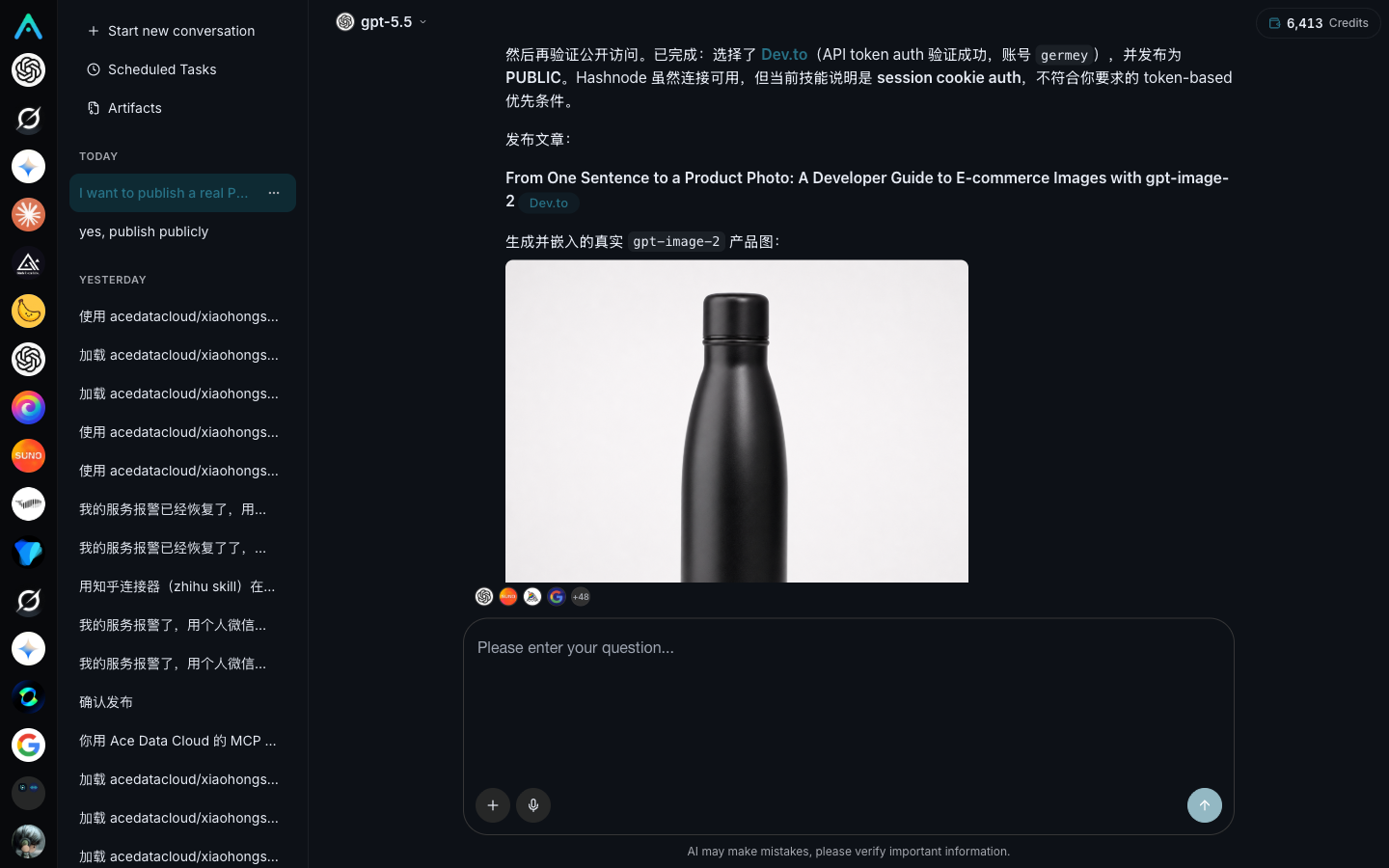
After successful publication, it returned the real public link. This is what that article looks like when publicly available on Dev.to — the image is the product image generated by gpt-image-2:

You can see that from "generating an image" to "article publicly accessible," the manual formatting and copying and pasting can be reduced; the publication results are still affected by account permissions, reviews, and the availability of the target platform.
¶ Don't Forget to Embed Your Affiliate Link (This is the Source of Income)
Naturally place your exclusive invitation link copied from the affiliate backend in the content. For details on invitation attribution, levels, ratios, confirmation periods, and withdrawal conditions, see Promotion Methods and Commission Rules; only valid orders that meet the current rules may generate commissions.
¶ Content Suggestions (What Dev.to Likes)
- Use Tags Correctly: Dev.to distributes based on tags (
#ai#tutorial#api#showdev), choosing the right tags will get you into the right traffic pool. #showdevis Very Useful: If you made something, use#showdevto post "I made an X," the community interaction is very active.- Markdown Formatting: Code blocks, headings, lists, Dev.to renders well, make good use of it.
- Friendly to Newcomers: Even with few followers, good content is easily seen.
¶ Honest Reminders
- Using the official API is suitable for adding monitored scheduled tasks after manual verification.
- The audience is primarily English-speaking developers, content in English, especially technical tutorials, works best.
- Still, don't be purely promotional — community culture prioritizes sharing and value.
401indicates the Key is invalid, reconnect in connections.
¶ Automate It
After manually running it successfully, you can refer to the Scheduled Task Content Workflow to try generating drafts or calling the publishing Skill as planned. Execution is affected by account, authorization, balance, review, and target platform policies, requiring continuous checks of the running history.
If you haven't used a developer content platform yet, you can first save a draft on Dev.to, check the format and links, and then publish it.