
Posting Columns on Bilibili: Bringing AI Content to Young Communities

Bilibili (B站) gathers a large number of young, active users who are naturally curious about new AI applications. It is not just a video site—column articles are a great platform for long-form content, especially suitable for tutorials, reviews, and evaluations. For those creating white-label sites aimed at consumers or creative tools, Bilibili is worth exploring.
This article teaches you how to connect to Bilibili, allowing AI to write columns and publish them under your identity, and then review the data.
¶ What This Connector Can Do (Honestly)
- Authorization Method: Login Cookie (BYOC) — You log into your Bilibili account in your browser, use the ACE extension to capture the login status once, and encrypt it into the connection library.
- Can Read: Lists your published column articles, along with read/like/comment counts; you can also view statistics for individual articles.
- Can Publish: Publish a new column article, supports cover images (the cover will automatically be converted from webp to png to meet platform requirements).
- Publishing is a write operation from your real account, so you will be asked to confirm before each post.
- Note: This connector is for columns (article), not for dynamic posts; risk control may occasionally place submission results in drafts, which is common and does not indicate failure.
¶ Step by Step: Connect → Let AI Publish → View Data
¶ 1. Connect Your Bilibili Account
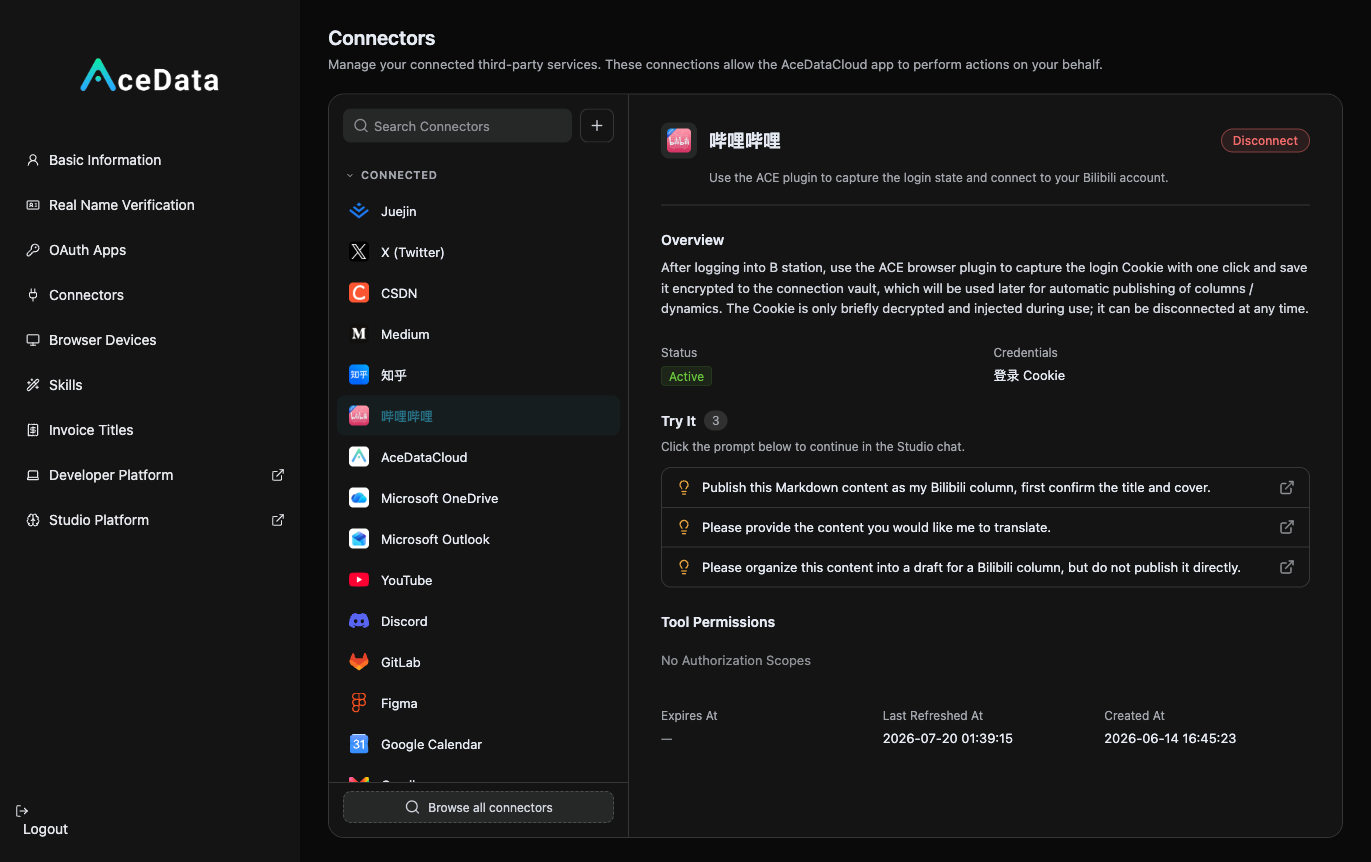
Open https://studio.acedata.cloud/console/connectors (you can also access it through the Studio chat box by clicking "Add Content(+)→Connect"), find bilibili, and follow the prompts to use the ACE extension to capture a Cookie while logged into bilibili.com. The status will change to Active.
¶ 2. Let AI Generate Cover + Write Column + Publish
In the Studio, simply say:
"Help me write a Bilibili column: 'I tested a website that allows cheap access to various AIs', with a lively tone, including my pitfalls experience, naturally incorporating my invitation link in the text, and provide an eye-catching cover, then publish it to my Bilibili column (please confirm with me first)."
Don't settle for the cover, use the platform's most popular gpt-image-2 to generate it: Open https://studio.acedata.cloud/openai-image in the Studio, describe the cover you want, or let AI directly call POST https://api.acedata.cloud/openai/images/generations, body {"model":"gpt-image-2","prompt":"Deep blue technology style Bilibili column cover…","size":"1536x1024"} (use your platform API Key for authentication).
¶ 3. Review Data Later
After a few days, ask AI to "list my Bilibili column's reading, likes, and comments data," to see which articles perform well and replicate that type of topic.
¶ Don't Forget to Embed Your Distribution Link (This is the Source of Revenue)
Naturally place your exclusive invitation link copied from the distribution backend within the content. For details on invitation attribution, levels, ratios, confirmation periods, and withdrawal conditions, refer to the Promotion Methods and Commission Rules; only valid orders that meet current rules may generate commissions.
¶ Content Suggestions (What Works on Bilibili)
- Keep the Tone Lively. Bilibili does not favor a formal official tone; a genuine sharing feel like "I tested it for you" is most popular.
- Cover Determines Clicks. Bilibili is a visually driven platform; generating a good cover with gpt-image-2 directly influences whether people click.
- Ride the Trend. Create a "Test/Tutorial" article as soon as a new AI model/application becomes popular.
- Direct Traffic to C-end. Most Bilibili users do not write code, so directing them to your white-label site (which can be used directly in a web browser) is more suitable than directing them to a bare API.
¶ Honest Reminders
- Don't panic if you see "Draft" after submission — this is a common result of Bilibili's risk control; check the creation center and manually publish it afterward.
- Avoid spamming or purely advertising; the community dislikes hard ads, so use a tone of genuine sharing.
- Covers and other images will be automatically transcoded, usually without you needing to worry.
¶ Automate It
After manually running through the process, you can refer to the Scheduled Task Content Workflow to try generating drafts or calling the publishing Skill on a schedule. Execution is affected by account status, authorization, balance, review, and target platform policies, so continuous monitoring of the operation history is necessary.
The young audience on Bilibili is highly receptive to AI tools — use a genuine, engaging column to guide interested readers to your product page, and then observe real registrations and valid orders based on backend data.