

Yesterday, you changed the landing page title, and today operations asked: “Did that keyword go up?” You open the search page, look for a long time, and start wondering again whether the region, language, or search time is different. Checking manually once is not difficult; the hard part is checking every day using the same criteria, keeping records, and being able to explain why there was no data on a certain day.
You can also scrape search pages yourself, but you originally wanted to monitor rankings, and in the end you are maintaining page selectors, proxies, and retry handling for exceptions. For small teams with only dozens of keywords, a more suitable starting point may be: hand the search results over to a SERP API, and only maintain the monitoring rules and historical records yourself.

AI-generated illustration; does not represent real ranking data.
¶ First, clarify which ranking you are actually monitoring
What is being measured here is “where the target domain ranks among the organic search results returned this time for the specified country and language.” It is not the single ranking that all users will see, nor is it an ad placement, map placement, or the pixel position on the entire page.
AceDataCloud's Google SERP API uses POST https://api.acedata.cloud/serp/google. Organic search results are in organic, and entries include link and position. Requests can specify conditions such as the query term, country, language, and pagination. Fields should be based on the current API documentation. Google SERP API
This example fixes type=search, country=us, language=en, page=1, and number=10. This keeps the scope small enough to make verification easy. Do not check U.S. English today and U.K. English tomorrow, then connect the values from both days into one trend line.
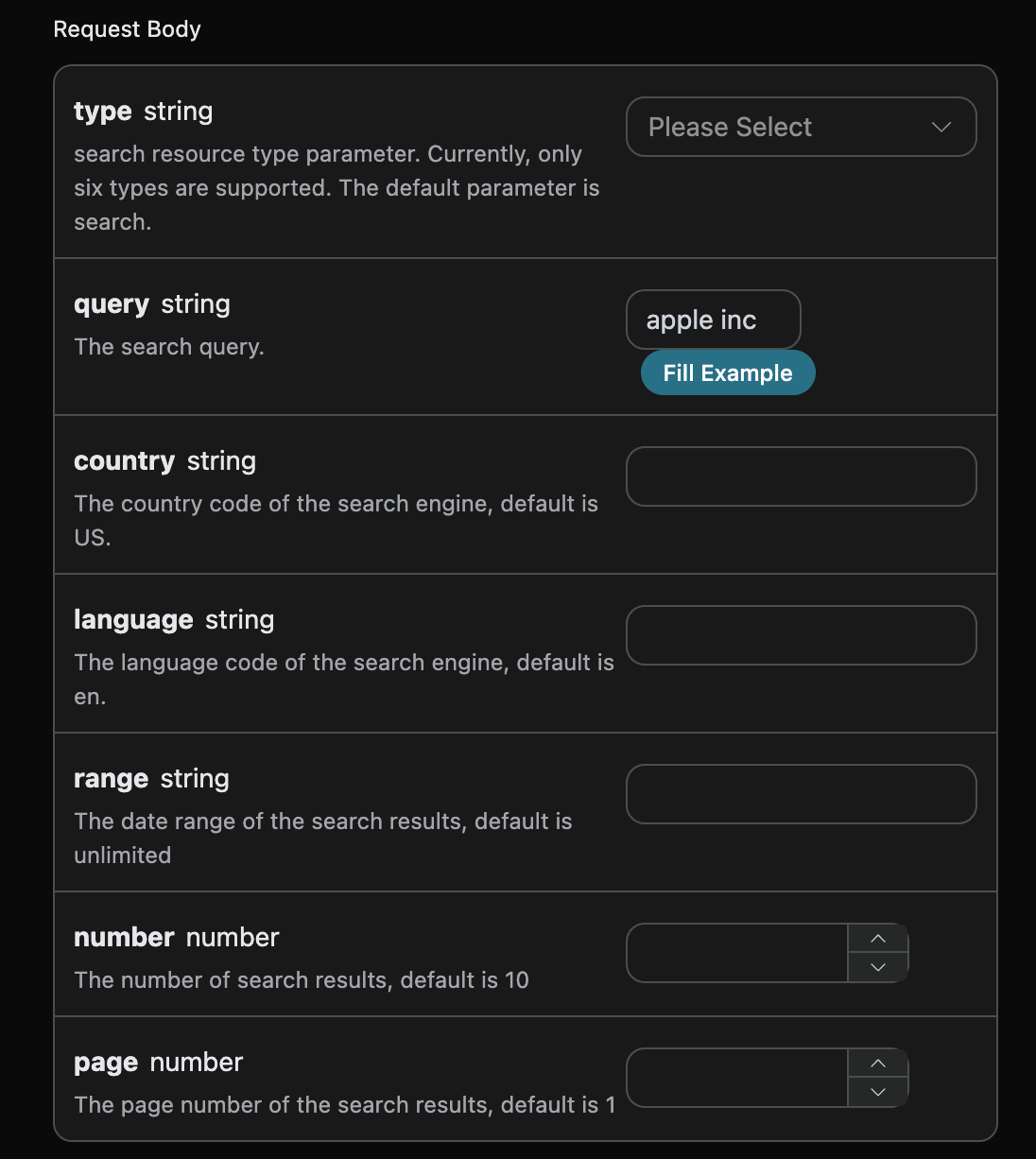
Screenshot of the official parameter form; current fields are subject to the documentation.
There is also one particularly easy mistake to make: if ten results are returned but your domain is not found, you cannot record it as an “API failure,” nor can you directly fill it in as eleventh place. You only know that it did not appear in the set returned this time; you do not know where it ranks outside that set.
It is recommended to save three statuses: found means it was found and its position was recorded; not_found_in_response means the API returned normally but no match was found; error means there was a problem with the request, decoding, or structural validation. Write a null value when the position is unknown; do not write 0 or 999, and do not use it to calculate an average ranking.
¶ Use one script to keep the requests and results
The complete example below depends on Python 3 and requests, and uses Python's built-in SQLite to save results. Save the script as seo_monitor.py, create keywords.json in the same directory, and replace the placeholder domain with the domain to monitor, rather than a page address with a path:
[
  {"query":"reusable travel tumbler","target":"example.com","country":"us","language":"en"}
]
Get the API Key from your own application and provide it through the ACEDATACLOUD_API_KEY environment variable; do not write it into JSON, scripts, or screenshots. Run the script after installing the dependency:
python -m pip install 'requests>=2.31,<3'
python seo_monitor.py
For the first use, you should first perform a real integration test with one keyword, then expand the scope.
import json
import os
import sqlite3
from datetime import datetime, timezone
from pathlib import Path
from urllib.parse import urlparse
import requests

ROOT = Path(__file__).resolve().parent

def host(value):
    parsed = urlparse(value if "://" in value else "https://" + value)
    return (parsed.hostname or "").lower().rstrip(".").encode("idna").decode("ascii")

def match(url, target):
    h = host(url)
    return h == target or h.endswith("." + target)

def rank(data, target):
    if not isinstance(data, dict) or data.get("error") or data.get("success") is False:
        raise ValueError("API failure")
    rows = data.get("organic")
    if not isinstance(rows, list):
        raise ValueError("organic missing or invalid")
    hits = []
    for row in rows:
        if not isinstance(row, dict):
            raise ValueError("invalid organic item")
        p, link = row.get("position"), row.get("link")
        if type(p) is not int or p < 1 or not isinstance(link, str):
            raise ValueError("invalid position/link")
        parsed = urlparse(link)
        if parsed.scheme not in ("http", "https") or not parsed.hostname:
            raise ValueError("invalid result URL")
        if match(link, target):
            hits.append((p, link))
    return min(hits) if hits else (None, None)

def main():
    token = os.environ["ACEDATACLOUD_API_KEY"]
    tasks = json.loads((ROOT / "keywords.json").read_text(encoding="utf-8"))
    db = sqlite3.connect(ROOT / "rankings.sqlite3")
    db.execute("""CREATE TABLE IF NOT EXISTS checks (
        checked_at TEXT, keyword TEXT, target TEXT, country TEXT,
        language TEXT, page INTEGER, requested_number INTEGER,
        returned_number INTEGER, status TEXT, position INTEGER,
        landing_url TEXT, error TEXT, raw_json TEXT)""")
    failures = 0
    with requests.Session() as session:
        session.headers.update({"Authorization": "Bearer " + token})
        for task in tasks:
            target = host(task["target"])
            if not target:
                raise ValueError("target must be a domain")
            payload = {"type": "search", "query": task["query"],
                       "country": task["country"], "language": task["language"],
                       "number": 10, "page": 1}
            stamp = datetime.now(timezone.utc).isoformat()
            status, p, link, error, raw, count = "error", None, None, None, None, None
            try:
                r = session.post("https://api.acedata.cloud/serp/google",
                                 json=payload, timeout=(10, 60))
                r.raise_for_status()
                data = r.json()
                raw = json.dumps(data, ensure_ascii=False)
                p, link = rank(data, target)
                count = len(data["organic"])
                status = "found" if p is not None else "not_found_in_response"
            except (requests.RequestException, ValueError) as exc:
                error = type(exc).__name__
                if isinstance(exc, requests.HTTPError) and exc.response is not None:
                    error += ": HTTP " + str(exc.response.status_code)
                failures += 1
            db.execute("INSERT INTO checks VALUES (?,?,?,?,?,?,?,?,?,?,?,?,?)",
                       (stamp, task["query"], target, task["country"], task["language"],
                        1, 10, count, status, p, link, error, raw))
            db.commit()
            print(task["query"], status, p if p is not None else "-")
    db.close()
    raise SystemExit(1 if failures else 0)

if __name__ == "__main__":
    main()
Inside rank, the data types, URLs, and position fields are checked. A response missing organic is treated as an exception; an empty array, however, is a normal empty result. Domain matching uses the hostname of the URL and does not use string containment matching; otherwise, notexample.com may also be mistakenly identified as example.com.
This example includes subdomains: shop.example.com can match example.com. If you only care about the main site, change it to strict equality; if you care about a specific article, add path normalization rules. Do not, without agreeing on the criteria, treat the best position across the whole site as the position of a particular page.
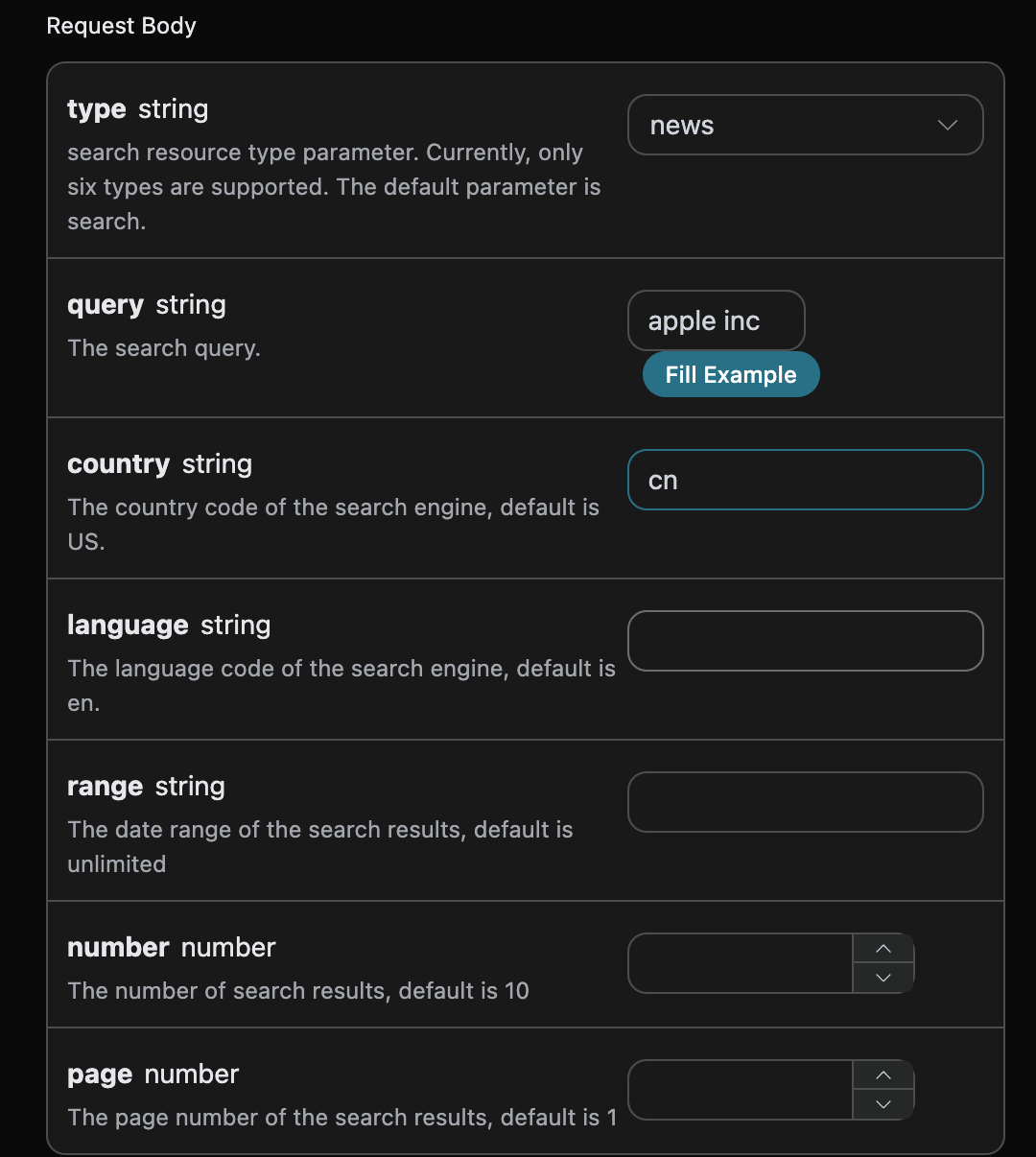
Search conditions such as region and language should be saved together with monitoring records.
Each check writes the time, keyword, domain, country, language, page number, request count, actual returned count, status, position, landing page, error category, and raw JSON. Records use UTC time and are uniformly converted to the local time zone when displayed in reports. Keep raw responses in your own storage for traceability, and do not directly expose the entire database.
The script does not print request headers. HTTP exceptions record only the error category and status code; if any keyword fails, the process ultimately returns a non-zero exit code to facilitate scheduler alerts. It does not automatically retry, intentionally: first make failures visible, then add capped backoff according to the service's rate-limiting rules, which is more controllable than endlessly repeating requests.
¶ Running Automatically Every Day Does Not Mean Drawing Conclusions Automatically Every Day
On your own always-on server, you can use cron or an existing task scheduler to trigger it once a day. Below is a Linux cron example, not a task already configured for you:
0 9 * * * /opt/seo/.venv/bin/python /opt/seo/seo_monitor.py >> /opt/seo/run.log 2>&1
The execution time is interpreted according to the server's cron time zone. The Python path and script path must be changed to the actual deployment locations; credentials need to be configured in the protected environment of the scheduling process. Having environment variables in an interactive terminal does not mean cron inherits them automatically. Before going live, test with the same execution user, restrict log permissions, configure rotation, and prevent task overlap.
When viewing results, look at the success rate first, then rankings. Compare position differences only when both runs have hits and the search conditions are the same. If it was eighth yesterday and fifth today, you can say it rose three positions across these two observations; if it is not found today, you can only say it was not detected in this result. If the returned count suddenly changes from ten results to two, you must first rule out the impact of changes in the returned set.
When multi-page monitoring is needed, save the raw results of each page, verify the actual meaning of the API's position, and then design cross-page deduplication. Do not construct global rankings by using “page number times ten” without verification. This example deliberately checks only the first page, precisely to avoid giving readers a ranking list that appears complete but actually uses incorrect criteria.
The request budget can be estimated as “number of keywords × number of search-condition combinations × number of pages × daily frequency.” It is request volume, not directly equivalent to the bill; the per-request cost, returned-result count tiers, and failed-request billing rules must still be verified against the service's current documentation and usage records.
¶ What You Really Save Is the Time Spent Maintaining Search Pages
This script does not promise to improve SEO, nor does it infer that a particular page change caused a ranking change. What it provides is an observational foundation that is traceable and can distinguish failures from misses. For longer-term judgments, analyze content changes, site metrics, and continuous observations together.
First choose a few terms the business cares about most and run them for a week. Verifying whether each status is correctly recorded is more important than building a beautiful dashboard on the first day. The SERP API takes over result retrieval, leaving you to focus on the keywords and pages themselves.
Verification scope: The example code completes offline compilation checks and assertions for domain matching, hits, empty results, and abnormal structures; it has not executed real paid SERP requests, deployed a server, or deployed scheduled tasks. There is no real ranking or performance data in this article.