
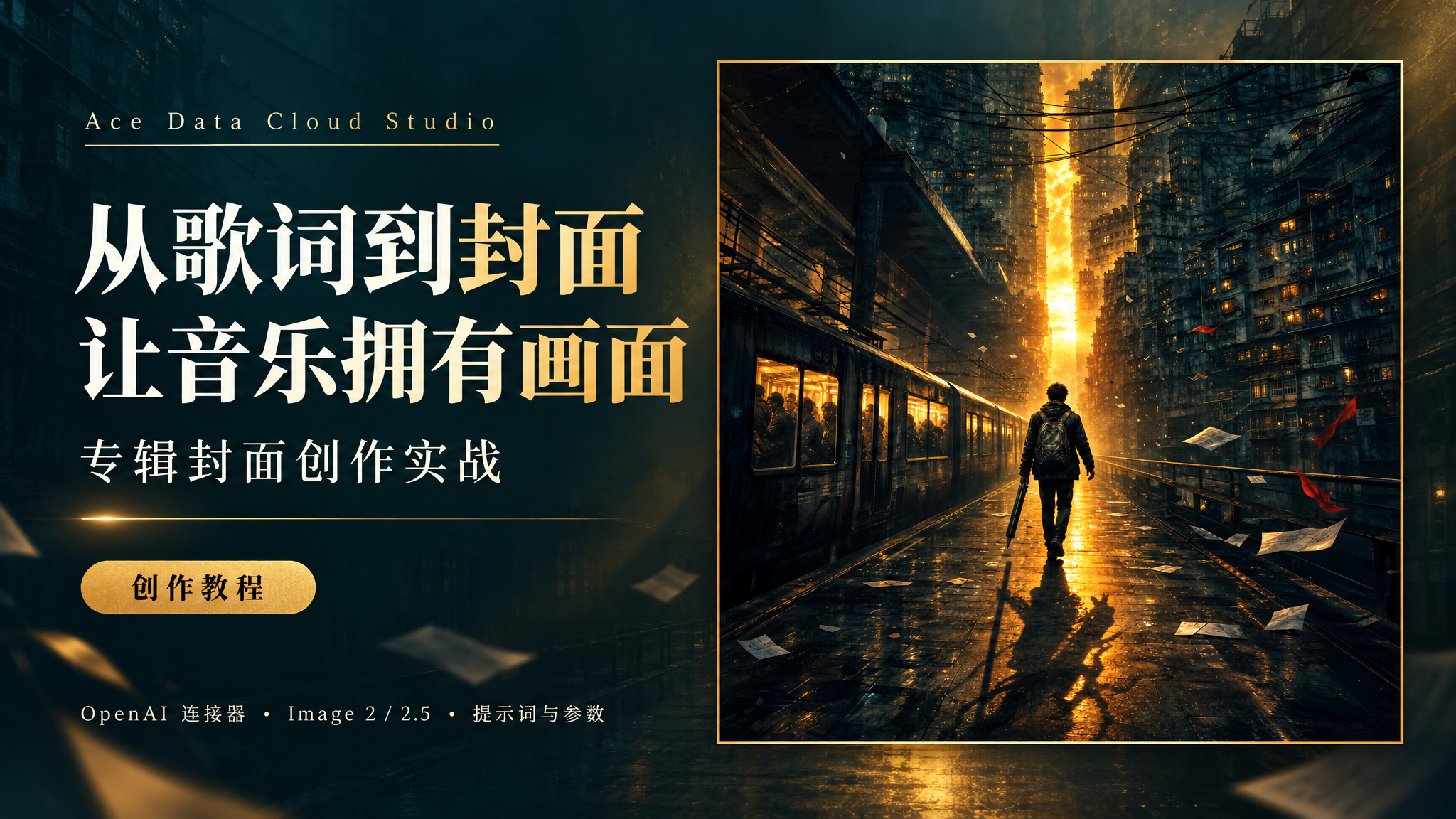
A good album cover is not about piling the nouns from the lyrics into the image, but about letting listeners feel the situation and emotion of the song in the very first second they see it.
This time, we use Ace Data Cloud Studio to create a 1:1, text-free album cover for Ninety-Nine Eighty-One Hardships. This article reviews the actual process from lyric analysis to image generation, and supplements it with the OpenAI connector, Image 2/2.5 parameters, and subsequent editing methods.
Case note: The album cover in this article was actually generated using
gpt-image-2; the Image 2.5 section is based on platform documentation and does not present this case as a 2.5 hands-on test. Model availability, parameters, and pricing are subject to the page and usage records at the time of submission.
¶ I. First, look at the result of this creation
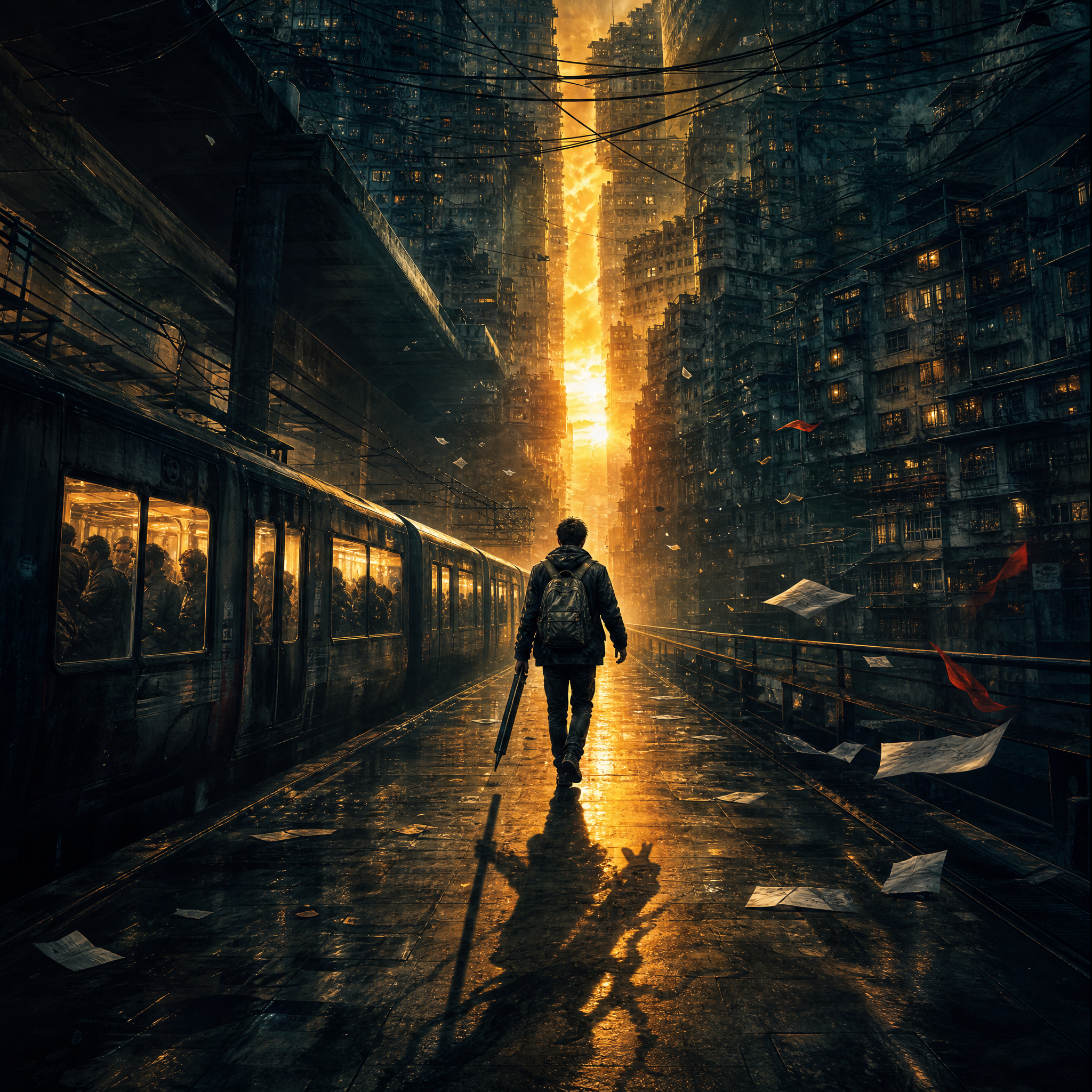
The core concept of this creation is: A modern-day pilgrim, walking until dawn.
We did not choose a traditional group portrait of Journey to the West characters, but instead brought the metaphor of Journey to the West back into modern life: commuters are the pilgrims, skyscrapers are mountains pressing down upon them, and the road toward dawn is their own one hundred and eight thousand li.
The visual approach uses deep teal-black to convey the oppression of reality, and golden daybreak to express the determination of “forget it.” Rather than depicting eighty-one kinds of hardship, it is better to capture a moment that can represent all hardships: one person still moving forward.
¶ II. Connect OpenAI in Studio
¶ 1. Log in and find the connector
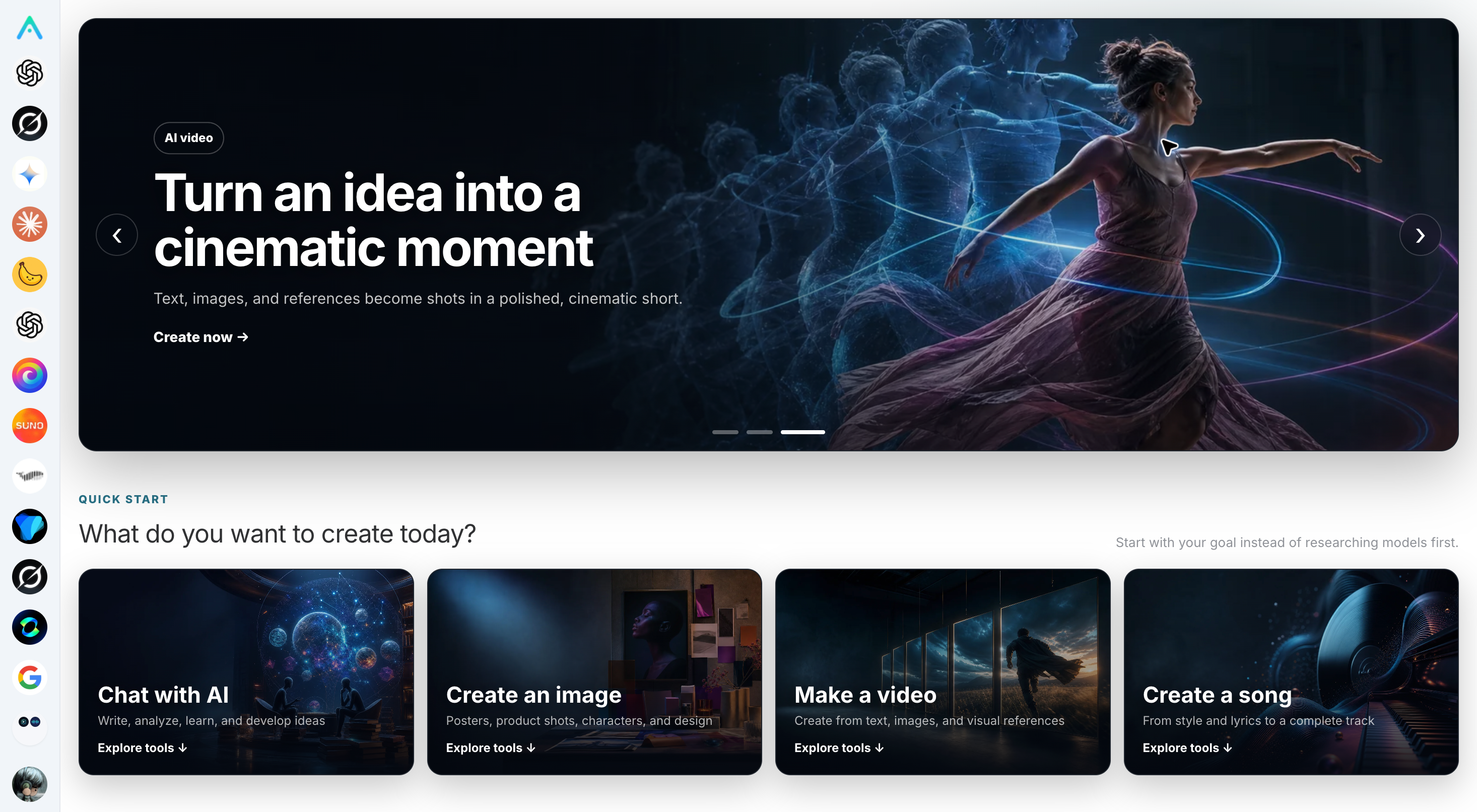
Open Ace Data Cloud Studio, log in, then go to the Connectors page and find OpenAI. Complete the connection according to the current page instructions; if it already shows as connected, there is no need to configure it again.
The connector entry point, authorization method, and available capabilities may vary by account, site, and version. Do not treat old screenshots online as fixed operating steps, and do not paste an API Key directly into chat messages. The official Studio introduction provides dedicated explanations of these usage boundaries and security precautions.
¶ 2. Clearly specify the use of image capabilities in the conversation
After the connection is complete, you can first send:
Please query the image models, generation parameters, and editing parameters currently supported by the OpenAI connector, with a focus on gpt-image-2 and Image 2.5. Do not generate images yet.
The purpose of this step is to first determine the capabilities that can actually be called in the current environment, rather than guessing parameters based only on model names.
Two things need to be distinguished: the model used to converse with you is not necessarily the model that actually generates the image. When creating, it is best to explicitly write “use gpt-image-2 in the OpenAI connector to generate,” to avoid ambiguity.
If you choose to call the API through programming yourself, that belongs to another integration path: obtain an API Key from the Ace Data Cloud application page, then call the generation endpoint. It is not the same set of operations as enabling the connector in a Studio conversation, so you do not need to write code first in order to experience this tutorial.
¶ III. First turn the lyrics into a visual brief
Ninety-Nine Eighty-One Hardships compares alarm clocks, subways, rent, bills, pressure to marry, and social anxiety to the modern person’s journey of pilgrimage. It is not merely a song about complaining: the latter half repeatedly says “forget it,” and finally lands on “walking until dawn is the answer.”
Therefore, we first extract three layers:
| Lyric layer | Emotional meaning | Visual translation |
|---|---|---|
| The distance from the subway to a rented apartment | Day-after-day exhaustion | Subway, dense apartments, damp passageways |
| Five hundred years pressed beneath a mountain | Pressed down by reality but not admitting defeat | Mountain-like urban buildings and a small figure |
| Walking until dawn | Perseverance, not a sudden comeback | A distant golden fissure and footsteps moving forward |
These are design choices, not instructions for the model to illustrate the lyrics word by word. Spider Demon Cave, Flaming Mountain, and the White Bone Demon do not all need to become literal characters; otherwise, the cover can easily turn into a crowded narrative illustration.
You can let the assistant complete the following task first:
Read the following lyrics, but do not generate an image yet. Please extract the core emotion, real-life background, and three visual motifs, then propose three different cover directions. Each direction should retain only one visual center and explain the composition, color palette, and elements to avoid. Finally, recommend the one most suitable for thumbnail display.
¶ IV. What information is needed when submitting lyrics?
It is recommended to write “must meet” and “can be freely interpreted” separately. The lyrics provide content, while the creative brief constrains the result.
Purpose: Music album cover
Song title: Ninety-Nine Eighty-One Hardships (for contextual understanding only; do not include in the image)
Lyrics: Paste the complete lyrics

Must meet:
- 1:1 square
- No text, letters, numbers, logos, or watermarks
- Match the background of modern urban life and the Journey to the West metaphor
- The subject should remain clearly visible after being reduced to a small thumbnail

Creative direction:
- The protagonist is an ordinary commuter, not a traditional group portrait of Journey to the West characters
- The core emotion is exhausted but unwilling to admit defeat
- Subways and skyscrapers create a sense of oppression, while dawn creates hope
- Deep teal-black paired with golden light

Generation parameters:
- model: gpt-image-2
- size: 2048x2048
- quality: high
- n: 1
- output_format: png
- response_format: url
Note that “no text” does not only mean no title. Subway advertisements, building signs, clothing prints, and drifting sheets of paper may also introduce characters into the image. Therefore, it is best to explicitly require that these surfaces also contain no text.
¶ V. How should Image 2 and Image 2.5 be chosen?
According to the Ace Data Cloud image generation guide, the current platform provides the following naming:
| Model Identifier | Documentation Positioning | Selection Recommendation in This Tutorial |
|---|---|---|
gpt-image-2 |
The platform’s default recommended Image 2 route | Reproduce the examples in this article |
gpt-image-2.5-flare |
Focuses on generation speed | Consider when exploring multiple creative directions |
gpt-image-2.5-sunburst |
Focuses on high fidelity and fine control | Consider when details and reference image control are needed |
Corresponding :official variants |
Official API channel, billed by actual Token usage | Choose based on budget and channel requirements |
Do not directly write the model name as image2.5; use the full identifier provided on the page. The documentation also lists gpt-image-2:reverse; the default/reverse routes are billed by the number of successfully generated images, while the official route is billed by actual Token usage. Fixed prices are not cited here to avoid becoming outdated, nor are speed or fidelity positionings treated as effect guarantees that apply to every image.
¶ Parameters Most Worth Setting First
| Parameter | Function and Available Values | Actually Used This Time |
|---|---|---|
model |
Specifies the generation model | gpt-image-2 |
prompt |
Content, composition, style, and constraints | Urban pilgrimage, toward dawn, no text |
size |
auto or explicit pixel dimensions |
2048x2048 |
quality |
auto, low, medium, high; support and billing vary by route |
high |
n |
Number of requested images, 1–10; only 1 is supported when using b64_json |
1 |
output_format |
The current connector provides png, jpeg, and webp |
png |
response_format |
url or b64_json |
url |
Common canvases: choose 1024x1024 or 2048x2048 for square images; choose 2048x1152 for horizontal article header images; choose 1536x2048 for vertical promotional materials.
Custom sizes for Image 2/2.5 must meet the following requirements: width and height must be multiples of 16, the long side must not exceed 3840, total pixels must be between 655,360 and 8,294,400, and the ratio between the long and short sides must not exceed 3:1. The ratio is controlled directly through size; there is no need to additionally add aspect_ratio.
The connector also exposes some general image fields, but do not interpret “the interface has this field” as “all models and routes support it.” For example, vivid/natural under style belong to DALL·E 3; this article writes the artistic style directly into the prompt. Capabilities such as transparent backgrounds should also first be confirmed for support by the specific route.
¶ VI. From Creative Concept to Actual Generation
What was actually submitted this time was a detailed English visual brief. Below is a concise rewritten version suitable for Chinese users to reuse; it is not a word-for-word restoration of the original long prompt:
Design a wordless album cover with strong visual impact, full-bleed square format. Integrate the pilgrimage metaphor from Journey to the West into modern urban commuting life. An ordinary young person carrying an old backpack faces away from the camera, walking alone through a wet subway passage toward the distant dawn. Skyscrapers and subway structures surround them like mountains, creating a strong sense of oppression; the shadow on the ground subtly echoes the Great Sage and his long staff, but do not turn it into traditional Journey to the West cosplay. A beam of golden morning light splits the deep blue-black city in the distance, illuminating the person’s silhouette. The mood is exhausted, stubborn, and unwilling to admit defeat, rather than despairing. Cinematic feeling, delicate painterly texture, restrained grain, strong contrast between light and dark. The subject should be clear and recognizable even as a thumbnail; do not use collage or multiple panels. Do not include text, letters, numbers, logos, or watermarks anywhere.
In Studio, you can give this prompt together with the preceding parameters to the assistant. There is no need to forcibly translate Chinese into English; more importantly, clearly describe the subject, position, lighting, and constraints.
The current OpenAI connector’s image tool first returns a task_id, then queries the final result. During the wait, you should query the same task instead of repeatedly submitting the same generation request. This refers to the connector’s asynchronous workflow; when directly calling the HTTP API, the documentation also provides synchronous returns and the callback_url asynchronous callback method, and the two should not be confused.
¶ VII. How to Adjust After Generating an Image Instead of Starting Over?
If the composition is already close to the target and only a certain detail is unsatisfactory, prioritize image editing. Use the previous cover as the image, and separately write what to preserve and what to change only.
Edit based on the album cover just created.
Preserve: the character position, square composition, subway and skyscrapers, overall deep blue-black color scheme.
Only modify: reduce the area of golden light in the sky, enhance the character’s rim light, and make the direction of progress clearer.
Still do not include any text, logos, or watermarks.
Keep the output size at 2048x2048.
The image editing guide explains that the JSON image can be a single URL or an array of up to 16 reference images. When using multiple images, explain their roles, such as “the first image preserves the composition, and the second image is only for color reference,” rather than letting the model guess on its own.
There is also an easily confused boundary: the current chat connector’s editing tool does not expose mask, but that does not mean the underlying HTTP API does not support masks at all. The platform documentation provides a method for the :official route to upload the original image and a PNG Alpha mask through multipart. When local mask editing is needed, it should be integrated according to the API documentation, rather than forcibly inserting parameters not provided by the chat tool.
¶ VIII. Creative Techniques to Make Covers More Appealing
OpenAI’s image prompting guide emphasizes the subject, composition, and preserved details during editing in its retrieval summary. The following are practical suggestions for applying these directions to this case, not line-by-line excerpts or effect guarantees.
¶ 1. Determine the Emotion First, Then Choose Visual Elements
“Cool, shocking, cinematic” is too broad. First ask: does this cover want people to feel loneliness, anger, or perseverance? The key to Ninety-Nine Eighty-One Hardships is not suffering itself, but still moving forward after suffering.
¶ 2. One main focus is more effective than many metaphors
Let the character and dawn form the core relationship, while the remaining elements serve as the environment. There is no need to make the subway, rent, phone, monsters, and scripture equally eye-catching.
¶ 3. Replace abstract adjectives with specific visual language
Rather than writing “very hopeful,” write “distant golden light outlines the character’s silhouette, and reflections on the wet ground guide the gaze forward.” Specific objects, positions, and lighting are more likely to form executable visual requirements.
¶ 4. Adjust only a few variables in each round
If you modify the character, color palette, perspective, and scene at the same time, it is difficult to determine which step improved the result. It is recommended to settle the composition first, then adjust the lighting, and finally refine the details.
¶ 5. Perform both thumbnail checks and full-size image checks
Reduce the image size and check whether the subject remains clear; then enlarge it to inspect the hands, umbrella handle, character shadow, repeated buildings, and accidental characters. The “no text” prompt can only impose a constraint; manual inspection is still required before delivery.
¶ 6. Design album covers and article posters separately
Album covers serve the mood of the music, so this example contains no text. Tutorial publishing posters serve communication and require a title and a clear information hierarchy. The two can reuse the color palette and core visual, but the original text-free cover should not be compromised for the sake of a promotional title.
¶ IX. Studio Usage Tips: Make Your Next Creation Easier
Combined with the official Studio usage recommendations, you can establish a lightweight workflow:
- Draft first, final image later. Confirm the theme and composition first, then decide whether to increase the size or generate in batches. Whether low quality saves money depends on the selected route; do not assume it is necessarily cheap.
- Have the assistant present a plan first. Clearly say “analyze first, do not generate,” which can reduce repeated requests caused by an incorrect direction.
- Preserve context. In the same creative conversation, provide the lyrics, the previous image version, and feedback; at the same time, save the final prompt and parameters yourself to avoid relying on chat context remaining available long-term.
- Save versions as creative packages. It is recommended to save the lyric text, visual brief, prompt, model name, dimensions, task ID, and original image file. Use v1 and v2 to distinguish them, and do not overwrite satisfactory versions.
- Check the status first when encountering a wait. When you already have a task ID, query that task instead of blindly retrying; when an error occurs, retain the shareable trace ID, but do not disclose the API Key.
- Check rights and specifications before publishing. Confirm the usage rights for lyrics, reference images, portraits, and trademarks; requirements such as minimum pixels and formats for album distribution platforms need to be checked separately. The 2048×2048 result in this article does not mean it automatically meets the requirements of all distribution platforms.
¶ Conclusion: Let the Model Understand the Song, Rather Than Just Draw Keywords
The most important decision in this creation was not turning the parameters to the highest setting, but translating “ninety-nine eighty-one hardships” into a clear visual proposition: An ordinary person, carrying the weight of life, still walks toward daylight.
The reusable process is simple: connect to OpenAI → provide lyrics and hard constraints → distill the visual direction → specify the model and parameters → generate drafts → edit with intention → inspect and save versions.
Parameters determine the canvas and invocation method; what truly gives the cover a memorable quality is an understanding of the song’s emotion.
¶ References
- Ace Data Cloud Studio Official Introduction
- OpenAI Images Generations API Integration Guide
- OpenAI Images Edits API Integration Guide
- OpenAI Image prompting (only the search summary was obtained this time; its full text was not used as a citation basis)
The images in this article primarily reuse the actually generated album cover and existing images from the official Studio documentation; model positioning and parameters come from the platform documentation above and do not constitute an evaluation of effects or speed across models.