
Using AceData Cloud MCP in Google Gemini CLI — Comprehensive Configuration for Terminal AI Assistant
This is an overview article: Connect all 11 MCP Servers provided by AceData Cloud to Gemini CLI at once, allowing Google's open-source terminal AI tool to assist you in coding, generating images, writing songs, creating videos, and searching the web.
Gemini CLI is an open-source terminal AI assistant officially launched by Google, driven by the Gemini model, and natively supports MCP.
¶ What MCP Servers does AceData Cloud provide?
We have encapsulated the following capabilities into managed remote MCP Servers, ready to use:
| MCP Server | Domain | Core Capabilities | Remote URL |
|---|---|---|---|
| Suno | 🎵 Music | Text-to-song, lyrics, covers, continuation, vocal separation, Persona | https://suno.mcp.acedata.cloud/mcp |
| Midjourney | 🎨 Art | Text-to-image, image mixing, upscaling, editing, video generation | https://midjourney.mcp.acedata.cloud/mcp |
| Flux | 🎨 Art | 6 models, Kontext editing, commercial royalty-free | https://flux.mcp.acedata.cloud/mcp |
| Seedream | 🎨 Art | ByteDance model, strongest understanding of Chinese prompts | https://seedream.mcp.acedata.cloud/mcp |
| NanoBanana | 🎨 Art | Gemini-driven, virtual fitting, product scene switching | https://nanobanana.mcp.acedata.cloud/mcp |
| Luma | 🎬 Video | Dream Machine, start and end frame control | https://luma.mcp.acedata.cloud/mcp |
| Sora | 🎬 Video | OpenAI top model, character consistency | https://sora.mcp.acedata.cloud/mcp |
| Veo | 🎬 Video | Google model, native audio, 1080p super resolution | https://veo.mcp.acedata.cloud/mcp |
| Seedance | 🎬 Video | ByteDance, action generation, voiceover | https://seedance.mcp.acedata.cloud/mcp |
| Serp | 🔍 Search | Google search with 6 types, multilingual | https://serp.mcp.acedata.cloud/mcp |
| ShortURL | 🔗 Tool | Long link to short link, UTM tracking | https://shorturl.mcp.acedata.cloud/mcp |
One AceData Cloud Token = All 11 MCP Servers, unified billing, pay-per-call, no monthly fee.
¶ Why Gemini CLI + MCP
- Officially supported by Google, generous free quota for the Gemini model
- By accessing AceData Cloud through MCP, Gemini CLI simultaneously gains capabilities from OpenAI Sora, Anthropic ecosystem, ByteDance Seedance, and more
- One-click configuration with the
gemini mcp addcommand
¶ Step 1: Obtain API Token
- Open the AceData Cloud platform, supporting login via GitHub, Google, WeChat, email, or phone number, and receive free credits upon registration.
- After logging in, you can see your API Token on the homepage; click to copy.
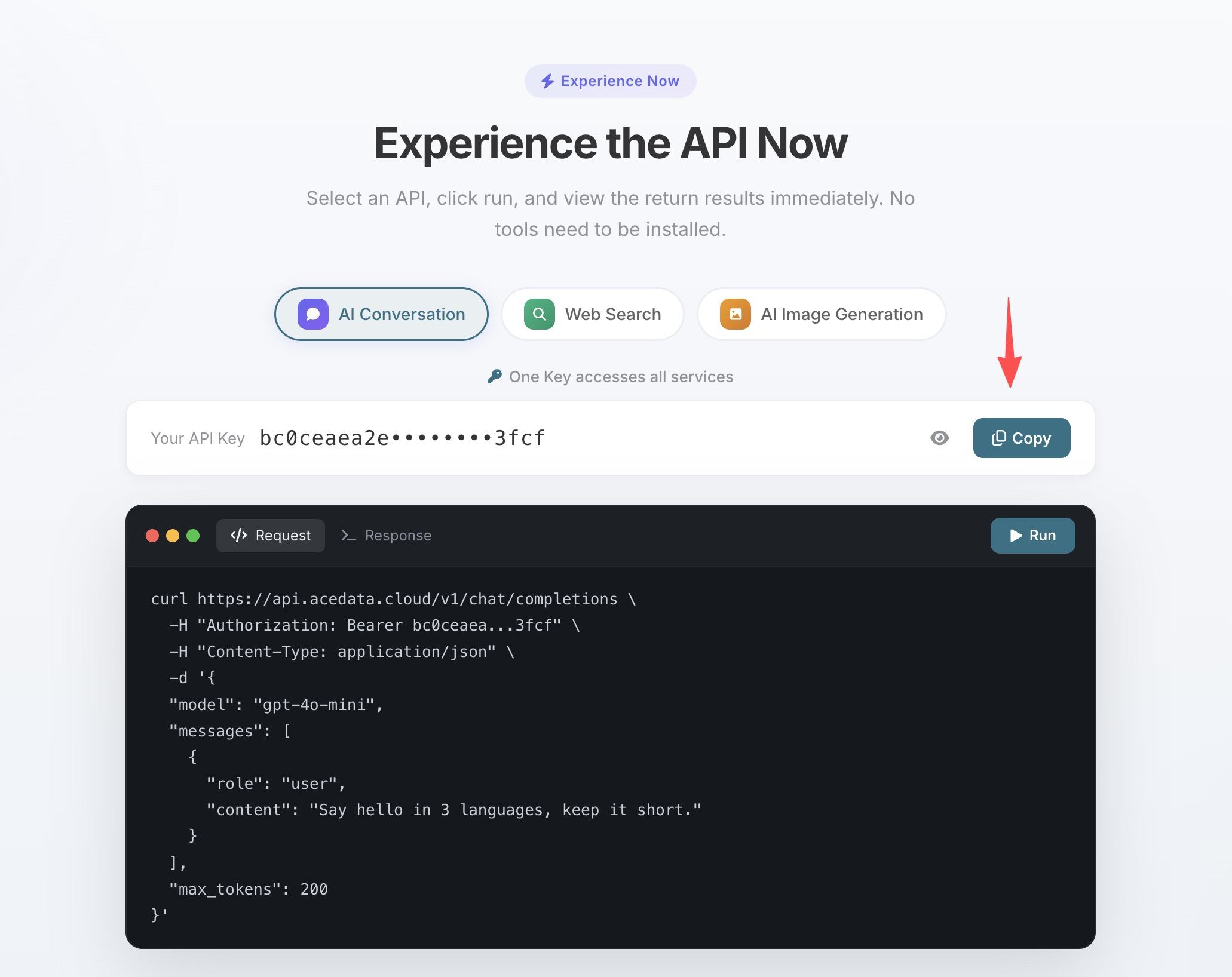
- If your balance is insufficient, go to Console → Recharge, supporting Alipay, WeChat, and Stripe.
¶ Step 2: Add MCP in Gemini CLI
¶ Method A: One-click Add via CLI (Recommended)
gemini mcp add suno       --transport http https://suno.mcp.acedata.cloud/mcp       --header "Authorization: Bearer yourToken"
gemini mcp add midjourney --transport http https://midjourney.mcp.acedata.cloud/mcp --header "Authorization: Bearer yourToken"
gemini mcp add flux       --transport http https://flux.mcp.acedata.cloud/mcp       --header "Authorization: Bearer yourToken"
gemini mcp add seedream   --transport http https://seedream.mcp.acedata.cloud/mcp   --header "Authorization: Bearer yourToken"
gemini mcp add nanobanana --transport http https://nanobanana.mcp.acedata.cloud/mcp --header "Authorization: Bearer yourToken"
gemini mcp add luma       --transport http https://luma.mcp.acedata.cloud/mcp       --header "Authorization: Bearer yourToken"
gemini mcp add sora       --transport http https://sora.mcp.acedata.cloud/mcp       --header "Authorization: Bearer yourToken"
gemini mcp add veo        --transport http https://veo.mcp.acedata.cloud/mcp        --header "Authorization: Bearer yourToken"
gemini mcp add seedance   --transport http https://seedance.mcp.acedata.cloud/mcp   --header "Authorization: Bearer yourToken"
gemini mcp add serp       --transport http https://serp.mcp.acedata.cloud/mcp       --header "Authorization: Bearer yourToken"
gemini mcp add shorturl   --transport http https://shorturl.mcp.acedata.cloud/mcp   --header "Authorization: Bearer yourToken"
¶ Method B: Directly Edit Configuration File
~/.gemini/settings.json:
{
  "mcpServers": {
    "suno":       { "httpUrl": "https://suno.mcp.acedata.cloud/mcp",       "headers": { "Authorization": "Bearer yourToken" } },
    "midjourney": { "httpUrl": "https://midjourney.mcp.acedata.cloud/mcp", "headers": { "Authorization": "Bearer yourToken" } },
    "flux":       { "httpUrl": "https://flux.mcp.acedata.cloud/mcp",       "headers": { "Authorization": "Bearer yourToken" } },
    "seedream":   { "httpUrl": "https://seedream.mcp.acedata.cloud/mcp",   "headers": { "Authorization": "Bearer yourToken" } },
    "nanobanana": { "httpUrl": "https://nanobanana.mcp.acedata.cloud/mcp", "headers": { "Authorization": "Bearer yourToken" } },
    "luma":       { "httpUrl": "https://luma.mcp.acedata.cloud/mcp",       "headers": { "Authorization": "Bearer yourToken" } },
    "sora":       { "httpUrl": "https://sora.mcp.acedata.cloud/mcp",       "headers": { "Authorization": "Bearer yourToken" } },
    "veo":        { "httpUrl": "https://veo.mcp.acedata.cloud/mcp",        "headers": { "Authorization": "Bearer yourToken" } },
    "seedance":   { "httpUrl": "https://seedance.mcp.acedata.cloud/mcp",   "headers": { "Authorization": "Bearer yourToken" } },
    "serp":       { "httpUrl": "https://serp.mcp.acedata.cloud/mcp",       "headers": { "Authorization": "Bearer yourToken" } },
    "shorturl":   { "httpUrl": "https://shorturl.mcp.acedata.cloud/mcp",   "headers": { "Authorization": "Bearer yourToken" } }
  }
}
After saving, all MCP Servers will be automatically mounted the next time you start gemini.
¶ Step 3: Give it a try
After the configuration is complete, restart the editor / CLI to reload the MCP Server. Then you can use it like this:
Example 1 (After finishing the demo project, easily generate a hero image):
Use Seedream to generate a display image for "Gemini CLI Developer Tools," in a flat illustration style with a bright background.
Example 2 (Search Google resources):
Use Serp's google_search to search for the top 3 GitHub projects for "Gemini CLI extensions."
Example 3 (Generate product demo video):
Use Veo to generate a 5-second video: a robot cat coding in front of a computer, with the screen displaying the word "gemini," in 1080p.
¶ Billing and Quotas
- Pay-per-use, no charges if not called, no monthly fees, no minimum consumption.
- The same Token shares the quota across all MCP Servers.
- All call records, remaining quotas, and consumption details can be viewed in the console.
- For large usage needs, please contact sales for bulk pricing.
¶ Frequently Asked Questions
Q: Can I only connect to some of the MCP Servers?
A: Of course, just add the configuration as needed, and do not add those that are not used.
Q: Is there a cheaper way to connect?
A: Directly calling the REST API is cheaper than MCP (one less layer of encapsulation), but you lose the convenience of MCP in LLM tool calls.
Q: What about overseas / cross-border latency issues?
A: All MCP Servers are deployed in Hong Kong, with stable global access; direct connection from mainland China does not require a proxy.
Q: Is self-hosting supported?
A: All MCP Servers are open source on GitHub and can be deployed by yourself.