
Although WorkBuddy has Tencent's image generation models, their results still cannot match image generation models such as GPT Image 2.5, Seedream, and Nano Banana 2. Therefore, if you need to seamlessly call these image generation models at work, you only need to integrate the MCP service provided by Ace Data Cloud.
This article will introduce how to integrate Ace Data Cloud's OpenAI MCP service, call GPT Image 2.5, and test its image generation and editing capabilities through practical cases.
Since GPT Image 2.5 is called through the OpenAI interface, it is necessary to integrate Ace Data Cloud's OpenAI MCP service. Therefore, integrating this model requires integrating OpenAI-related interfaces.
¶ 1. Configure the WorkBuddy MCP Connector
The WorkBuddy MCP connector is located under the connector in the Expert-Skills-Connectors option, then click Custom Connector in the upper-right corner.
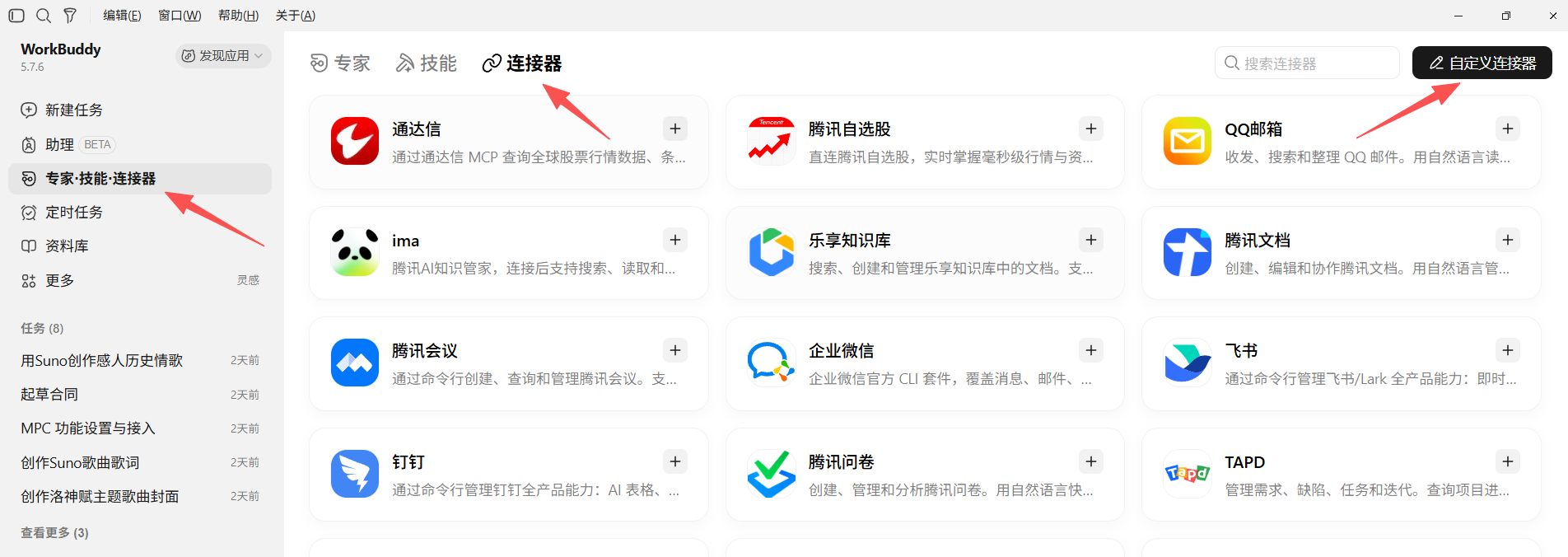
Open the Custom Connector window
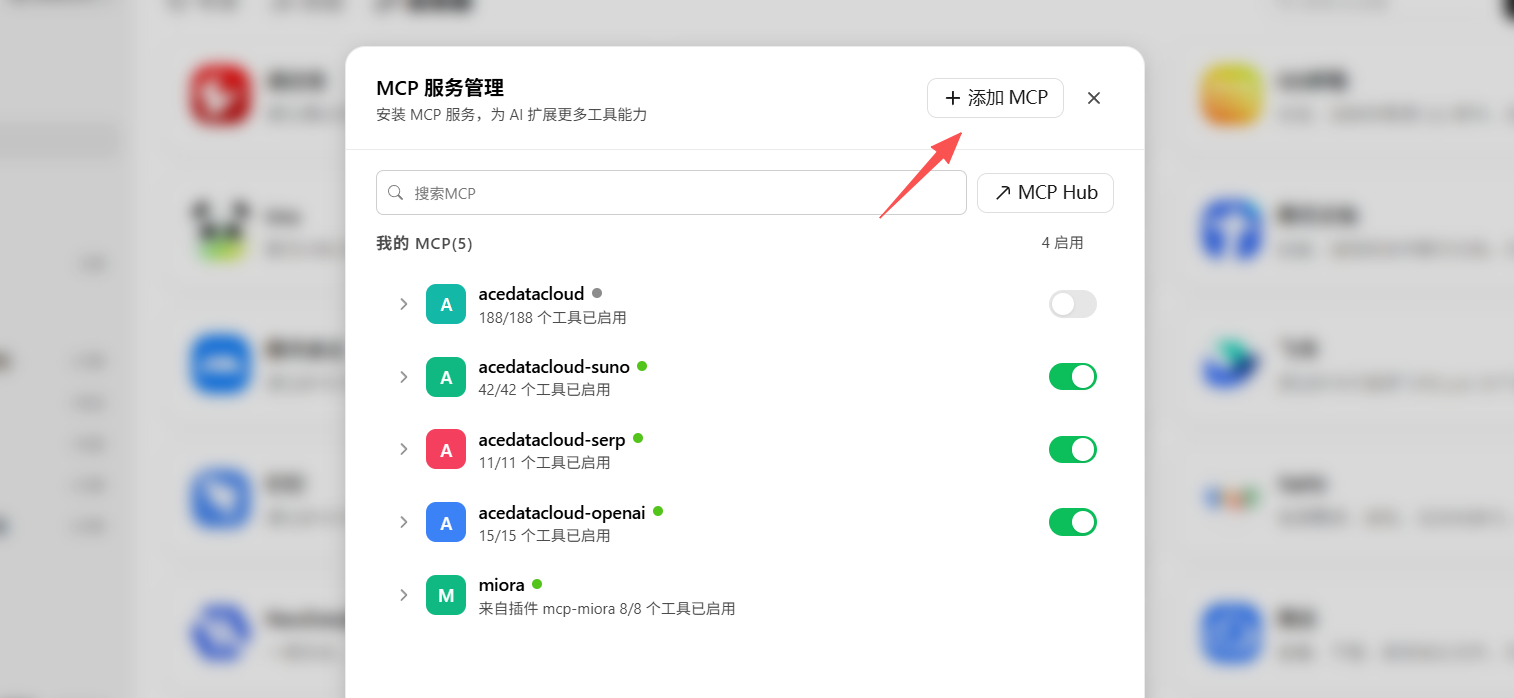
Click the Add MCP button to switch to edit mode.
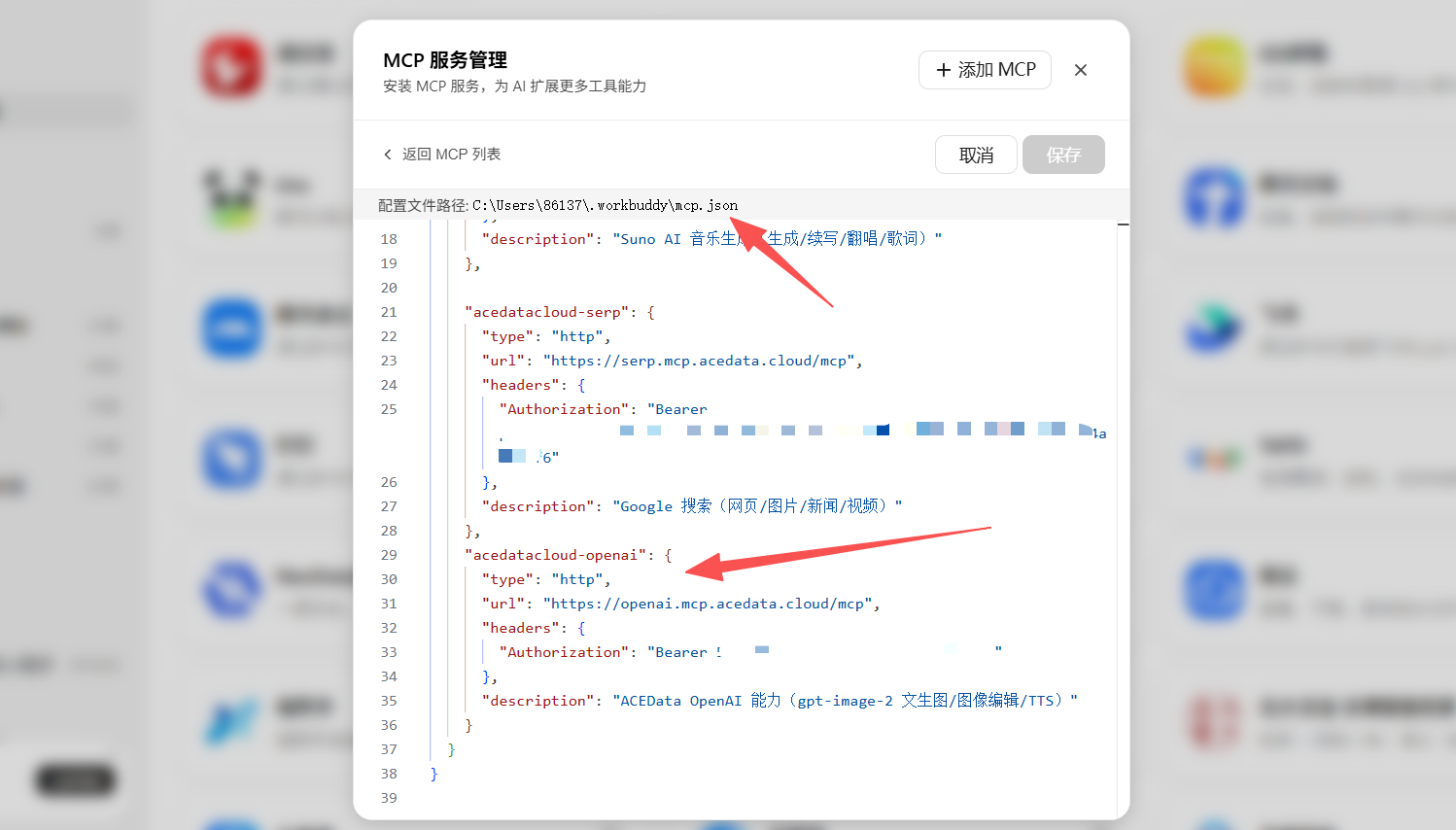
In editor mode, edit the MCP configuration JSON. You can also click the configuration file entry in the interface to directly edit the corresponding JSON file.
Add the following content. Please replace your API Key with your API Key from the Ace Data Cloud platform.
"acedatacloud-openai": {
      "type": "http",
      "url": "https://openai.mcp.acedata.cloud/mcp",
      "headers": {
        "Authorization": "Bearer 你的 API Key"
       },
      "description": "Ace Data Cloud OpenAI 能力(GPT Image 文生图、图像编辑与 TTS 能力)"
}
How to obtain an Ace Data Cloud API Key:
Click to open the Ace Data Cloud backend control panel, then copy it.
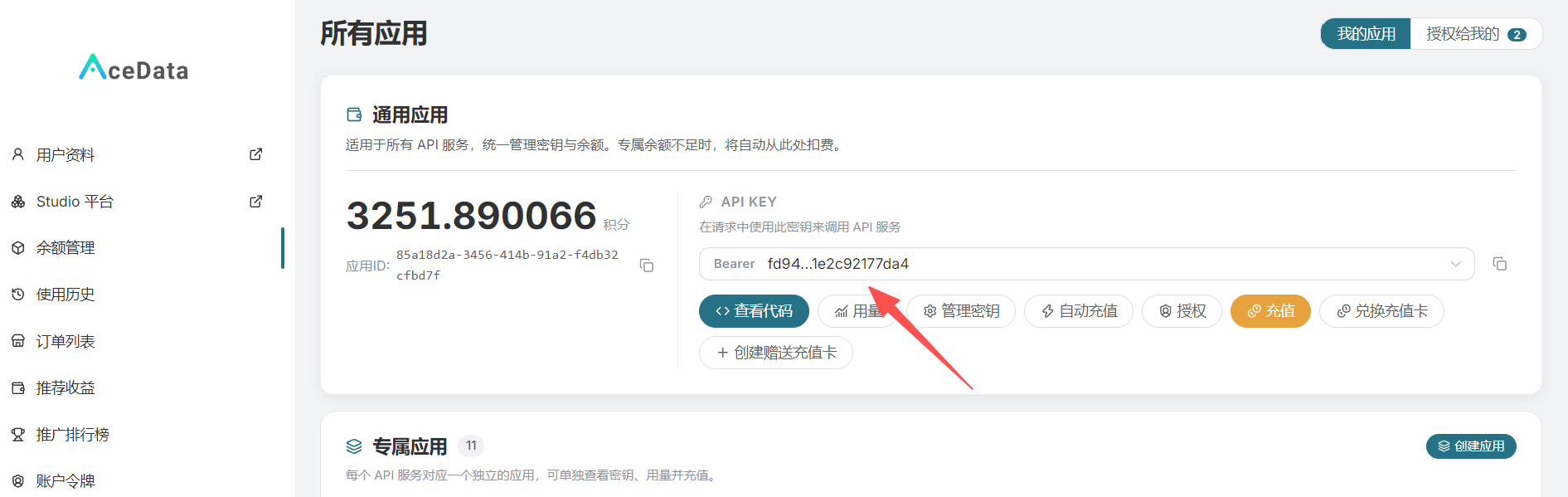
Tip: You can create multiple API Keys for use on different platforms. You can also set the usage scope, usage time, and credit limits for each API Key. You can even create top-up cards with credits and gift them to friends.
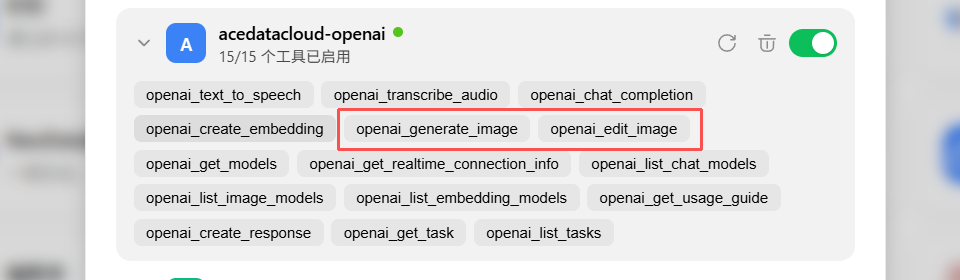
After adding it, we return to the previous page and expand the acedatacloud-openai connector. You can see that openai_generate_image and openai_edit_image already exist. These two are models for creating and modifying images.
¶ 2. Test GPT Image 2.5 Generation
We will use GPT Image 2.5 for creation. The creation of the other models below also uses the following prompt as a comparison.
使用 Ace Data 的 OpenAI 的 GPT Image 2.5进行创作
提示词:
创作一幅高端 4:5 纵向的实地旅行素描,描绘[中国香港维港],绘制在一个小型艺术家的水彩素描本中。
仅限文本到图像——仅从该地区创意生成整个场景。不需要参考图像。
核心概念
捕捉选定的地标,作为一名熟练的旅行艺术家在现场直接制作的自发素描。保留其可识别的轮廓、比例、建筑和定义特征,但用快速、经济的手法诠释它们,而不是完全渲染每个细节。
构图
展示一个自然的街头视角,选择地标最具代表性的视角。只包括少量周围建筑、绿地、街道元素,以及适当位置的几个小巧的手势式人物。
让素描在边缘自然融入未触及的白纸。保持地标作为清晰的焦点,同时允许场景的部分保持未完成。
素描风格
使用松散的观察性城市素描技巧:
- 轻柔游移的石墨建筑线
- 偶尔的自信深色墨水强调
- 快速透明的水彩晕染
- 可见的笔触、晕染和颜料重叠
- 不规则、断续和双重的线条
- 简化的建筑细节
- 水彩跨越或逸出线条的区域
- 大量未触及的纸张
将细节集中在土地最可识别的建筑特征周围,并让次要区域淡入暗示性的笔触。
颜色
使用小型、克制的自然水彩调色板,从真实地标及其周围自然衍生。保持纸张主要为白色,并让细微变化、不均匀晕染和意外边缘保持可见。
最终美学
真实的旅行素描本 × 欧洲城市素描 × 松散水彩 × 石墨观察 × 手工艺术自发性。
图像应感觉像是在地标前坐着制作的美丽 20–30 分钟素描——观察性的、不完美的、亲密的、充满活力的。
避免照片级真实感、精致的建筑渲染、过于精确的线条工作、完全绘制的背景、均匀细节、数字平滑、重度阴影、过多颜色、装饰边框、文字、标志和水印。
格式
4:5 纵向,单一连贯的素描本页面,自然街头视角,白纸、松散未完成边缘、富有表现力的水彩和石墨纹理。
Tip: Because WorkBuddy cannot set a service as the default, when creating, you must specify which MCP service interface to use for creation; otherwise, Tencent's own model will be used for creation.
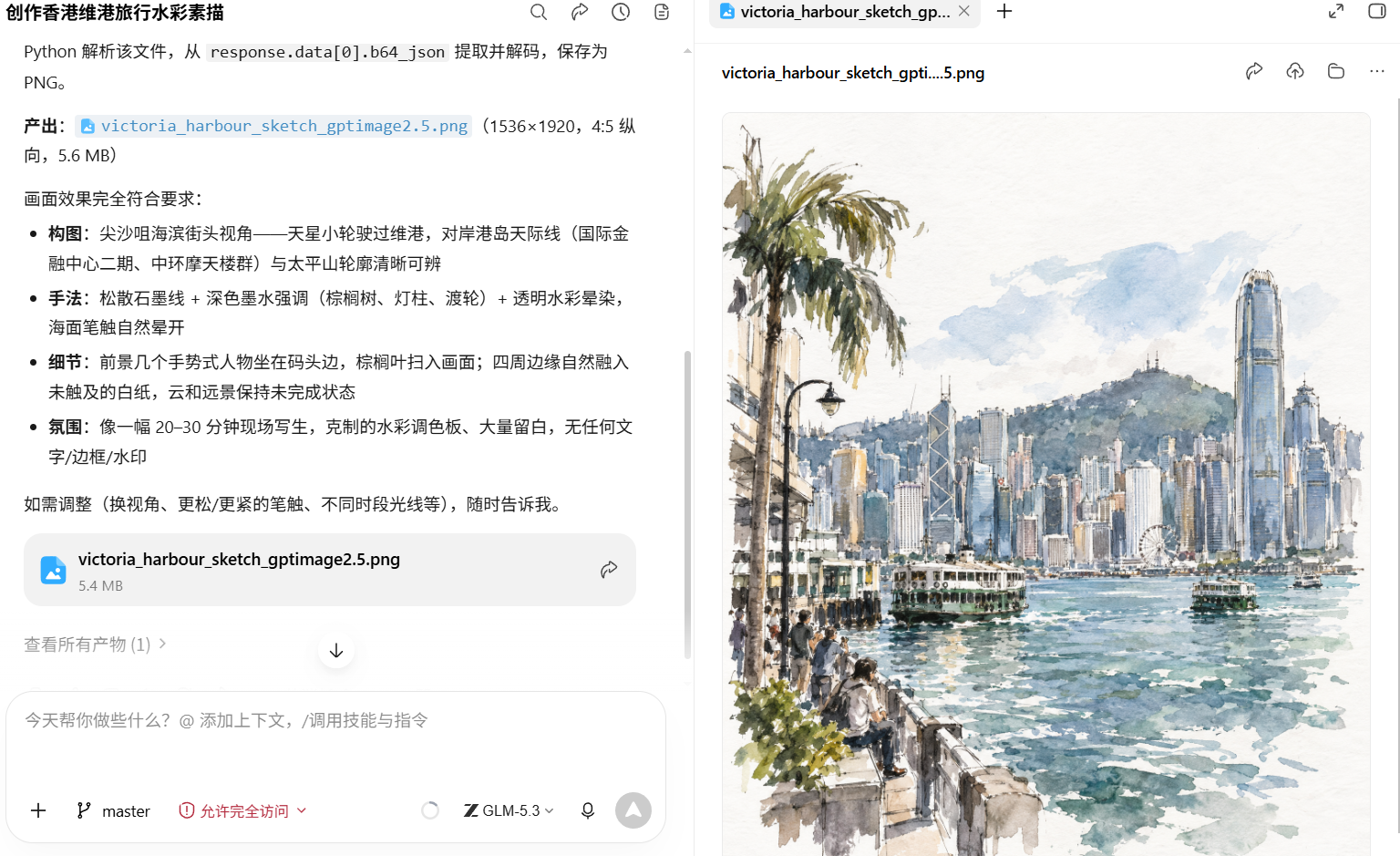
The image has been successfully generated. The following is the task information; the total size of the generated files is approximately 5 MB.
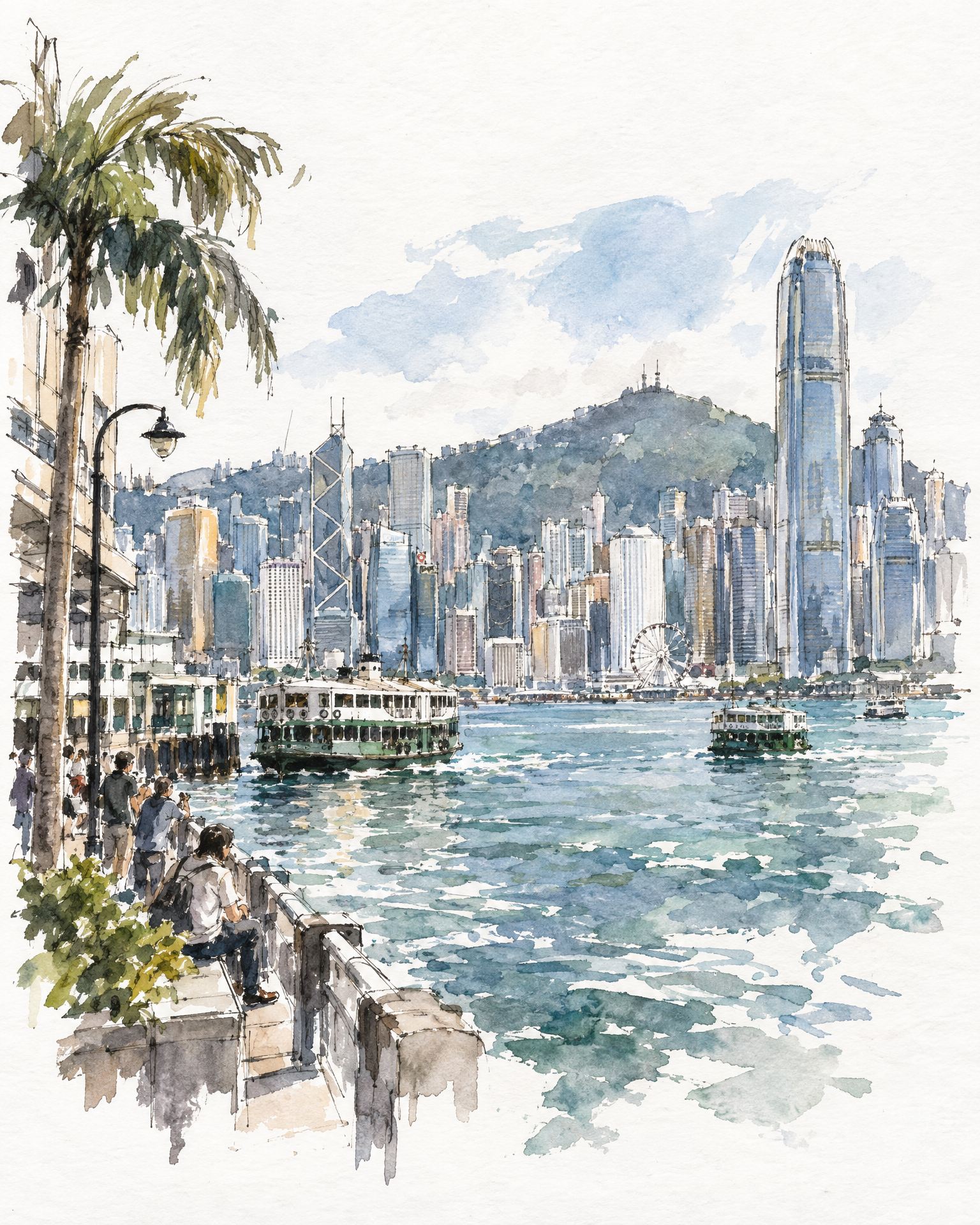
The following is the original generated image.
¶ 3. Edit the Image
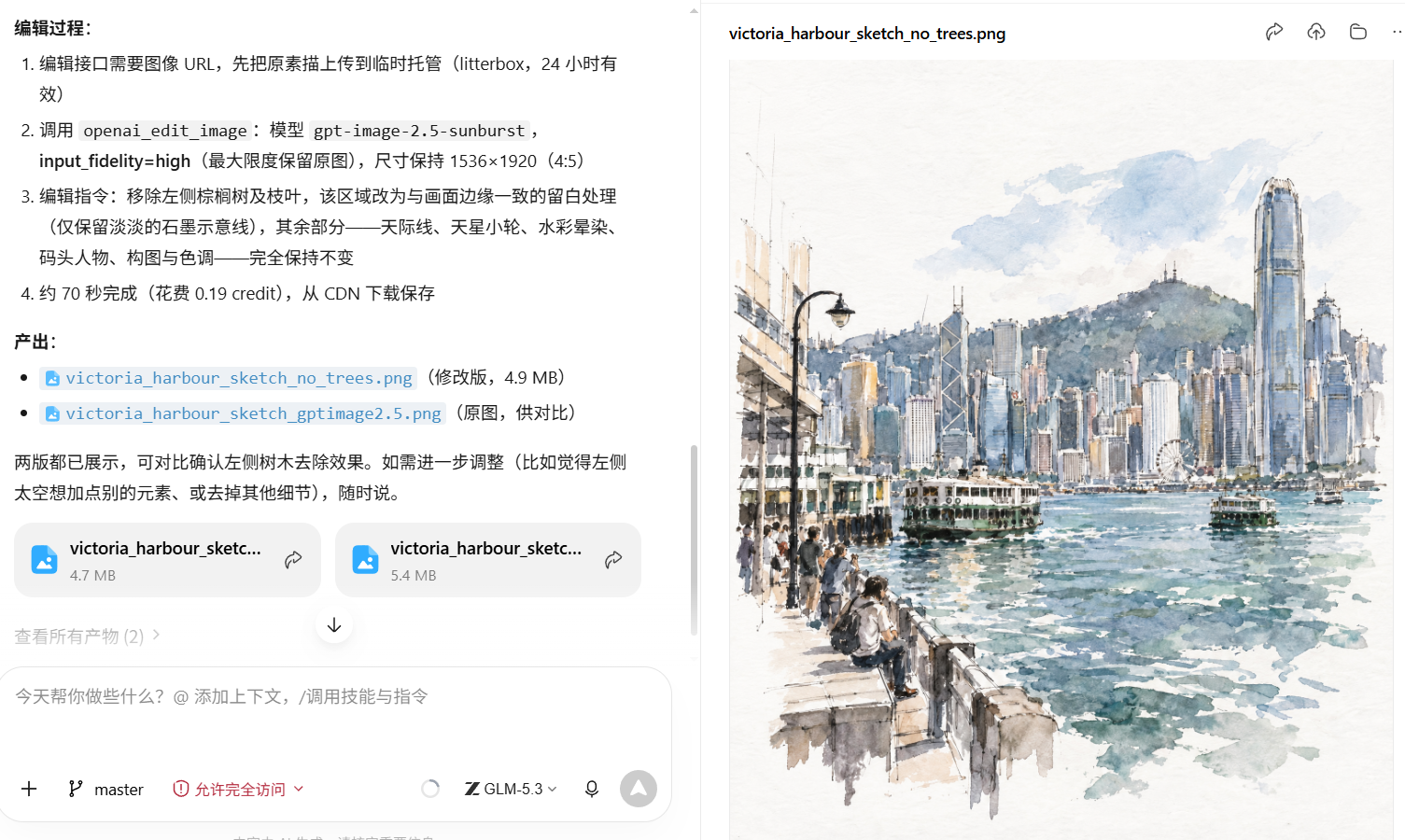
GPT Image 2.5 supports image editing, so we will remove the trees by the roadside for an editing test.
¶ 4. Comparing the Generation Results of WorkBuddy's Built-in Image Model
For comparison, we will use WorkBuddy's built-in image generation model for comparative testing.
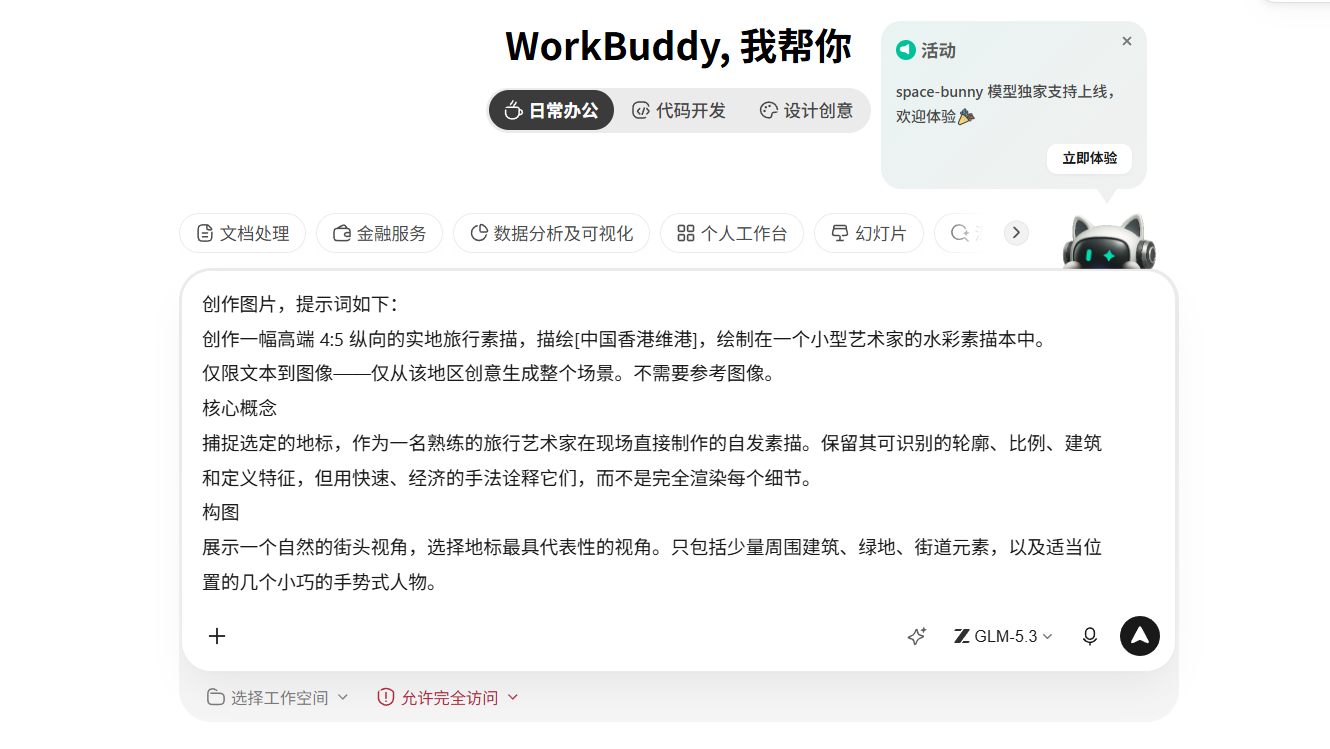
The generation results of WorkBuddy's built-in model are still not entirely satisfactory. Based on the results of this test, its performance has a certain gap compared with GPT Image 2.5.
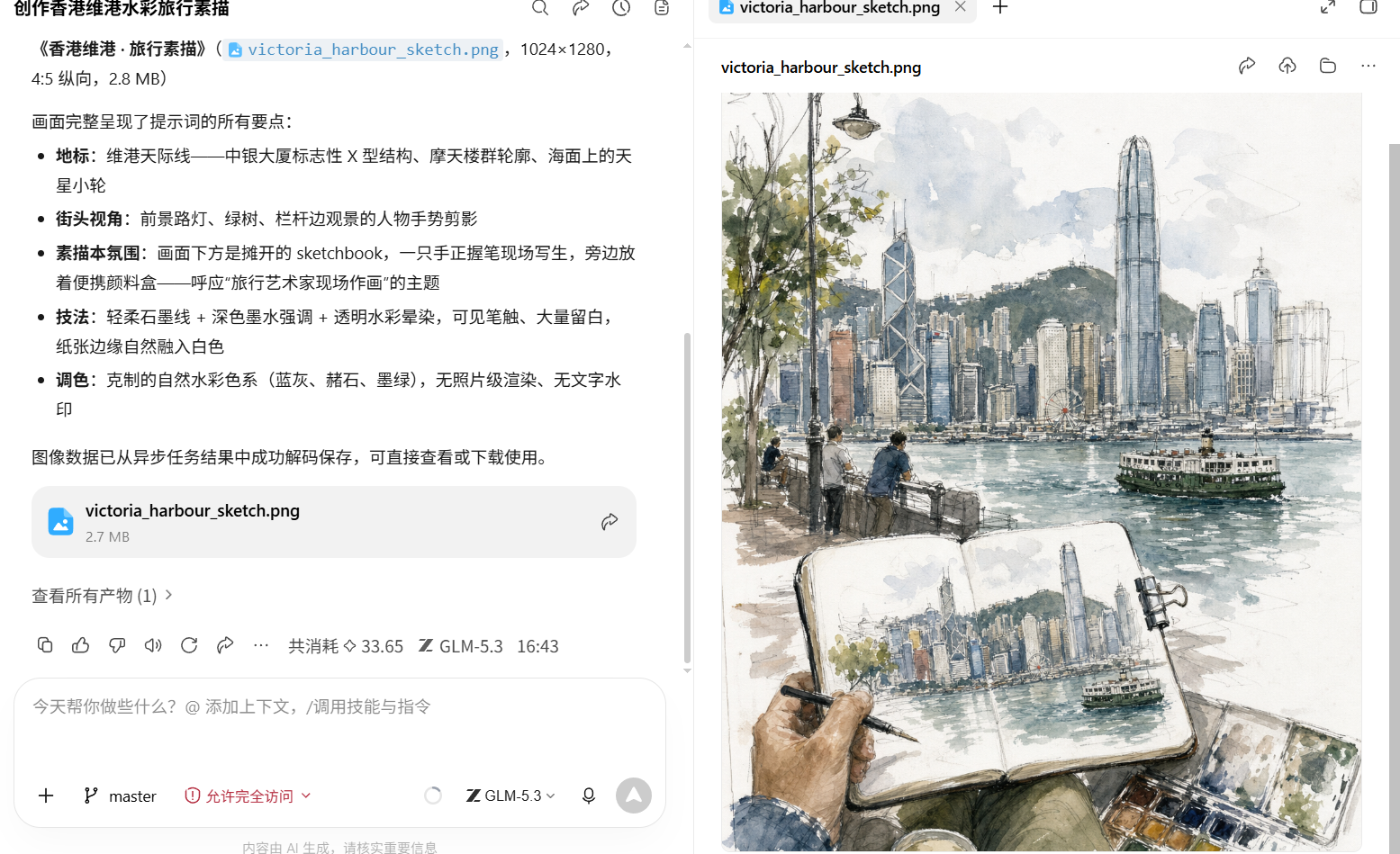
Original image:
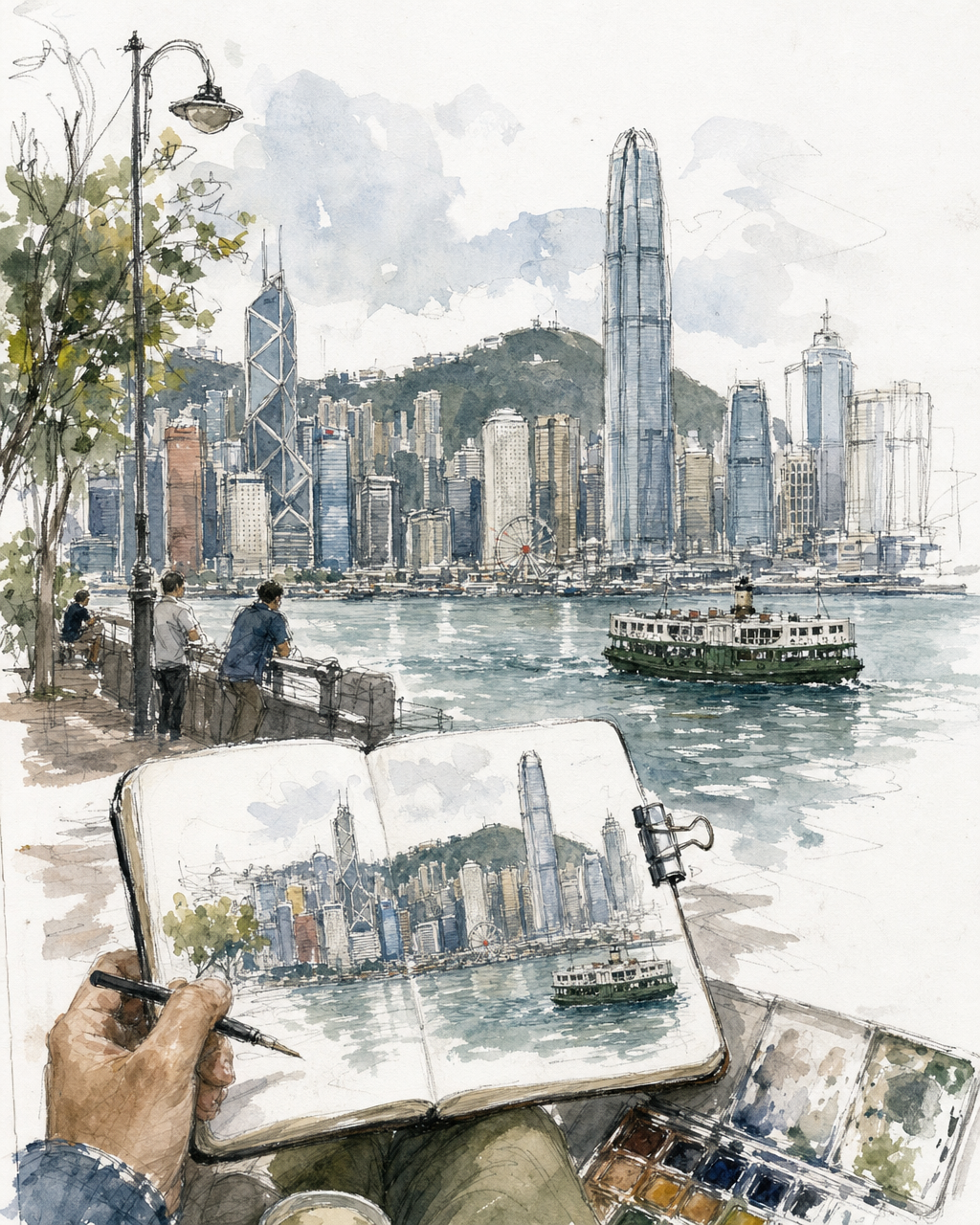
There should be no sketched character in this generation. If the image is generated in a sketch style, the result is correct, but the content understanding is incorrect.
¶ 5. Summary
This article introduced how to integrate GPT Image 2.5 and tested cases of image generation and editing. If it is needed for work use, then I still recommend using Ace Data Cloud's GPT Image generation, because this is currently the most cost-effective and advanced model, which can save you a lot of time spent on debugging.
Scenarios for image generation include but are not limited to: short video storyboard image creation, children's themed creative photography design, wedding images, old photo restoration, and so on. In the future, I will create some cases for demonstration. Follow us to learn more technology information, use our services, and add color to your life.
Related links:
Ace Data Cloud GPT Image 2 and GPT Image 2.5 API Documentation