
If you already hold $ACE, you can connect the wallet holding your tokens to your Ace Data Cloud account and check your eligible holder benefits.
Your $ACE stays in your wallet throughout the process. Wallet verification does not require staking, locking, or transferring your tokens.
This guide walks through the setup, how to check your discount, and which services and payment methods are covered.
¶ 1. Before You Start
You'll need:
- An Ace Data Cloud account
- The Solana wallet that holds your $ACE
- A wallet that supports message signing
Make sure you're holding the official $ACE token:
GnHpRsrcyfHSMZNzmpjAzTFQA26vnbRMzbKQ11ZKpump
You can verify the token address on Solscan.
Ace Data Cloud does not need your seed phrase or private key for wallet verification. Never enter or share either one.
¶ 2. Open the $ACE Benefits Page
Sign in to Ace Data Cloud and open the $ACE Holding Benefits page.
This is where you can connect your wallet and check the benefits associated with your $ACE holdings.
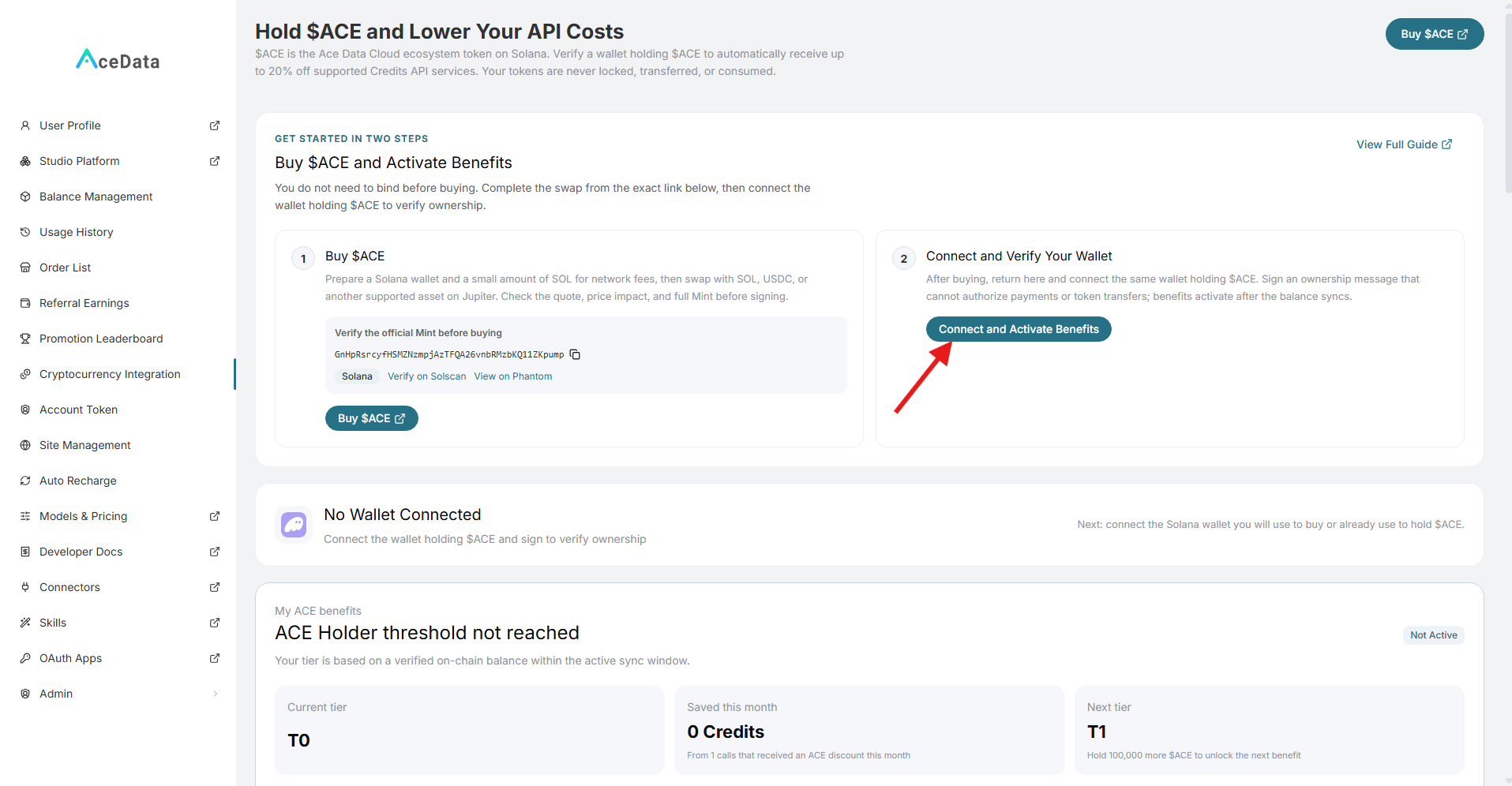
¶ 3. Connect and Verify Your Wallet
Click Connect Wallet and select the Solana wallet that holds your $ACE.
If you have multiple wallets, make sure you select the one with the tokens you want to verify.
After connecting, click Verify and Bind.
Your wallet should then ask you to sign a message confirming that you control the wallet.
Read the message before approving it.
This is an ownership verification step, not a token transfer. If a wallet prompt asks you to transfer funds or approve an unfamiliar spending permission, reject it and stop.
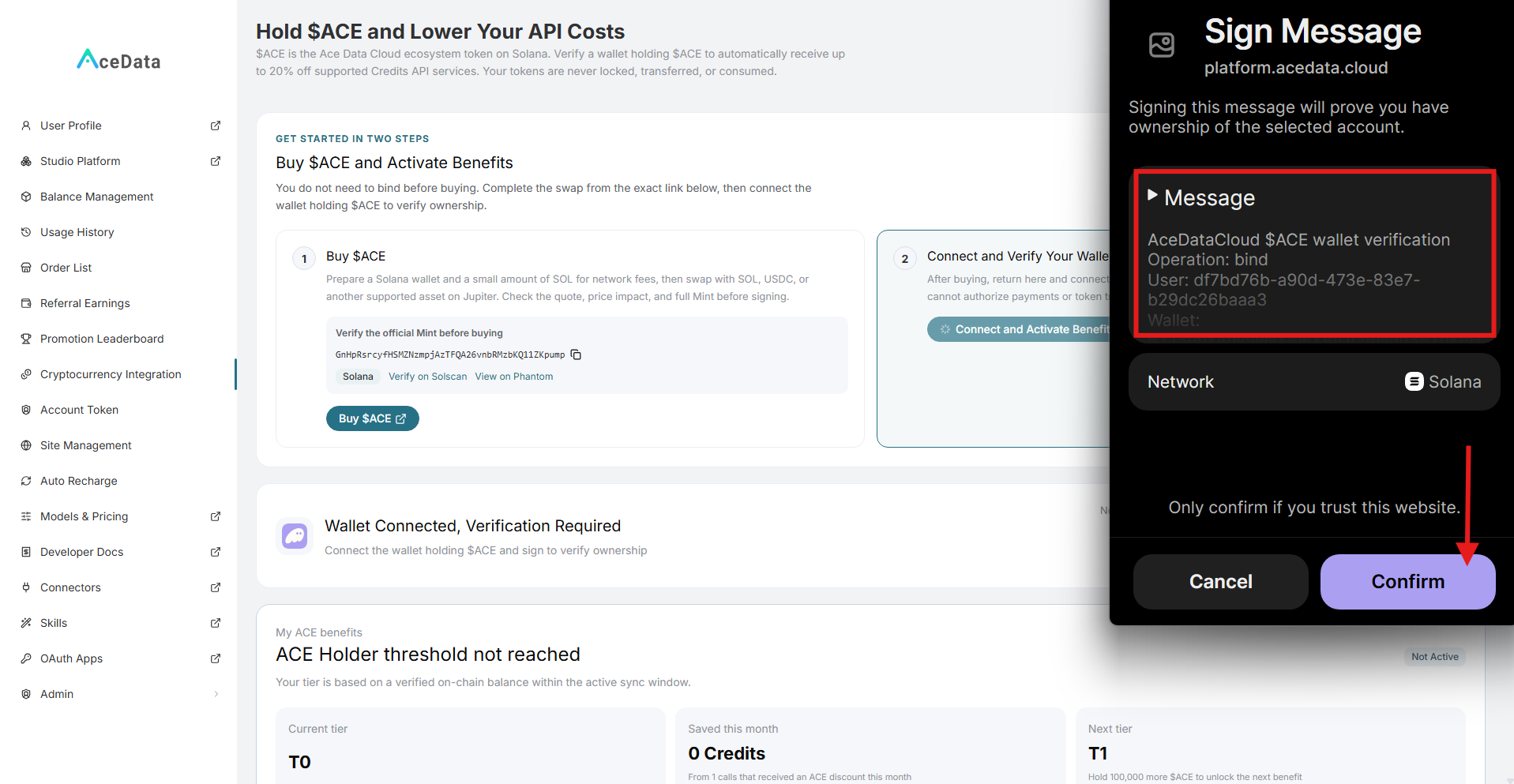
Once you sign the message, return to Ace Data Cloud and wait for your wallet balance to sync.
If you recently bought or transferred $ACE, it may take some time for the updated balance to appear.
¶ 4. Check Your $ACE Discount
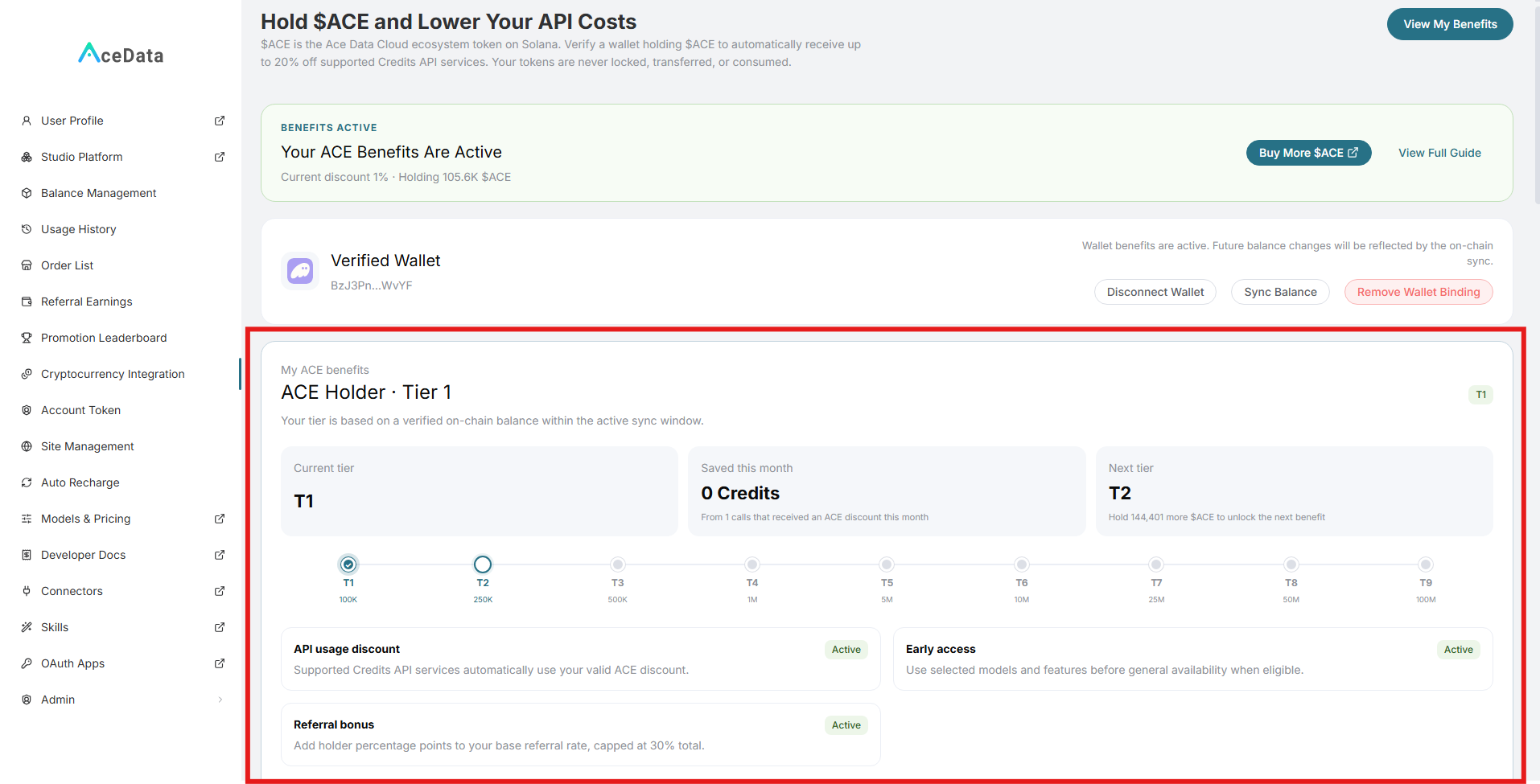
Once your wallet has been verified and your balance has synced, the benefits page will show your applicable holder tier.
¶ $ACE Holder Tiers
| $ACE Held | Discount on Supported Credits API Usage |
|---|---|
| 100,000 | 1% |
| 250,000 | 2% |
| 500,000 | 3% |
| 1,000,000 | 5% |
| 5,000,000 | 7% |
| 10,000,000 | 10% |
| 25,000,000 | 12% |
| 50,000,000 | 15% |
| 100,000,000 | 20% |
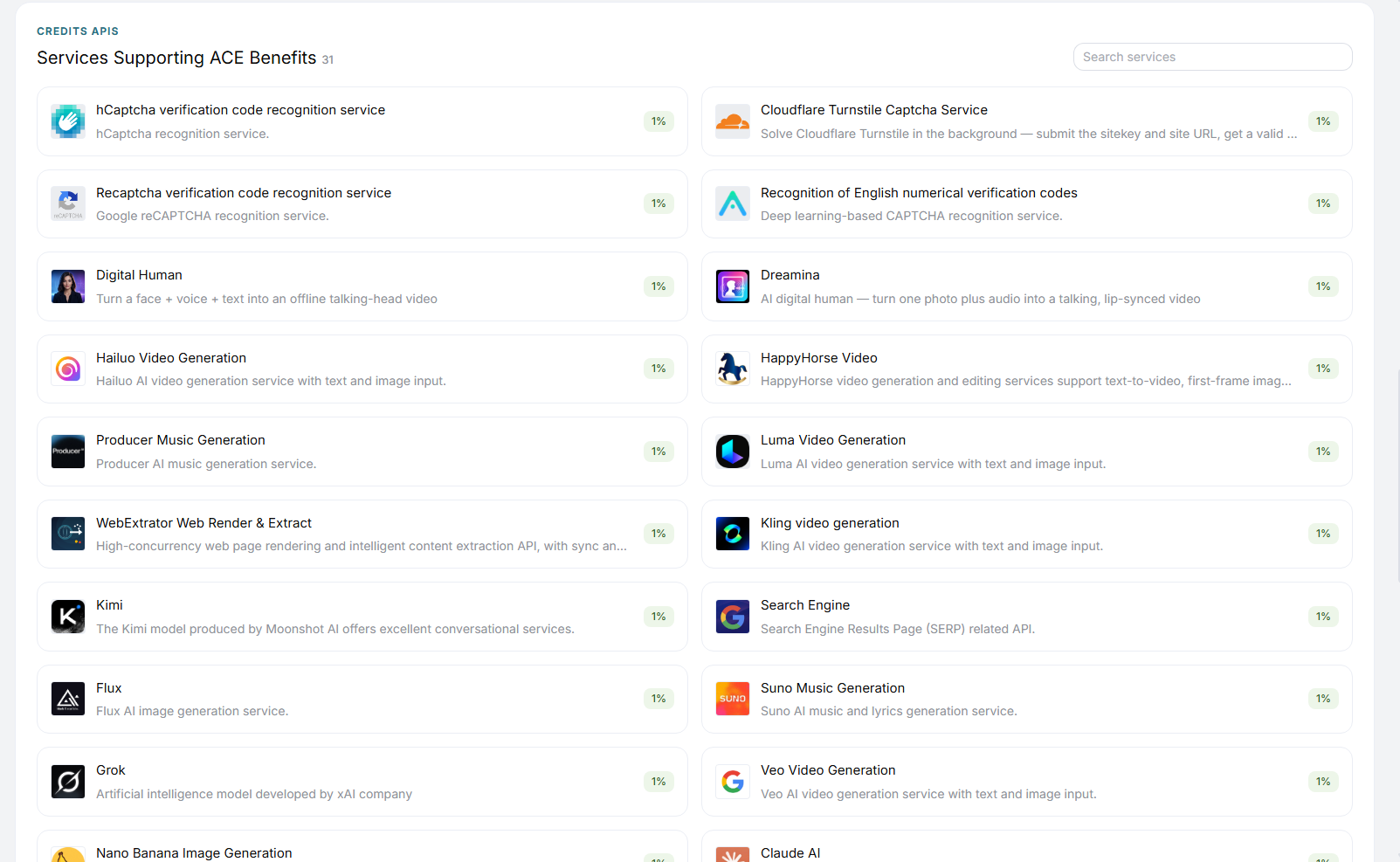
The discount applies to supported Credits API usage. The exact services covered can be checked on the benefits page.
¶ 5. What Does the Discount Cover?
The holder benefit applies to supported Credits API usage.
It does not apply to:
- Credit top-up purchases
- x402 USDC payments
- Other non-Credits consumption paths
These are separate payment and usage paths.
For example, if you make an eligible API call using Credits, your $ACE holder benefit can be applied. If the same service is paid directly through x402 using USDC, the holder discount does not apply.
Buying $ACE also does not add Credits to your Ace Data Cloud account. Your token holdings and platform Credits serve different purposes.
¶ 6. If Your Discount Isn't Showing
¶ Check the Wallet
Make sure the wallet you verified is the same wallet holding your $ACE.
¶ Check Your Balance
Your discount is based on the $ACE balance detected in the verified wallet.
¶ Give the Balance Time to Sync
If you recently bought or transferred $ACE, the updated balance may not appear immediately.
¶ Check the Supported Services
The holder benefit does not apply to every service. Check the current supported-services list on the benefits page before assuming an API is eligible.
¶ Check the Verification Step
If your wallet cannot complete the verification, make sure it supports message signing and that you're using the correct wallet account.
You should never need to transfer your $ACE to Ace Data Cloud to receive the holder benefit.
¶ 7. Your $ACE Stays in Your Wallet
Connecting your wallet does not mean sending your tokens to Ace Data Cloud.
You keep your $ACE in your own wallet. The verification step simply allows Ace Data Cloud to confirm wallet ownership and determine the applicable holder benefit.
If your $ACE balance changes, your benefit can change after the wallet balance is synchronized again.
¶ Ready to Check Your Discount?
Connect the wallet holding your $ACE and see your current tier and eligible services.